
Inspiring
October 5, 2019
Answered

Control Over Mask Opacity?

  • October 5, 2019
  • 2 replies
  • 776 views

Trying to do something I'm not sure is possible in PS:

I have applied an effect to an image at 100% - say a black and white layer.

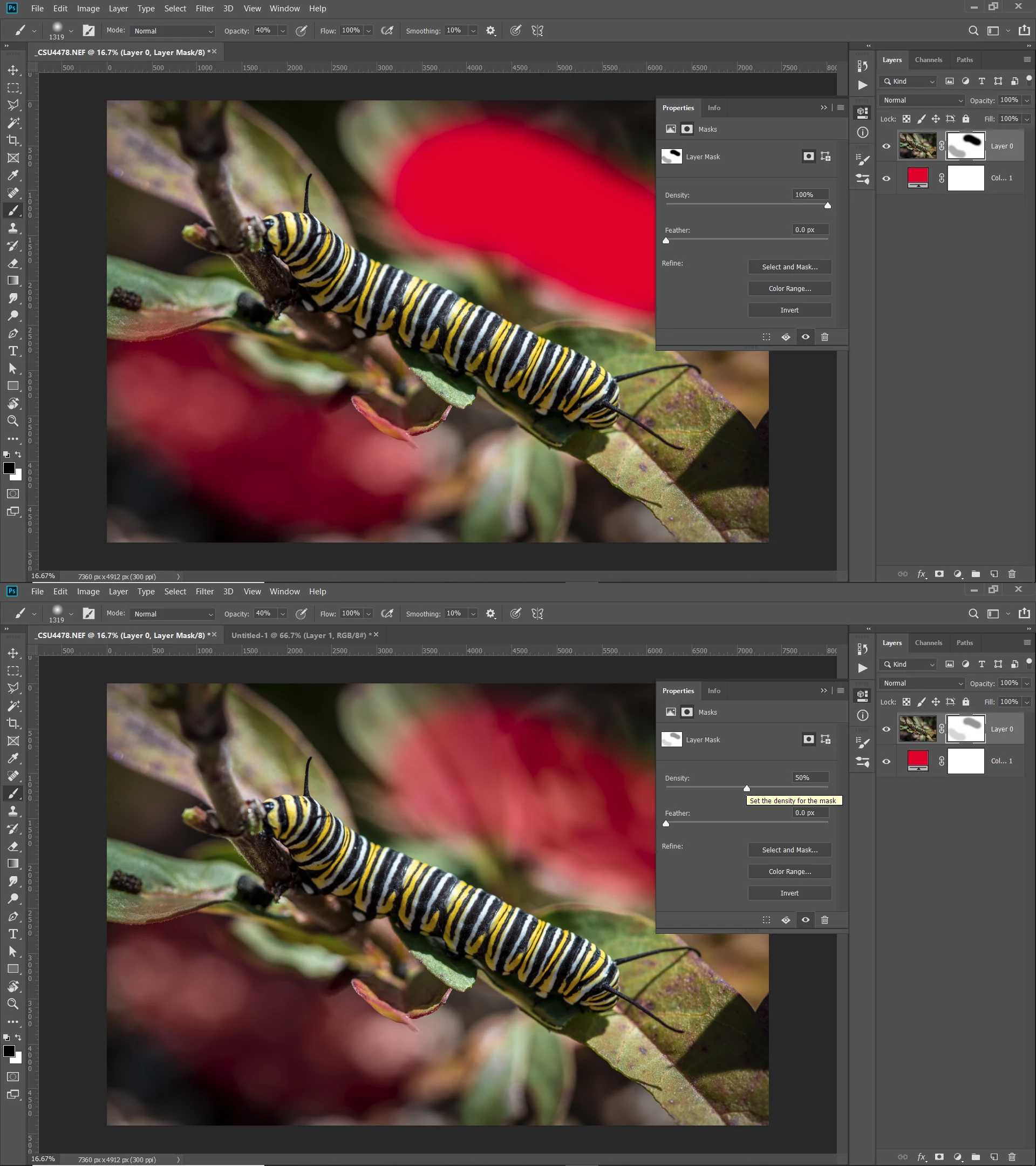
I then apply a mask to reveal some of the orignial image, but wish to have control of the opacity of this mask.


I know I can change brush opacity, but if I go over any part, it will keep increasing, or will it?

What I need it to have control of the revealed part of the image, in case I need to vary it somewhat.
This topic has been closed for replies.
Correct answer Chuck Uebele

If you want to do a global correction, you can use density in the mask properties.

2 replies

Chuck Uebele
Community Expert
Chuck UebeleCommunity ExpertCorrect answer
Community Expert
October 5, 2019

If you want to do a global correction, you can use density in the mask properties.

Inspiring
October 5, 2019
That would do it - thanks!
JJMack
Community Expert
Community Expert
October 5, 2019

Yes paint build up so paint with low opacity brush setting. Use  white and black Paint.  Use Paint blending mode overlay so you will only be able to paint in the gray areas once an area becomes 100% Black or White the area can not be painted on when using overlay blending. So existing solid on or off areas are protected. Use many strokes take your time.

JJMack