
Known Participant
March 16, 2020
Answered

Convert RAW file to JPG keep structure folder

  • March 16, 2020
  • 2 replies
  • 2756 views

Hello guys,


Could you please help me?
I need convert RAW file to JPG file.
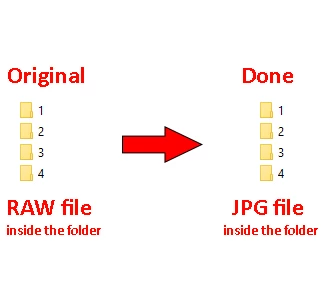
The issue is need keep the structure folder when convert & remove RAW file when finished.

How to automate this work?

Please see image below:


I appreciate any help!

This topic has been closed for replies.
Correct answer Lumigraphics

Or use Image Processor/Image Processor Pro and add a post-processing action that deletes the original RAW file.

2 replies

LumigraphicsCorrect answer
Legend
March 16, 2020

Or use Image Processor/Image Processor Pro and add a post-processing action that deletes the original RAW file.

ANCHINGOAuthor
Known Participant
March 17, 2020

Hi bro,


I have downloaded it, but I dont see action delete the original RAW file. 


Could you please send me link your version used?

ANCHINGOAuthor
Known Participant
March 17, 2020

I have downloaded right version. Thanks!

Legend
March 16, 2020

1. Search all raw files from current folder and subfolders (use search panel of windows explorer or other file manager)

2. Drag all files to photoshop - it will be open in ACR plugin

3. Select all and save raw files in jpg with option "save in same directory"

4. After saving mark files to delete in ACR plugin, or delete it manually in file manager

ANCHINGOAuthor
Known Participant
March 17, 2020

Ya, thank you! Same my think. But I finding a way automatic, reduce manual work.