Participating Frequently
January 23, 2024
Question

Convert selection to multiple layers

  • January 23, 2024
  • 4 replies
  • 926 views

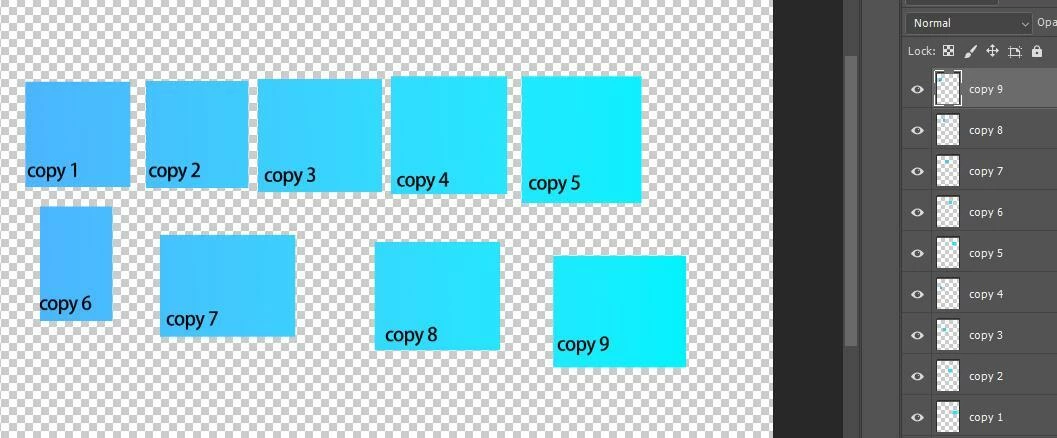
Is it possible to Convert the selection to multiple layers? I want to Convert the selection to multiple layers like the attached. Please help me. 


This topic has been closed for replies.

4 replies

jane-e
Community Expert
Community Expert
January 25, 2024

@Abdul27990060y1au 


Is this the same question you are asking in your other thread? You have the same image in each.

https://community.adobe.com/t5/photoshop-ecosystem-discussions/add-3d-circle-in-circles/m-p/14375887


Jane

Participating Frequently
January 25, 2024

yes, it was me.

Conrad_C
Community Expert
Community Expert
January 24, 2024

If there aren’t too many, one semi-automatic way is to combine the Object Selection tool with Layer > New > Layer Via Cut, as in the demo below. To speed it up, I do the later ones with the keyboard shortcut for Layer Via Cut and Select Layer Below.


Participating Frequently
January 25, 2024

Thanks for the answer. I want something like this. If is this possible. I will select all the objects and photoshop split each object into different layers.

Myra Ferguson
Community Expert
Community Expert
January 23, 2024

If all of those rectangles with text were on the same layer, then you could duplicate the layer and select and delete the parts you don't want from the copies.

Participating Frequently
January 24, 2024

I am working on a drawing that is created by using circles. The drawing is in a PNG file. Now I want to make changes to it. I want to select all the circles and want to take each circle to a different layer. Is it possible?

Stephen Marsh
Community Expert
Community Expert
January 24, 2024

Please post a screenshot of the workspace including the circles and canvas and layers panel.


Or attach a copy of the PNG.


P. S. Did you look at the script link?


Instructions for use here:


https://prepression.blogspot.com/2017/11/downloading-and-installing-adobe-scripts.html

Stephen Marsh
Community Expert
Community Expert
January 23, 2024

The following script doesn't use selections, it uses the transparency of a single layer to split to multiple layers:


https://github.com/ES-Collection/Photoshop-Scripts/blob/master/Split%202%20Layers.jsx

Participating Frequently
January 24, 2024

I am working on a drawing that is created by using circles. The drawing is in a PNG file. Now I want to make changes to it. I want to select all the circles and want to take each circle to a different layer. Is it possible?
