Participant
April 21, 2018
Answered

Copy

  • April 21, 2018
  • 2 replies
  • 402 views

Hello,

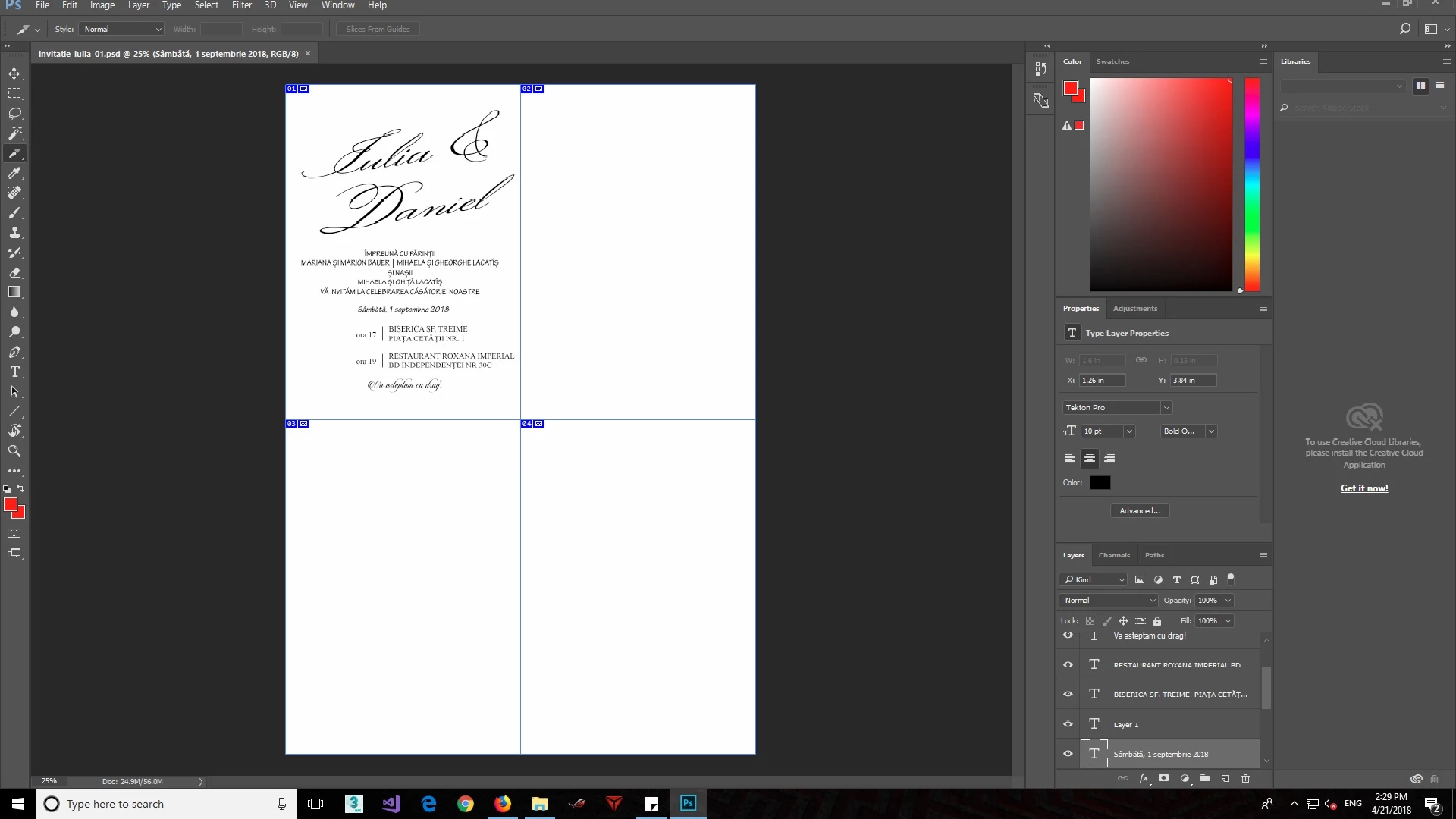
I have divided an A4 page in photoshop and I created something on the first one and I want to "copy and paste" what I did on the other 3. Is that possible? I couldn't find a way yet. If you can take your time and help I would really appreciate it! Thank you very much!
    This topic has been closed for replies.
    Correct answer Benjamin Root

    Select all the text layers and hit Ctrl+G to group them. Right click on the group and duplicate three times. With the first dupe group selected, use the Move tool to place in the correct quarter. Repeat for the other two dupes

    2 replies

    Derek Cross
    Community Expert
    Community Expert
    April 21, 2018

    By the way, this is a public forum and if the information you've posted is accurate be careful. It's always best to replace the data when you post this kind of thing with placement copy.

    raulGLDAuthor
    Participant
    April 21, 2018

    Yes you are right, I will keep that in mind! Thank you

    Benjamin Root
    Benjamin RootCorrect answer
    Legend
    April 21, 2018

    Select all the text layers and hit Ctrl+G to group them. Right click on the group and duplicate three times. With the first dupe group selected, use the Move tool to place in the correct quarter. Repeat for the other two dupes

    raulGLDAuthor
    Participant
    April 21, 2018

    Thank you very much for your help!

    Benjamin Root
    Legend
    April 21, 2018

    Glad to help!