


Inspiring
February 20, 2018
Question

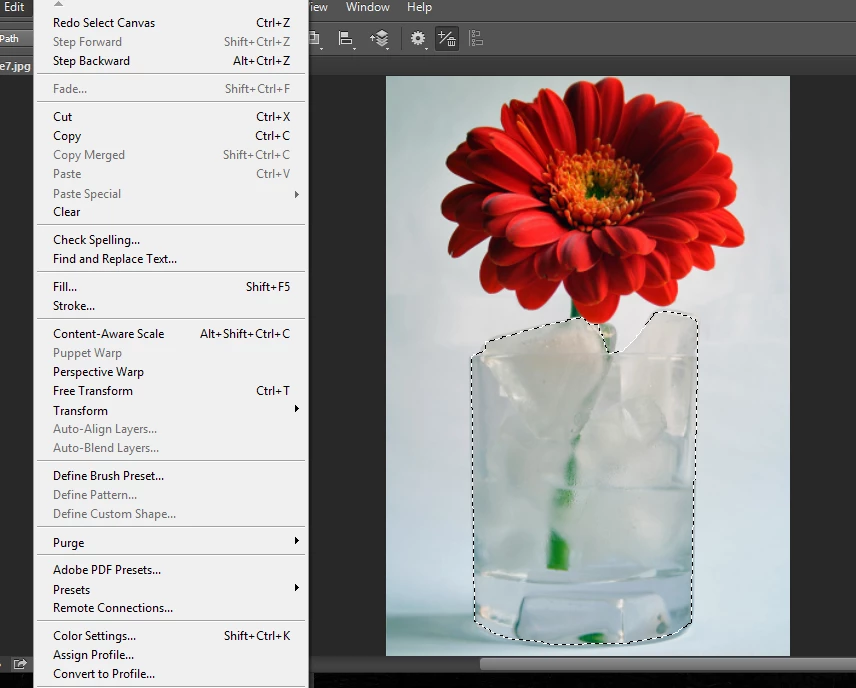
Copy Merged - Greyed Out ?

  • February 20, 2018
  • 4 replies
  • 5720 views

Hi guys

Following some instructions in a tutorial to basically select an object and put it into another photo. However on the tutorial he says, select the object with the pen tool ( which i've done ) and then click copy merged, however it is greyed out

Help !
    4 replies

    Bojan Živković11378569
    Community Expert
    Community Expert
    August 7, 2024

    Copy Merged functions with two or more layers in the layers panel, specifically requiring at least one regular layer that is not a background layer.

    Terri Stevens
    Legend
    February 20, 2018

    I have unmarked your question as answered Simmy as you still need help. Can we see the layers panel please?

    Inspiring
    February 20, 2018

    Hi thanks for the reply

    I managed to fix it, thread can now be closed.

    I might have a few more questions as i continue my course as I am new to photoshop and any help is much appreciated.

    Thanks

    Participating Frequently
    August 7, 2024

    "I managed to fix it"

    It would be helpful if you could mention how you fixed it, so others can learn.

    Inspiring
    February 20, 2018

    IT's doing it again and i cannot fix it this time, help

    Inspiring
    February 20, 2018

    Hi guys i have done it, i changed it from Background to Layer