Answered
Corrupt color profiles in Photoshop
Dell SE178WFP G2.2 D65 appears to be defective. How do I fix it? I have downloaded anew profile but there is no change.

Dell SE178WFP G2.2 D65 appears to be defective. How do I fix it? I have downloaded anew profile but there is no change.
Manufacturer monitor profiles are surprisingly often defective and useless. One could ask why they bother since they can't get it right. I don't know the answer.
These profiles get installed along with "monitor drivers" (which you don't need anyway) - or through Windows Update.
Just replace it with sRGB IEC61966-2.1. Relaunch Photoshop when done so that it can load the new profile at startup:
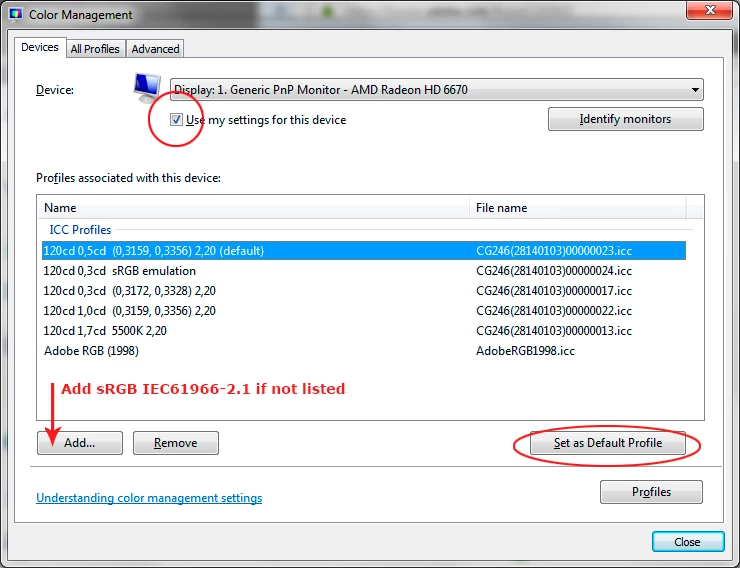
The real fix is to use a calibrator to make a new custom profile. But if you don't have one, sRGB will be close enough for most people.
Already have an account? Login
Enter your E-mail address. We'll send you an e-mail with instructions to reset your password.
 AdChoices