
Angieaaa
Known Participant
August 29, 2017
Answered

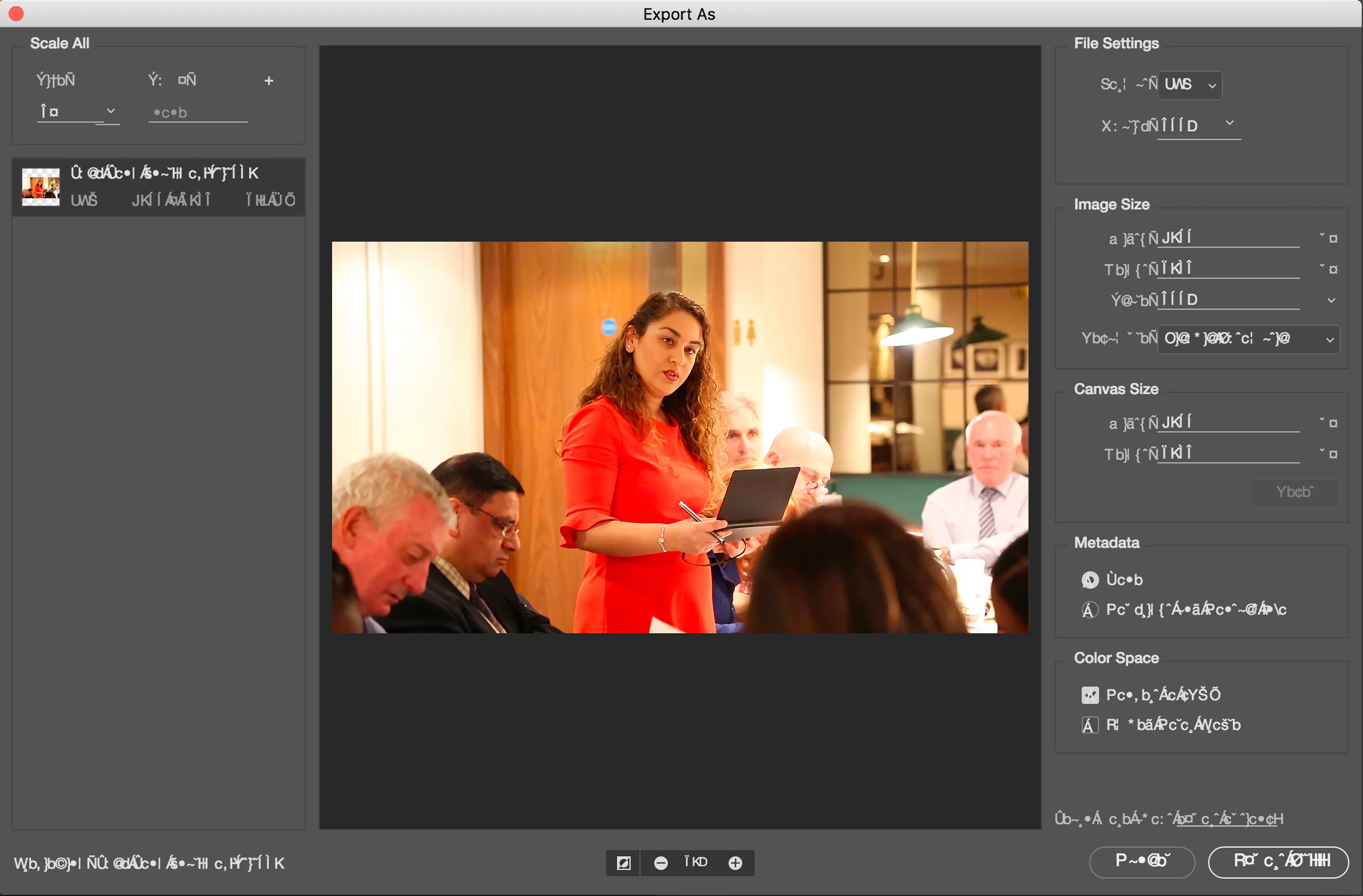
Corrupted window text...

  • August 29, 2017
  • 3 replies
  • 999 views

Any ideas here, when I open "Export As..." All other windows seem ok...

Photoshop CC, 2015 27inch mac - sierra
    This topic has been closed for replies.
    Correct answer PECourtejoie

    Hello! do you use a font management software? do you have a several copies of Helvetica Neue installed? See: https://feedback.photoshop.com/photoshop_family/topics/font-issue-in-photoshop-export-as-menu-interface

    3 replies

    PECourtejoie
    Community Expert
    Community Expert
    August 30, 2017
    Terri Stevens
    Legend
    August 30, 2017

    thanks for that. I had complete mind fade and totally forgot to give the link lol

    Terri Stevens
    Legend
    August 30, 2017

    Hi Angie,

    It looks as if you may have either a font missing or one has become corrupt and as a result you are getting a font substitution that's producing nonsense. As PECourtejoie​ suggests this could be due to a font management program. I have Suitcase Fusion 6 and it is very buggy with Photoshop.

    The link below is to a font troubleshooting guide. There is a button that allows you to download a font testing script  'FontTest.jsx'  You then copy the script to your scripts folder that is generally located at

    'C:\Program Files\Adobe\Adobe Photoshop CC 2017\Presets\Scripts'

    Start Photoshop and you will find under the 'Help' menu the font test script. Run the script, it will take some time, but it will identify any fonts Photoshop is having difficulties with. It will also clear the Photoshop font cache which is a good idea. Give these things a try and tell us if there is a change. Also if you have not restarted the computer lately do that as a precaution.

    Angieaaa
    AngieaaaAuthor
    Known Participant
    August 30, 2017

    Thank you Terri, I was having huge font problems with the new mac and conflicts with Sierra so bought Suitcase fusion to sort it all out - Ill try the link above - many thanks!!

    Angieaaa
    AngieaaaAuthor
    Known Participant
    August 30, 2017

    Is there not an Adobe person here who can help?

    PECourtejoie
    Community Expert
    PECourtejoieCommunity ExpertCorrect answer
    Community Expert
    August 30, 2017

    Hello! do you use a font management software? do you have a several copies of Helvetica Neue installed? See: https://feedback.photoshop.com/photoshop_family/topics/font-issue-in-photoshop-export-as-menu-interface

    Angieaaa
    AngieaaaAuthor
    Known Participant
    August 30, 2017

    Im running suitcase fusion, so it should be sorting the conflicts out!!!
