
Inspiring
January 31, 2020
Answered

Corruption Lines on Image in Photoshop when opening PDF

  • January 31, 2020
  • 1 reply
  • 4474 views

Hi Guys, 


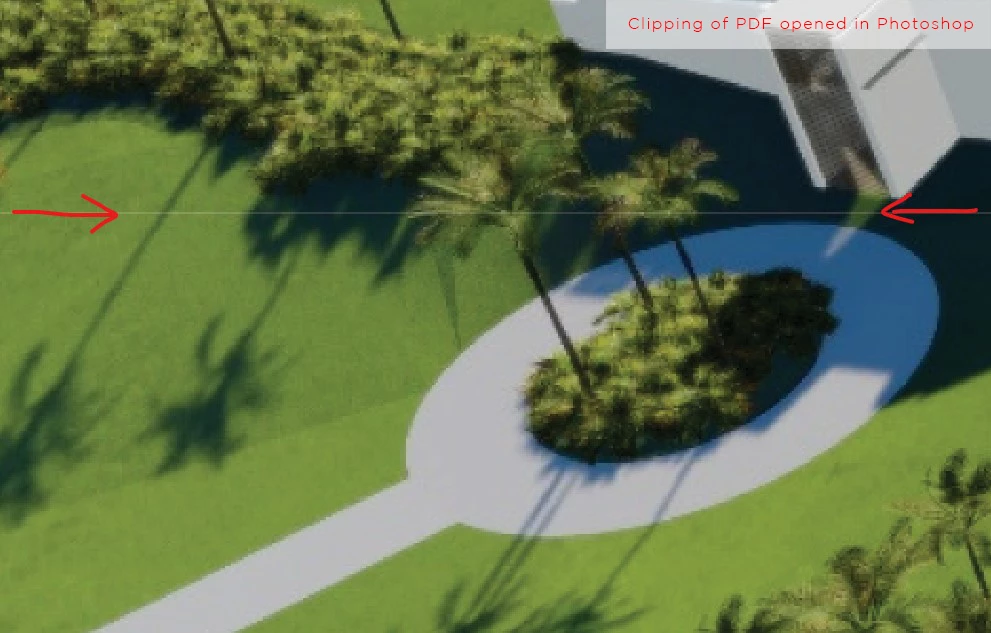
I would like to know if any of you might be able to explain why corruption lines in artworks occur when opening some PDF artworks in Photoshop.


It only happens to some artworks which is mind boggeling!
Is there a way to prevent this from happening by using standard or maybe custom Acrobat DC Pro Preflight profiles?

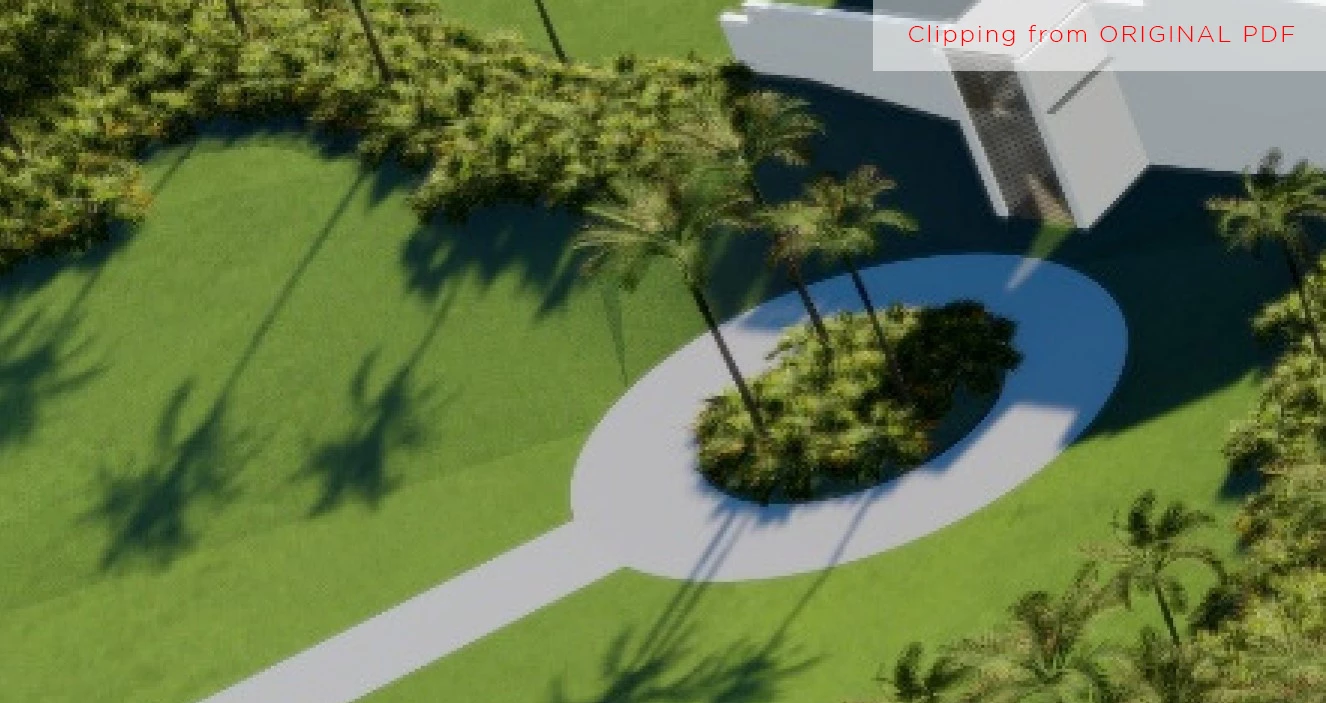
I have attached a clipping for you as referencen of the image in the .pdf document and then the image once opened in photoshop.
 

This topic has been closed for replies.
Correct answer Q0093C-PC

Good morning Stephen, 

Thanks for your response. I was not sure why it actually happens and as we deal with Large Format Prints i generally print at a lower resolution dependant on the dimentions of the print (which now explains why it shows up).

Most of the time our clients won't be able to re-save the graphics due to lead times on the projects so re-touching is always nessesary however I have managed to find a work around for this.

---> I open the supplied .pdf in Adobe Illustrator instead of Photoshop and export it from Illustrator as a .TIF then those "Stitch Lines" disappear.

1 reply

Stephen Marsh
Community Expert
Community Expert
February 1, 2020

This is because the PDF was saved with transparency flattened, resulting in “atomic regions” or “stitching artifacts”, which should not be visible at very high output resolutions, however at lower resolutions they are visible.


 If the PDF can be re-authored without flattening transparency that is best.


 If there’s no chance of getting the PDF regenerated, then it is possible to fix the image content without having to resort to retouching, which I can go into later if there is interest.

Q0093C-PCAuthorCorrect answer
Inspiring
February 10, 2020

Good morning Stephen, 

Thanks for your response. I was not sure why it actually happens and as we deal with Large Format Prints i generally print at a lower resolution dependant on the dimentions of the print (which now explains why it shows up).

Most of the time our clients won't be able to re-save the graphics due to lead times on the projects so re-touching is always nessesary however I have managed to find a work around for this.

---> I open the supplied .pdf in Adobe Illustrator instead of Photoshop and export it from Illustrator as a .TIF then those "Stitch Lines" disappear.