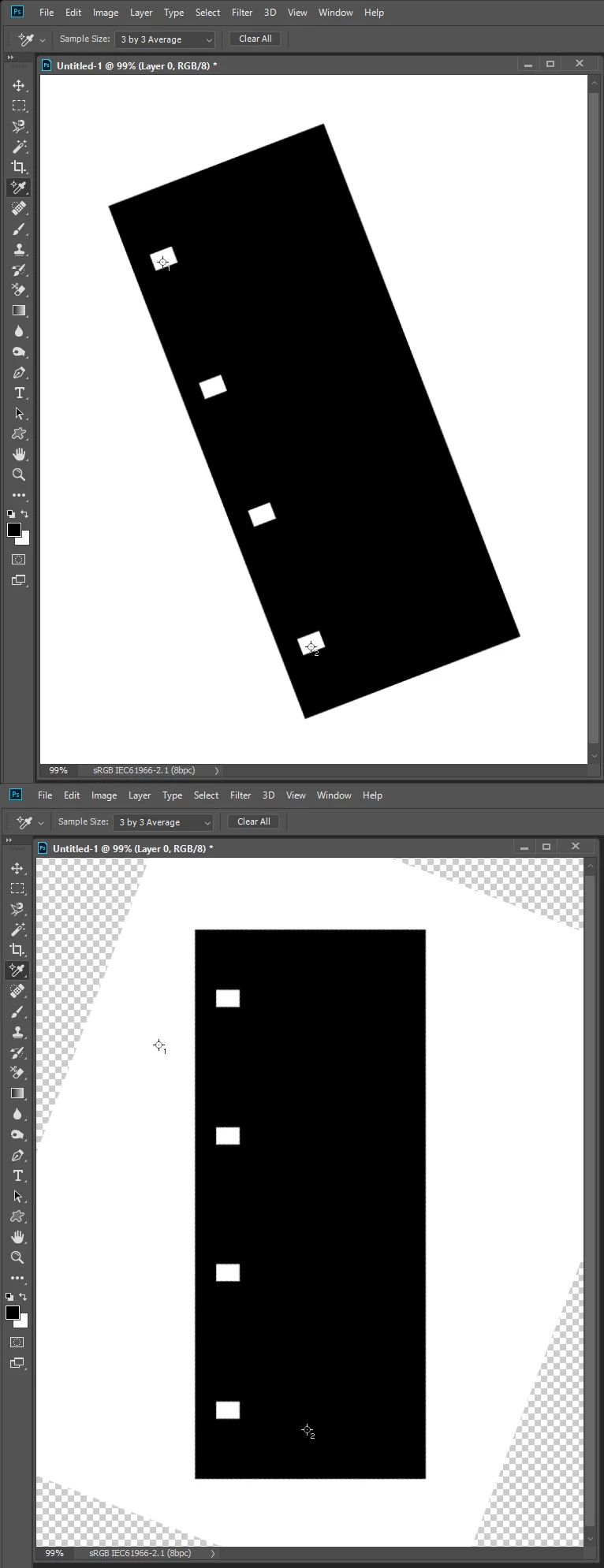
The script you want may work like this one.
// Save the current preferences
var startRulerUnits = app.preferences.rulerUnits;
// Set Photoshop to use pixels
app.preferences.rulerUnits = Units.PIXELS;
Main();
// Return the app preferences
app.preferences.rulerUnits = startRulerUnits;
function Main() {
if (app.activeDocument.colorSamplers.length!=2) {
alert('two color sampler points are required');
return;
}
else {
point1 = [];
point2 = [];
for (var s=0,len=app.activeDocument.colorSamplers.length;s<len;s++) {
var colorSamplerRef = app.activeDocument.colorSamplers;
MagicWand( colorSamplerRef.position[0].value ,colorSamplerRef.position[1].value);
if (s==0) point1=TopLeft();
else point2=TopLeft();
app.activeDocument.selection.deselect();
}
Rwidth = point2[0]-point1[0];
Rheight = point2[1]-point1[1];
degrees = Math.atan(Rwidth/Rheight) * 180 / Math.PI;
app.activeDocument.activeLayer.rotate(degrees);
}
}
function TopLeft() {
try{
TL=[];
var SB = app.activeDocument.selection.bounds;
TL[0]=SB[0].value;
TL[1]=SB[1].value;
return TL;
}
catch(e){}
}
function MagicWand(Xpoint,Ypoint) {
// =======================================================
var idsetd = charIDToTypeID( "setd" );
var desc121 = new ActionDescriptor();
var idnull = charIDToTypeID( "null" );
var ref33 = new ActionReference();
var idChnl = charIDToTypeID( "Chnl" );
var idfsel = charIDToTypeID( "fsel" );
ref33.putProperty( idChnl, idfsel );
desc121.putReference( idnull, ref33 );
var idT = charIDToTypeID( "T " );
var desc122 = new ActionDescriptor();
var idHrzn = charIDToTypeID( "Hrzn" );
var idPxl = charIDToTypeID( "#Pxl" );
desc122.putUnitDouble( idHrzn, idPxl, Xpoint );
var idVrtc = charIDToTypeID( "Vrtc" );
var idPxl = charIDToTypeID( "#Pxl" );
desc122.putUnitDouble( idVrtc, idPxl, Ypoint );
var idPnt = charIDToTypeID( "Pnt " );
desc121.putObject( idT, idPnt, desc122 );
var idTlrn = charIDToTypeID( "Tlrn" );
desc121.putInteger( idTlrn, 20 );
var idAntA = charIDToTypeID( "AntA" );
desc121.putBoolean( idAntA, true );
executeAction( idsetd, desc121, DialogModes.NO );
}




 AdChoices