Participant
December 15, 2020
Answered

'Could not complete request because of Photoshop Error'

  • December 15, 2020
  • 2 replies
  • 440 views

Hi!


I keep getting the pop-up box: ''Could not complete request because of a Photoshop Error'' everytime I try to copy an artboard or when I try doing anything basically. I also can't export files as PNGs, PDF nor anything. These functions were all available and working properly up until yesterday.

I have tried enabling/disabling the generator, resetting preferences etc. nothing seems to work..


Please help, as I work as a graphic designer and my work is highly dependent on me being able to use Photoshop..


Thanks in advance
This topic has been closed for replies.
Correct answer

Hi

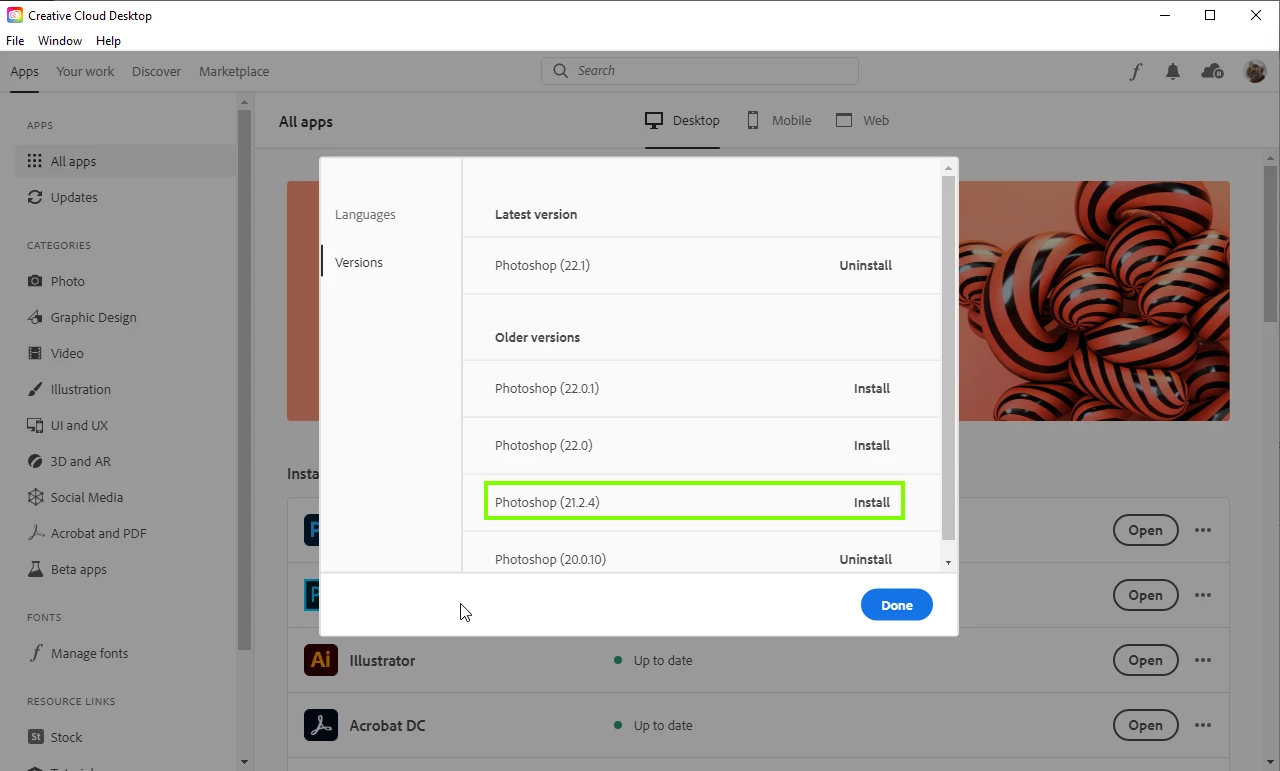
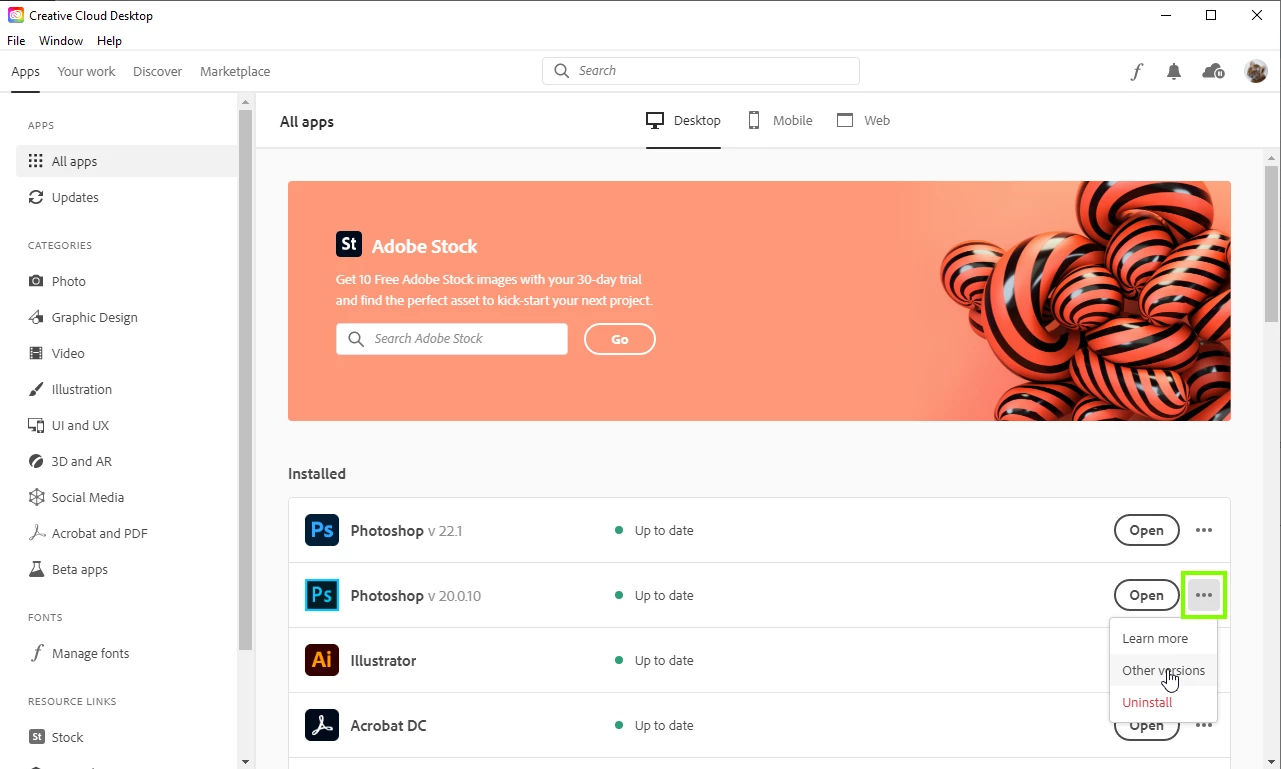
What exact version of Photoshop are you using, a lot of people are having issues with version 22.1, if you have version 22.1 installed you can install version 21.2.4 from the Creative Cloud app which seems to be a lot more stable.


2 replies

Correct answer
December 15, 2020

Hi

What exact version of Photoshop are you using, a lot of people are having issues with version 22.1, if you have version 22.1 installed you can install version 21.2.4 from the Creative Cloud app which seems to be a lot more stable.


Lejla5FF8Author
Participant
December 15, 2020
Didn’t even consider this in my panic but it worked - thank you so much!
Lejla5FF8Author
Participant
December 15, 2020

^I've also tried uninstalling and reinstalling*