
Legend
November 12, 2021
Answered

Could not complete this operation. A write permissions error has occurred

  • November 12, 2021
  • 1 reply
  • 6184 views

Hi There,


All of a sudden 'Save for web' won't save files to any disk on my system... "Save for web: Could not complete this operation. A write permissions error has occurred".
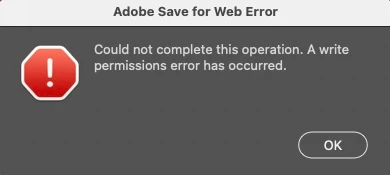


Have tried the following from other posts...

- Giving Photoshop full disk permissions

- Repairing permissions on all disks

- Restarting Photoshop

- Restaing Mac


But nothing works - does anyone know how to fix?


Cheers, Ben


- OSX 11.6.1

- Photoshop 23.0.1

Correct answer csscms

OK, so aparantly this can happen if dropbox is set to sync your desktop (even though I wasn't trying to save to desktop). In Dropbox you have to turn off the backup feature.


Dear Adobe, please fix. Over on the Dropbox forums, Dropbox blames you - maybe you guys to talk?


Cheers

1 reply

csscmsAuthorCorrect answer
Legend
November 12, 2021

OK, so aparantly this can happen if dropbox is set to sync your desktop (even though I wasn't trying to save to desktop). In Dropbox you have to turn off the backup feature.


Dear Adobe, please fix. Over on the Dropbox forums, Dropbox blames you - maybe you guys to talk?


Cheers

alanaragon
Participant
February 6, 2023

This solved my problem. Thanks for sharing!