nickc86014756
Participant
January 11, 2020
Question

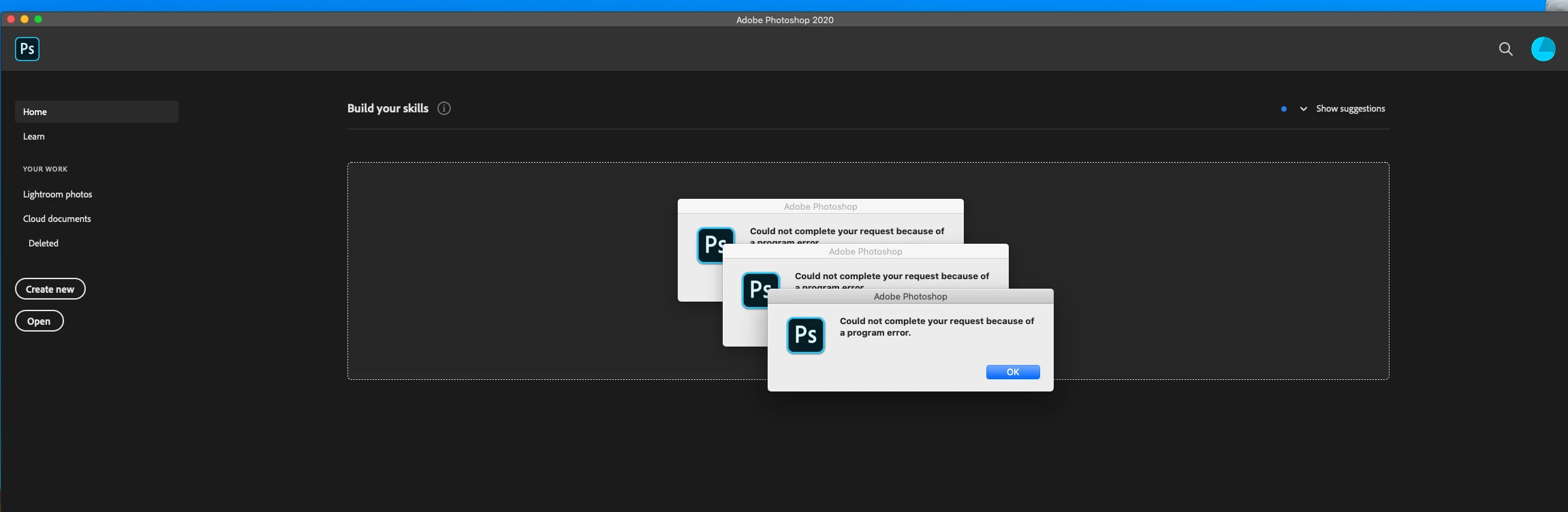
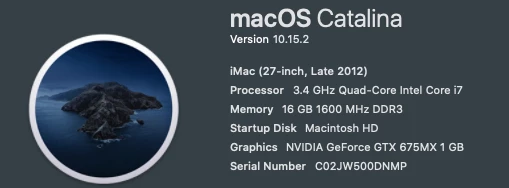
could not complete your request because of a program error Photoshop 2020 Mac OS Catilina

  • January 11, 2020
  • 1 reply
  • 698 views

Since upgrading to catlina my CS6 became unusable so i purchased the latest CC version througn the creative cloud. I cant open a document, go to settings drag a image into the file anything it just crashes out. Ive tried installing different versions that are available but they all do the same thing. ive reset preferences, PRAM and nothing seems to fix this. 
 

This topic has been closed for replies.

1 reply

Akash Sharma
Legend
January 13, 2020

Hi there,


Sorry that you're getting an error message "could not complete your request because of a program error" in  Photoshop 2020 when opening a document. Let us help make it right.


Please checkout the steps below:
 
1) Try going to the System Preferences of the macOS, then to Security and Privacy and add Photoshop to the Accessibility under the Privacy tab. Also, grant permissions to Photoshop 2020 under the Files and Folders section. Also,  add Photoshop to the list.
2) Turn on the Legacy Compositing option in Performance preferences. Choose Edit > Preferences > Performance (Windows) or Photoshop > Preferences > Performance (macOS). Select Legacy Compositing. Quit and relaunch Photoshop
 
Let us know how it goes.
 
Thanks,
Akash


nickc86014756
Participant
January 13, 2020

Thank you for the reply


Ive done step one, however the same error comes up when trying acces the preferences so i cant complete step two. 


any suggestions?

Akash Sharma
Legend
January 14, 2020

Would you mind resetting Photoshop's preferences & see if it helps? 
https://t.co/ulJI7cGn1G

You may want to backup your settings beforehand: 
https://t.co/4dX7gkr36D


Thanks,

Akash