
beht28280505
Participant
March 31, 2017
Answered

Could not find Make Frame From Layers from Animation/Timeline palette menu

  • March 31, 2017
  • 3 replies
  • 6281 views

Hi,

I would like to create an animated .GIT in PS CC. But could not find the "Make Frame From Layers" menu as shown below.
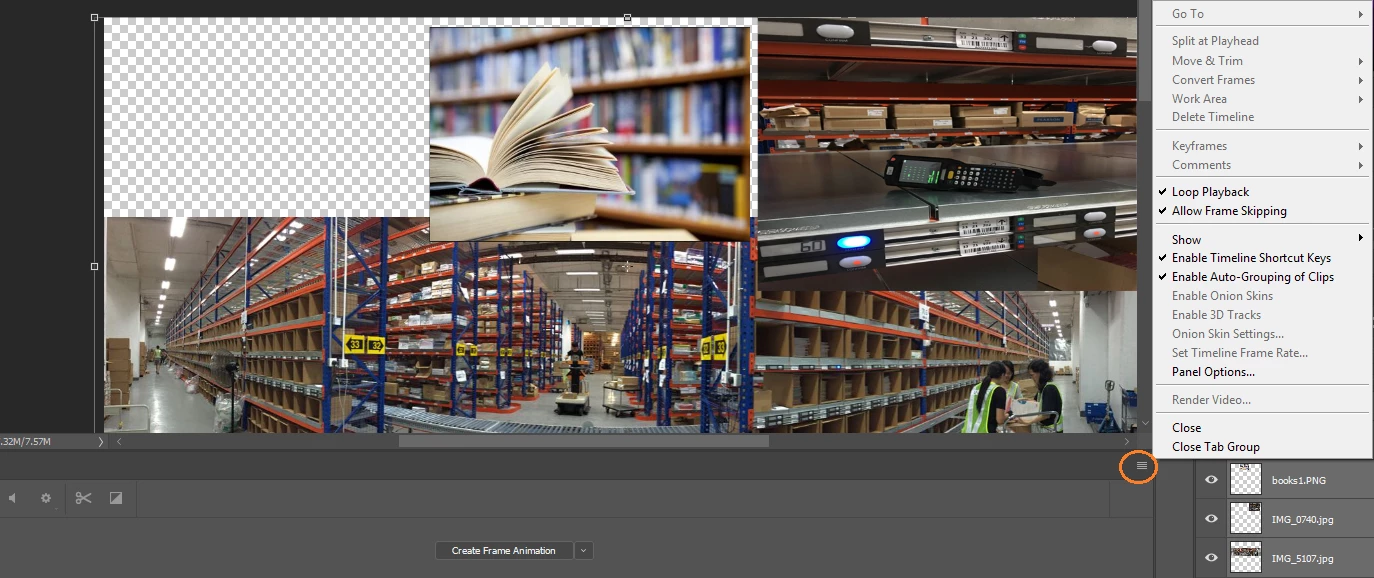
Photoshop version : Photoshop CC.

Release : 2015.5.1

Do I miss-out any selection or setting? Please advice.

Thanks in advance.

This topic has been closed for replies.
Correct answer Nelson Wiggins

https://forums.adobe.com/message/9619136#9619136

Oh my goodness.... Finally after many many searches --

"As it turns out, after selecting 'create frame animation,' I needed to then click on it to set up the first frame.  From that step, I then got the appropriate fly out menu."

3 replies

paula.obrien
Participating Frequently
June 25, 2018

I, too, just lost a couple of hours trying to do this. It worked fine in the sample project, but in my own project I needed to first click 'Create frame animation' after selecting it from the dropdown. Such a disappointment.

Known Participant
September 19, 2018

The same for me...why does Adobe make things so counter intuitive?  I have spent a few days trying to learn After Effects and it took me all that time to realize you could just push the space bar to play the movie.  For me, this is why programs like iMovie win out and why Flash died, etc.  I just don't think Adobe sees the small stuff.

Nelson WigginsCorrect answer
Participant
May 31, 2017

https://forums.adobe.com/message/9619136#9619136

Oh my goodness.... Finally after many many searches --

"As it turns out, after selecting 'create frame animation,' I needed to then click on it to set up the first frame.  From that step, I then got the appropriate fly out menu."

Participant
August 3, 2017

Thank you, I have been trying for an hour to figure out how to get a frame into the timeline. Never occurred to me click on 'create frame animation'.

Trevor.Dennis
Community Expert
Community Expert
April 2, 2017

From memory, you have to create a frame animation with at least one frame for that to become available.  This is perhaps a little strange because it uses _every_ layer including the background layer, so I usually have to tidy things up an delete the extraneous frames.  It's a _very_ useful tool though, as it lets you do most of the hard work with tools like Free Transform Step & Repeat as in this not entirely serious go at the first Forum Banner Challenge.  That was a fun exercise, and I learned a trick or too into the bargain.

In this case the diminishing scale and offset with each repeat works to produce perspective.