
Participant
December 12, 2020
Question

Could not save error photoshop 2021

  • December 12, 2020
  • 16 replies
  • 2882 views

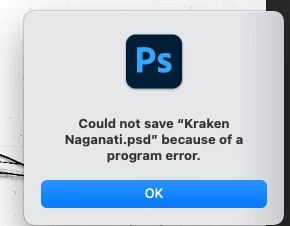
when I go to save my file I get this error message. Kraken Naginati is the file name

I gve photoshop 2021 full disc access. updated to Big Sur 11.0.1

I have no problem saving my work yesterday. everything was running smoothly, this morning it will not work. any help will be gretalty appreciated
This topic has been closed for replies.

16 replies

Carolina Ferraro
Participant
February 12, 2021

What is happening?? Supper annoying... Today is the 12 of Feb 2021 and no updates to fix this problem... 

Participant
May 4, 2021

4th May and I am still having this issue. Adobe fix it please? Come on guys...

Leonci11o
Participant
January 31, 2021

Same issue - and happened in illustrator. I could save as .jpg and .png but couldn't save them as unified layers. Had to save layers as separate .pngs. Really annoying and hope it gets fixed!

vanjory
Participant
January 7, 2021

I tried relaunching, quitting, restarting the macbook, etc and all it doesn't work. The only way is to roll back 1 version earlier.

Randy Hufford
Community Expert
Community Expert
January 5, 2021

I always keep a workstation with a older known working version of photoshop. I make a living doing this so i have to always have a backup. I keep one machine with newest upgrade and a second machine with a older known working version.

Participating Frequently
January 5, 2021

it seems to me that converting(or attempting to convert) a layer to a smart object makes the error occur

Participant
January 5, 2021

I can confirm that this also happened to me once or twice. However, there were many more occasions which were unrelated to this action where I got the error. Quite often a gradient or adjustment layer caused the issue, sometimes a layer which was dragged into the document from another file was the culprit. For me it usually helped to merge the layer which caused the problem with another layer (could also be an empty one). But sometimes even that wasn't possible because trying to merge layers often resulted in an error notification. 
Since the problem(s) got so bothersome and frequent I didn't see any other soultion than installing an old version of Photoshop. 

Participant
January 4, 2021

Well, after having to deal with this problem repeatedly with almost every file and on top of that also encountering other weird issues I deinstalled the latest version and installed the old 2020 version. This is not really what I'm paying for but it's better than not being able to work at all...

Participating Frequently
January 4, 2021

I've given Adobe full disk access, and reset the settings.  It worked for a while but just now I tired to convert a layer to a smart object and the program error came back, and now will not let me save ...

Participating Frequently
January 4, 2021

same problem

Participating Frequently
December 19, 2020

I can't get my work done because of this error and have lost lots of work. Is there any way to roll back to a version of PS before 2021 that isn't garbage?

Participant
December 15, 2020

I have the same problem. Always getting ' file could not be saved, due to program error'.

Please, Adobe, do something about it. Thank you!

Participant
December 15, 2020

I actually noticed that it always seem to happen when I drag a layer over from another file into the file I want to save. When I then turn the layer's visibility off, saving works again. When I turn it on, it doesn't. This is so messed up. Can anyone figure out the reason for this problem? The workaround helps but is not really ideal, I'd really like to fix the problem and not adapt to it and live with it.
I also noticed other weird things since the last update: when I open one specific file which worked just fine before the update, it 'opens' but instead of showing the content of the file I only see the start screen from which you load your files when you opened photoshop, within the frame. Clicking on the layers doesn't do anything. It's like there is no content. However, when I drag and drop layers from that file into another file, those layers are visible and work prefectly fine. Some layers however - a gradient adjustment for example - doesn't show. I am actually really terrified to start working every day because I fear the loss of some important file or content - and it's not a solution to save dozens of copies all the time. Never in more than 15 years of working with photoshop did anything like this every happen. 😕😕

Participating Frequently
December 15, 2020

Got this too. Another one of many embarassing errors from Adobe, and their even more embarassing solutions to not solve it but work around it. Because why fix when money.