Participating Frequently
October 20, 2017
Answered

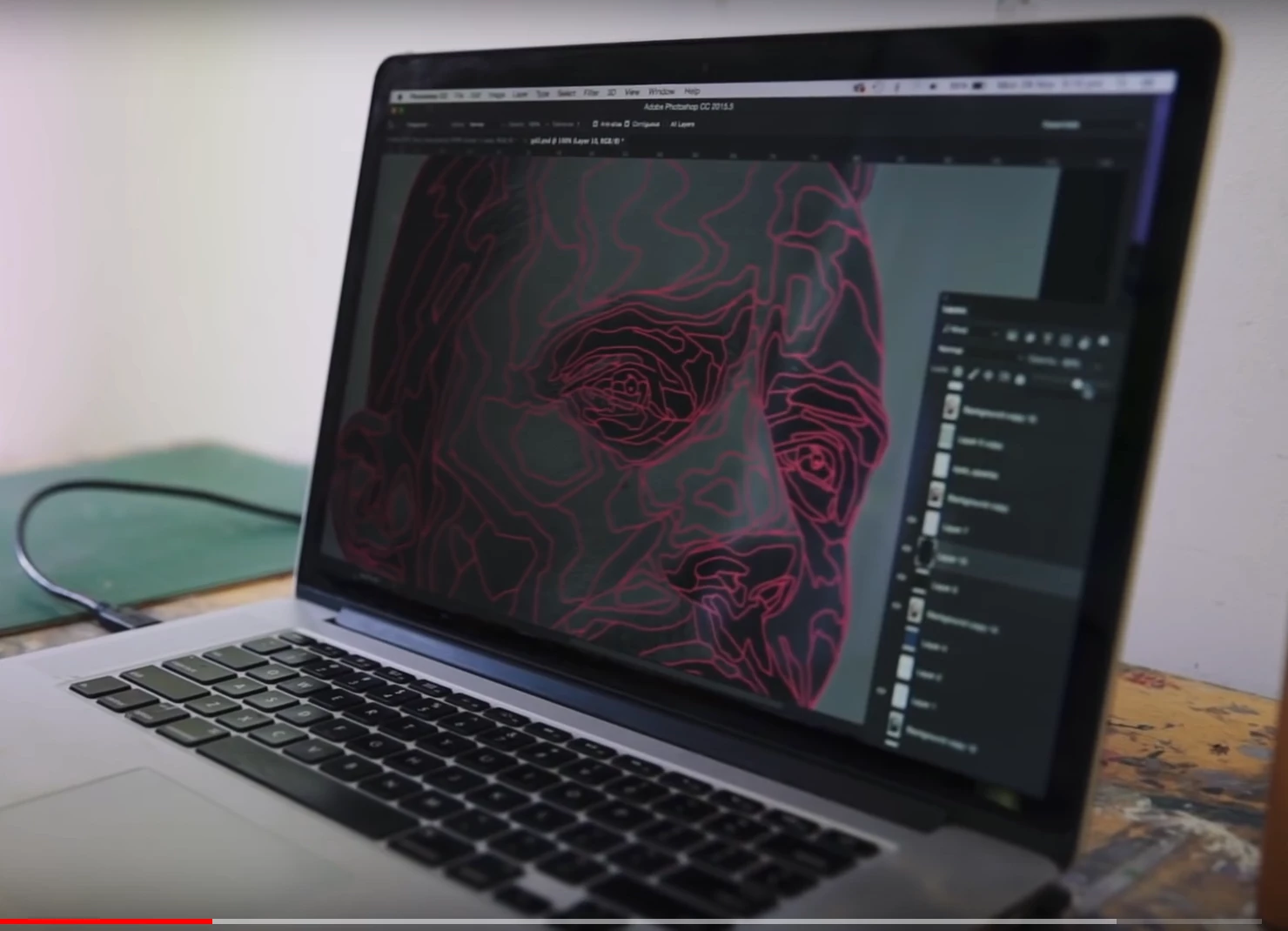
Could someone please let me know what this application or filter is in Photoshop CC, i think.
  • October 20, 2017
  • 4 replies
  • 923 views

This topic has been closed for replies.
Correct answer Myra Ferguson

For any area you want more detail, you could try selecting it and posterizing it separately with more levels than the rest. Then do Find Edges on those areas.

4 replies

Myra Ferguson
Community Expert
Community Expert
October 23, 2017

It appears to be a topographical/contour effect. You can make it by taking your image, duplicating your layer, selecting one of the layers, going to Image > Adjustments > Posterize... then play around with whatever settings in the slider make the amount of steps you'd like. Then go to Filter > Stylize > Find Edges. Set the layer with the edges to a blend mode that works with the original image underneath.

Also, you probably didn't get as many responses as normal last week because it was Adobe MAX. Adobe staff and lots of people who are active on the forums were at the conference.

I hope this helps.

Participating Frequently
October 23, 2017

Thank you very much for the reply. I have followed the instructions but I'm still unable to achieve the same results. I cant get the red lines and the detail is much different around the eyes and nose. anymore suggestions would be a great help.

JonathanArias
Legend
October 23, 2017

draw it with the pen tool as path and stroke them? i don't know of a "one click" solution for what you are trying to achieve.

Participating Frequently
October 23, 2017

Is this Forum active , as I only have 1 reply for what I thought was a simple question.

Nancy OShea
Community Expert
Community Expert
October 23, 2017

Like I said before, the picture you posted is not adequate to provide a meaningful answer.  Saying you saw it on YouTube provides no context or clues as to which software was used.

Nancy O'Shea— Product User & Community Expert
Participating Frequently
October 23, 2017

No problem. I just thought if anyone here had used it they would of recognised it right away

Participating Frequently
October 20, 2017

Thanks for the reply but its not my Mac. Its a screen shot of a YouTube video.

Nancy OShea
Community Expert
Community Expert
October 20, 2017
Nancy O'Shea— Product User & Community Expert
Participating Frequently
October 20, 2017

Thanks for the reply but its not my Mac. Its a screen shot of a YouTube video.

Nancy OShea
Community Expert
Community Expert
October 20, 2017

It might be an After Effects filter then.

Nancy O'Shea— Product User & Community Expert