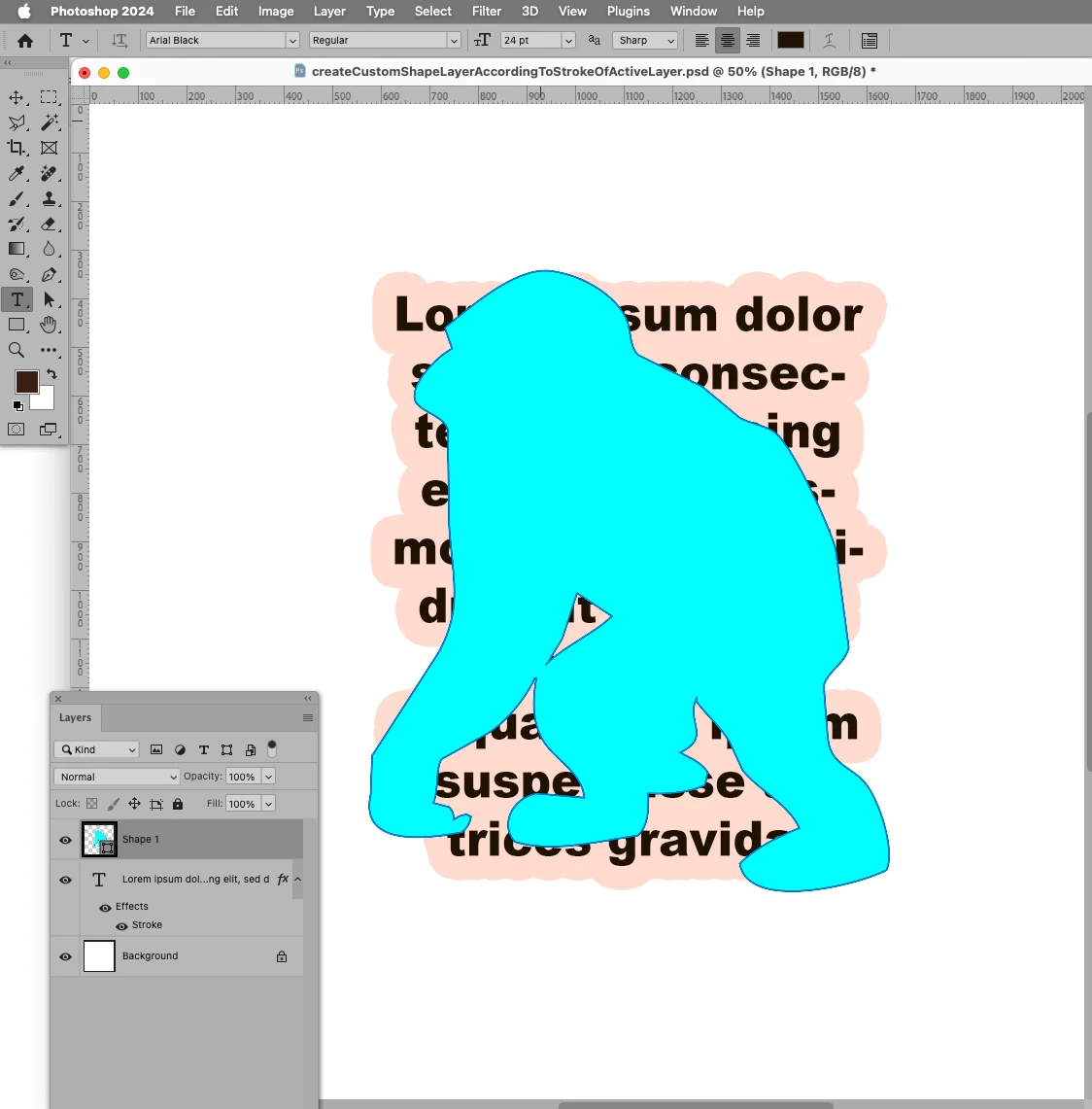
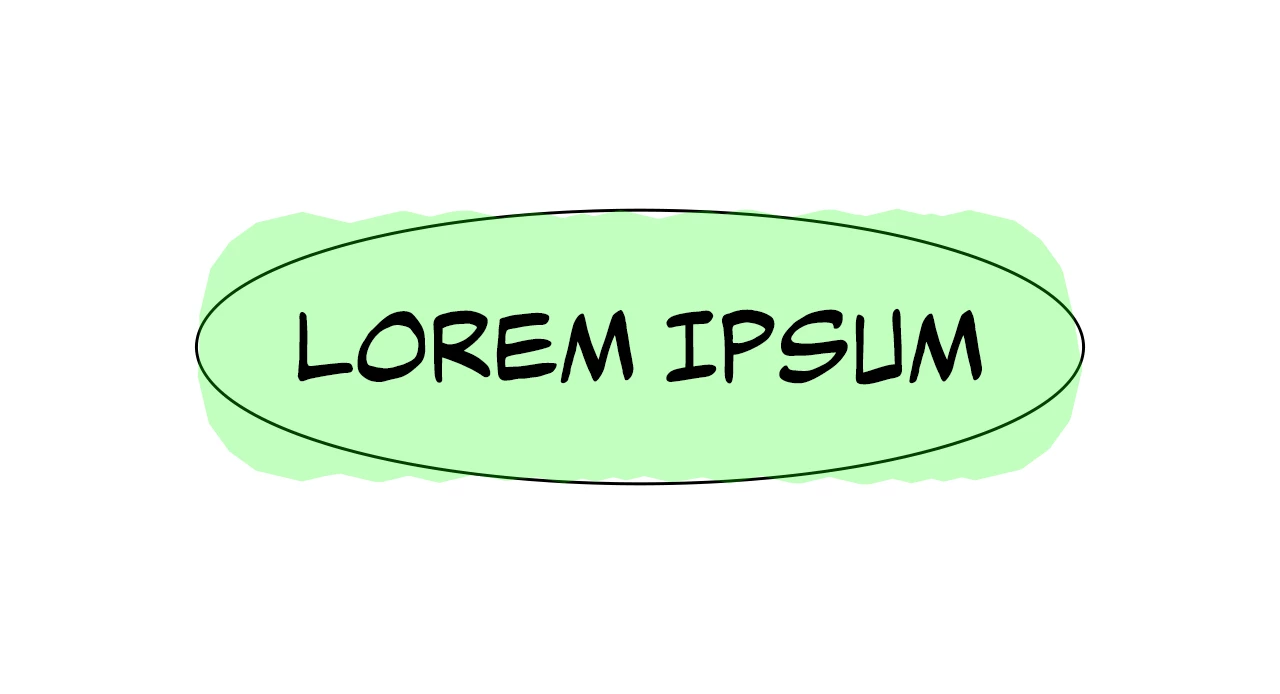
Sorry for the late reply. For the past 2 days I've been trying to find a way to adjust the size of a custom shape to be the same as the stroke size (like with ellipses and rectangles). But it failed...
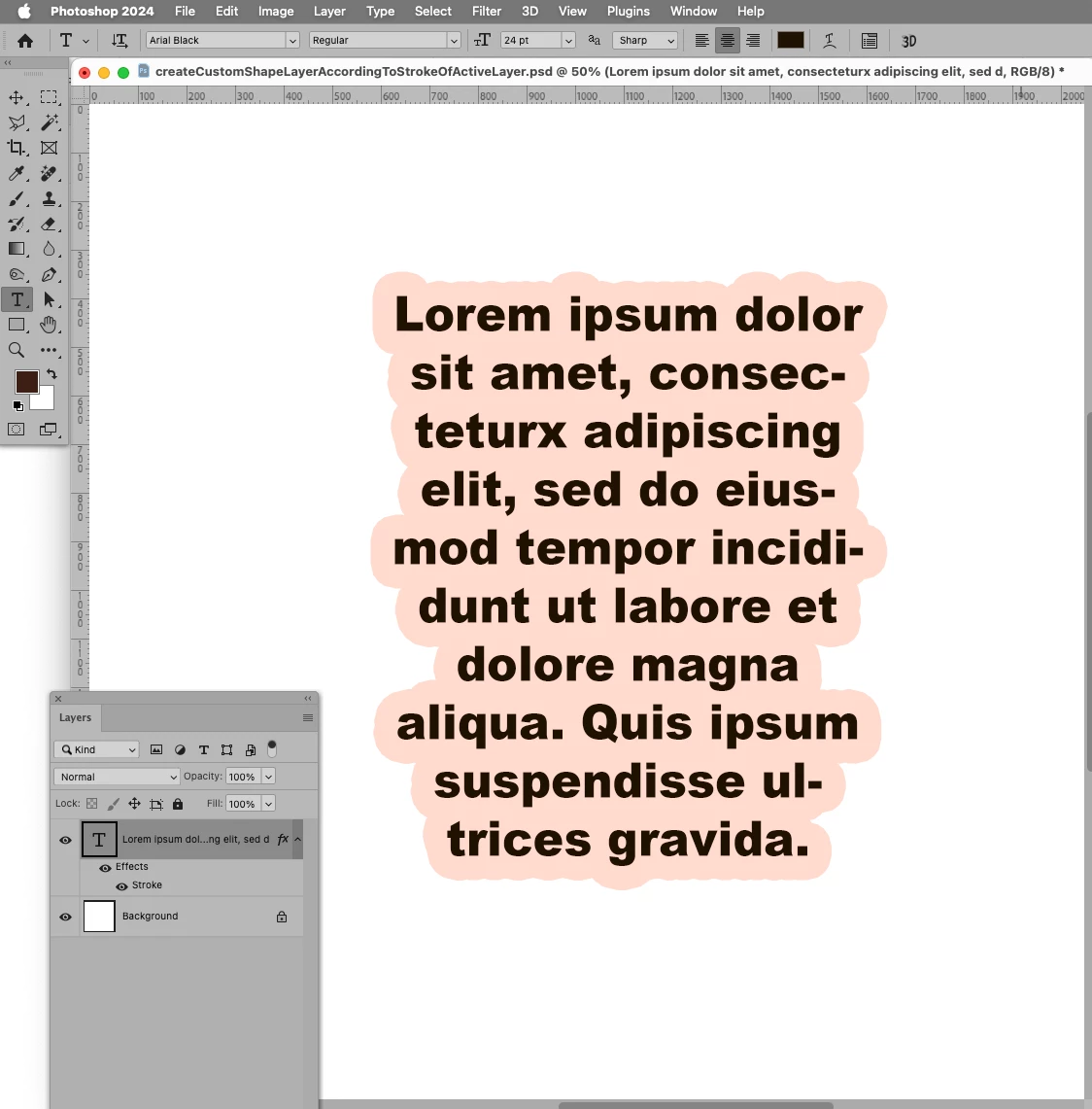
// create custom shape layer based on layer bounds including styles;
// 2024, use it at your own risk;
if (app.documents.length > 0) {
var originalRulerUnits = app.preferences.rulerUnits;
app.preferences.rulerUnits = Units.PIXELS;
var ref = new ActionReference();
ref.putEnumerated( charIDToTypeID("Lyr "), charIDToTypeID("Ordn"), charIDToTypeID("Trgt") );
var layerDesc = executeActionGet(ref);
var b1 = layerDesc.getObjectValue(stringIDToTypeID("bounds"));
var b2 = layerDesc.getObjectValue(stringIDToTypeID("boundsNoEffects"));
//ellipseShapeLayer ([b1.getUnitDoubleValue(stringIDToTypeID("left")), b1.getUnitDoubleValue(stringIDToTypeID("top")), b1.getUnitDoubleValue(stringIDToTypeID("right")), b1.getUnitDoubleValue(stringIDToTypeID("bottom"))], false, 3, [0,0,0]);
// create custom shape layer;
placeCustomShape ("Ape", [0,255,255], [b1.getUnitDoubleValue(stringIDToTypeID("left")), b1.getUnitDoubleValue(stringIDToTypeID("top")), b1.getUnitDoubleValue(stringIDToTypeID("right")), b1.getUnitDoubleValue(stringIDToTypeID("bottom"))], 3, [0,0,0]);
app.preferences.rulerUnits = originalRulerUnits;
};
////// create ellipse shape layer //////
function ellipseShapeLayer (theBounds, theColor, strokeWidth, strokeColor) {
try {
// Make outer oval
var idPxl = charIDToTypeID( "#Pxl" );
var idPnt = charIDToTypeID( "#Pnt" );
var idClr = charIDToTypeID( "Clr " );
var idRd = charIDToTypeID( "Rd  " );
var idGrn = charIDToTypeID( "Grn " );
var idBl = charIDToTypeID( "Bl  " );
var idRGBC = charIDToTypeID( "RGBC" );
var idcontentLayer = stringIDToTypeID( "contentLayer" );
var idsolidColorLayer = stringIDToTypeID( "solidColorLayer" );
var idstrokeStyle = stringIDToTypeID( "strokeStyle" );
var idstrokeStyleLineAlignment = stringIDToTypeID( "strokeStyleLineAlignment" );
var idstrokeStyleLineJoinType = stringIDToTypeID( "strokeStyleLineJoinType" );
    var desc41 = new ActionDescriptor();
        var ref12 = new ActionReference();
        ref12.putClass( idcontentLayer );
    desc41.putReference( charIDToTypeID( "null" ), ref12 );
        var desc42 = new ActionDescriptor();
            var desc43 = new ActionDescriptor();
            if (theColor != false) {
                var desc44 = new ActionDescriptor();
                desc44.putDouble( idRd, theColor[0] );
                desc44.putDouble( idGrn, theColor[1] );
                desc44.putDouble( idBl, theColor[2] );
            desc43.putObject( idClr, idRGBC, desc44 );
            };
        desc42.putObject( charIDToTypeID( "Type" ), idsolidColorLayer, desc43 );
        var desc45 = new ActionDescriptor();
            desc45.putUnitDouble( charIDToTypeID( "Top " ), idPxl, theBounds[1] );
            desc45.putUnitDouble( charIDToTypeID( "Left" ), idPxl, theBounds[0] );
            desc45.putUnitDouble( charIDToTypeID( "Btom" ), idPxl, theBounds[3] );
            desc45.putUnitDouble( charIDToTypeID( "Rght" ), idPxl, theBounds[2] );
        desc42.putObject( charIDToTypeID( "Shp " ), charIDToTypeID( "Elps" ), desc45 );
            var desc46 = new ActionDescriptor();
            desc46.putInteger( stringIDToTypeID( "strokeStyleVersion" ), 2 );
            if (strokeWidth == 0) {desc46.putBoolean( stringIDToTypeID( "strokeEnabled" ), false )}
            else {desc46.putBoolean( stringIDToTypeID( "strokeEnabled" ), true )};
			if (theColor == false) {desc46.putBoolean( stringIDToTypeID( "fillEnabled" ), false )}
			else {{desc46.putBoolean( stringIDToTypeID( "fillEnabled" ), true )}};
            desc46.putUnitDouble( stringIDToTypeID( "strokeStyleLineWidth" ), idPnt, strokeWidth );
            desc46.putUnitDouble( stringIDToTypeID( "strokeStyleLineDashOffset" ), idPnt, 0.000000 );
            desc46.putDouble( stringIDToTypeID( "strokeStyleMiterLimit" ), 100.000000 );
            desc46.putEnumerated( stringIDToTypeID( "strokeStyleLineCapType" ), stringIDToTypeID( "strokeStyleButtCap" ), stringIDToTypeID( "strokeStyleButtCap" ) );
            desc46.putEnumerated( idstrokeStyleLineJoinType, idstrokeStyleLineJoinType, stringIDToTypeID( "strokeStyleMiterJoin" ) );
            desc46.putEnumerated( idstrokeStyleLineAlignment, idstrokeStyleLineAlignment, stringIDToTypeID( "strokeStyleAlignCenter" ) );//strokeStyleAlignOutside
            desc46.putBoolean( stringIDToTypeID( "strokeStyleScaleLock" ), false );
            desc46.putBoolean( stringIDToTypeID( "strokeStyleStrokeAdjust" ), false );
                var list3 = new ActionList();
            desc46.putList( stringIDToTypeID( "strokeStyleLineDashSet" ), list3 );
            desc46.putEnumerated( stringIDToTypeID( "strokeStyleBlendMode" ), charIDToTypeID( "BlnM" ), charIDToTypeID( "Nrml" ) );
            desc46.putUnitDouble( stringIDToTypeID( "strokeStyleOpacity" ), charIDToTypeID( "#Prc" ), 100.000000 );
                var desc47 = new ActionDescriptor();
                    var desc48 = new ActionDescriptor();
                    desc48.putDouble( idRd, strokeColor[0] );
                    desc48.putDouble( idGrn, strokeColor[1] );
                    desc48.putDouble( idBl, strokeColor[2] );
                desc47.putObject( idClr, idRGBC, desc48 );
            desc46.putObject( stringIDToTypeID( "strokeStyleContent" ), idsolidColorLayer, desc47 );
            desc46.putDouble( stringIDToTypeID( "strokeStyleResolution" ), 300 );
        desc42.putObject( idstrokeStyle, idstrokeStyle, desc46 );
    desc41.putObject( charIDToTypeID( "Usng" ), idcontentLayer, desc42 );
executeAction( charIDToTypeID( "Mk  " ), desc41, DialogModes.NO );
} catch (e) {alert ("fail")}
};
////// place custom shape //////
function placeCustomShape (theName, theColor, theBounds, strokeWidth, strokeColor) {
if (theColor == false) {fillOrNot = false;
theColor = [0,0,0]}
else {fillOrNot = true};
if (strokeColor == false) {strokeOrNot = false}
else {strokeOrNot = true};
var idcolor = stringIDToTypeID( "color" );
var idred = stringIDToTypeID( "red" );
var idgreen = stringIDToTypeID( "grain" );
var idblue = stringIDToTypeID( "blue" );
var idRGBColor = stringIDToTypeID( "RGBColor" );
var idsolidColorLayer = stringIDToTypeID( "solidColorLayer" );
var idpixelsUnit = stringIDToTypeID( "pixelsUnit" );
var idstrokeStyle = stringIDToTypeID( "strokeStyle" );
var idcontentLayer = stringIDToTypeID( "contentLayer" );
var idmake = stringIDToTypeID( "make" );
    var desc33 = new ActionDescriptor();
    var idnull = stringIDToTypeID( "null" );
        var ref8 = new ActionReference();
        ref8.putClass( idcontentLayer );
    desc33.putReference( idnull, ref8 );
    var idusing = stringIDToTypeID( "using" );
        var desc34 = new ActionDescriptor();
        var idtype = stringIDToTypeID( "type" );
                var desc35 = new ActionDescriptor();
                var desc36 = new ActionDescriptor();
                desc36.putDouble( idred, theColor[0] );
                desc36.putDouble( idgreen, theColor[1] );
                desc36.putDouble( idblue, theColor[2] );
            desc35.putObject( idcolor, idRGBColor, desc36 );
        desc34.putObject( idtype, idsolidColorLayer, desc35 );
        var idshape = stringIDToTypeID( "shape" );
            var desc37 = new ActionDescriptor();
            desc37.putString( stringIDToTypeID( "name" ), theName );
            desc37.putInteger( stringIDToTypeID( "keyOriginType" ), 9 );
            desc37.putUnitDouble( stringIDToTypeID( "top" ), idpixelsUnit, theBounds[1] );
            desc37.putUnitDouble( stringIDToTypeID( "left" ), idpixelsUnit, theBounds[0] );
            desc37.putUnitDouble( stringIDToTypeID( "bottom" ), idpixelsUnit, theBounds[3] );
            desc37.putUnitDouble( stringIDToTypeID( "right" ), idpixelsUnit, theBounds[2] );
        desc34.putObject( idshape, stringIDToTypeID( "customShape" ), desc37 );
            var desc38 = new ActionDescriptor();
            desc38.putInteger( stringIDToTypeID( "strokeStyleVersion" ), 2 );
            desc38.putBoolean( stringIDToTypeID( "strokeEnabled" ), strokeOrNot );
            desc38.putBoolean( stringIDToTypeID( "fillEnabled" ), fillOrNot );
            desc38.putUnitDouble( stringIDToTypeID( "strokeStyleLineWidth" ), idpixelsUnit, strokeWidth );
            desc38.putUnitDouble( stringIDToTypeID( "strokeStyleLineDashOffset" ), stringIDToTypeID( "pointsUnit" ), 0.000000 );
            desc38.putDouble( stringIDToTypeID( "strokeStyleMiterLimit" ), 100.000000 );
            desc38.putEnumerated( stringIDToTypeID( "strokeStyleLineCapType" ), stringIDToTypeID( "strokeStyleLineCapType" ), stringIDToTypeID( "strokeStyleButtCap" ) );
            desc38.putEnumerated( stringIDToTypeID( "strokeStyleLineJoinType" ), stringIDToTypeID( "strokeStyleLineJoinType" ), stringIDToTypeID( "strokeStyleMiterJoin" ) );
            desc38.putEnumerated( stringIDToTypeID( "strokeStyleLineAlignment" ), stringIDToTypeID( "strokeStyleLineAlignment" ), stringIDToTypeID( "strokeStyleAlignCenter" ) );
            var idstrokeStyleScaleLock = stringIDToTypeID( "strokeStyleScaleLock" );
            desc38.putBoolean( idstrokeStyleScaleLock, false );
            desc38.putBoolean( stringIDToTypeID( "strokeStyleStrokeAdjust" ), false );
                var list5 = new ActionList();
            desc38.putList( stringIDToTypeID( "strokeStyleLineDashSet" ), list5 );
            desc38.putEnumerated( stringIDToTypeID( "strokeStyleBlendMode" ), stringIDToTypeID( "blendMode" ), stringIDToTypeID( "normal" ) );
            desc38.putUnitDouble( stringIDToTypeID( "strokeStyleOpacity" ), stringIDToTypeID( "percentUnit" ), 100.000000 );
                var desc39 = new ActionDescriptor();
                if (strokeOrNot == true) {
                    var desc40 = new ActionDescriptor();
                    desc40.putDouble( idred, strokeColor[0] );
                    desc40.putDouble( idgreen, strokeColor[1] );
                    desc40.putDouble( idblue, strokeColor[2] );
                desc39.putObject( idcolor, idRGBColor, desc40 );
                };
            desc38.putObject( stringIDToTypeID( "strokeStyleContent" ), idsolidColorLayer, desc39 );
            desc38.putDouble( stringIDToTypeID( "strokeStyleResolution" ), 300.000000 );
        desc34.putObject( idstrokeStyle, idstrokeStyle, desc38 );
    desc33.putObject( idusing, idcontentLayer, desc34 );
executeAction( idmake, desc33, DialogModes.NO );
};




 AdChoices