
Participant
December 17, 2019
Question

Create additional scratch disc location

  • December 17, 2019
  • 2 replies
  • 265 views

HI

I am getting the scratch disk is full error on PS.

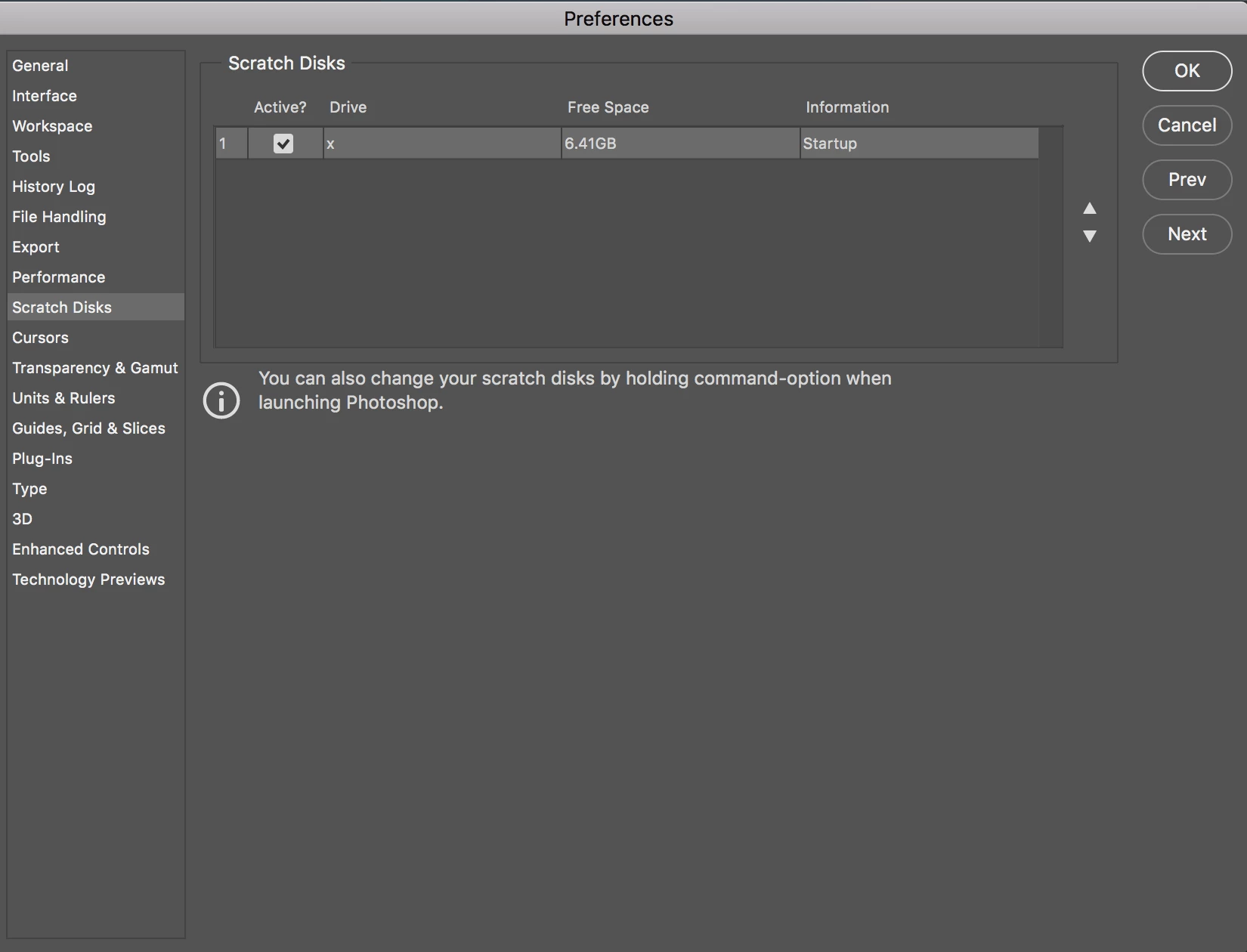
I would like to add an external drive as my default hard disk location but cant seem to either deselect the current default drive OR create a new location?

I am running Photoshop version 21.02 on a MacOS High Sierra version 10.13.6

I have tried holding down the command-option button when opening but that does not help ( just changes the Cancel key below to a Reset key which does nothing if i select it?)

HELP

Thanks
This topic has been closed for replies.

2 replies

Legend
December 17, 2019

How is the external drive formatted? If you aren't sure how to find out try Disk Utility or let us know so we can help you find out.

December 17, 2019

Hi

How are you connecting the exteranl drive to the MAC

https://helpx.adobe.com/ie/photoshop/using/scratch-disks-preferences.html

You should also try to free up more space on your startup disk as 6.4GB will fill up pretty qiuckly

Also how is the external drive formatted

https://community.adobe.com/t5/photoshop/cannot-change-my-scratch-disk-to-external-hd-photoshop-cc-2015-5/td-p/8468465

SeciaTylAuthor
Participant
December 17, 2019

Thanks I cant free up more space on my Mac thus wanting to use a dedicated hard drive for PS.

Plugging the hard drive in via the USB port.

Hope this answers your questions? Any other suggestions?

December 17, 2019

Read the links I posted above, you're still going to run into trouble down the road with only 6.4GB of free space