
Known Participant
January 15, 2022
Question

Create Pattern from image in photoshop 22

  • January 15, 2022
  • 11 replies
  • 2353 views

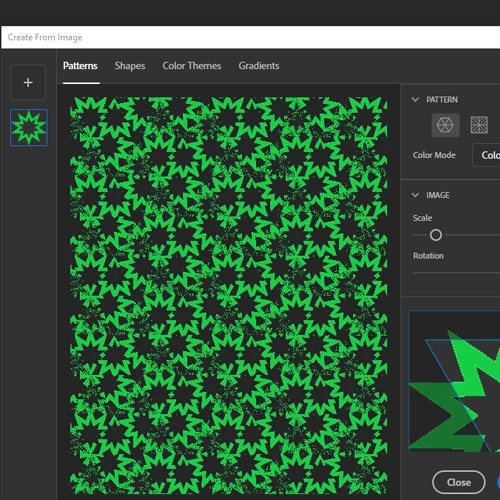
I am having an issue with pattern creation in ps 2022. when i go to Library create form image i get this wierd grainy noise pattern included in the results.  The only one that seems to work correctly is the last option of the standard grid.  The rest of the options have the issue.  I see others have ask but no one has responseded with a solution that corrects this.  Please respond.  thanks in advance.
This topic has been closed for replies.

11 replies

Legend
January 18, 2022

There are a few ways to create patterns in Photoshop. The Create from Image command is actually done leveraging the Adobe Capture app within the desktop.


If you want clean patterns, put your green star on the canvas and turn on View > Pattern Preview...


You'll hve more flexibility and control over the the quality of your image/pattern using this method. See: https://helpx.adobe.com/photoshop/using/pattern-preview.html