Answered
create transparent background from a colored background
I have an image that has a solid colored background. How do I make the background transparent?

I have an image that has a solid colored background. How do I make the background transparent?
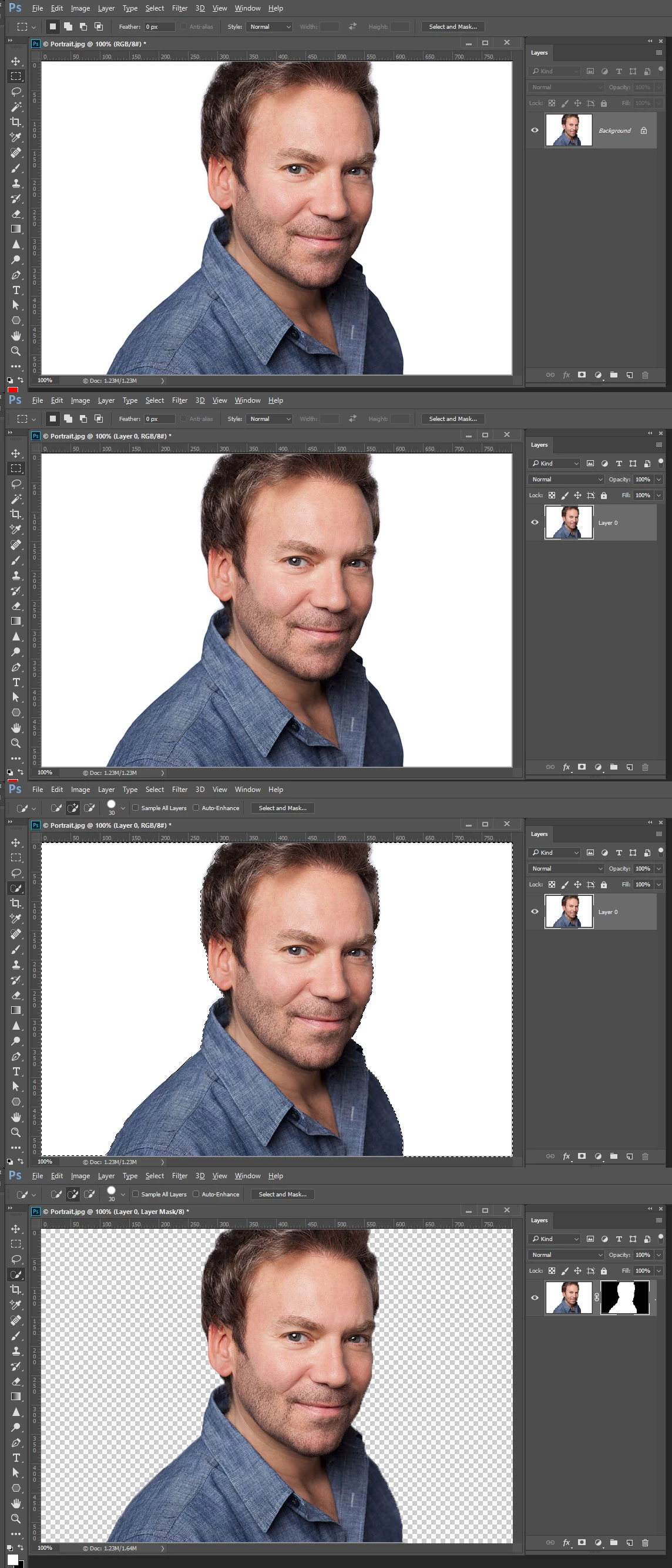
If the image is Photoshop actual Bottom BACKGROUND layer with the name background it partially locked because Photoshop's background LAYER does not support transparence so its transparency is locked. You need the layer to convert it t]o a normal Photoshop raster layer. Select the background color then delete or mask those pixels.
Already have an account? Login
Enter your E-mail address. We'll send you an e-mail with instructions to reset your password.
 AdChoices