
Participant
February 17, 2021
Question

Create (Where are all the preset shapes)

  • February 17, 2021
  • 1 reply
  • 276 views

In Photoshop 22.2.0,  I was learning the tutorial about including vector graphics. When i followed the step to use custom shape tool to create a star, i can not find that many shapes as shown in tutorial. I was wondering if it's because of the new version. You can see the screenshot to see more detail. Thank you for your help!
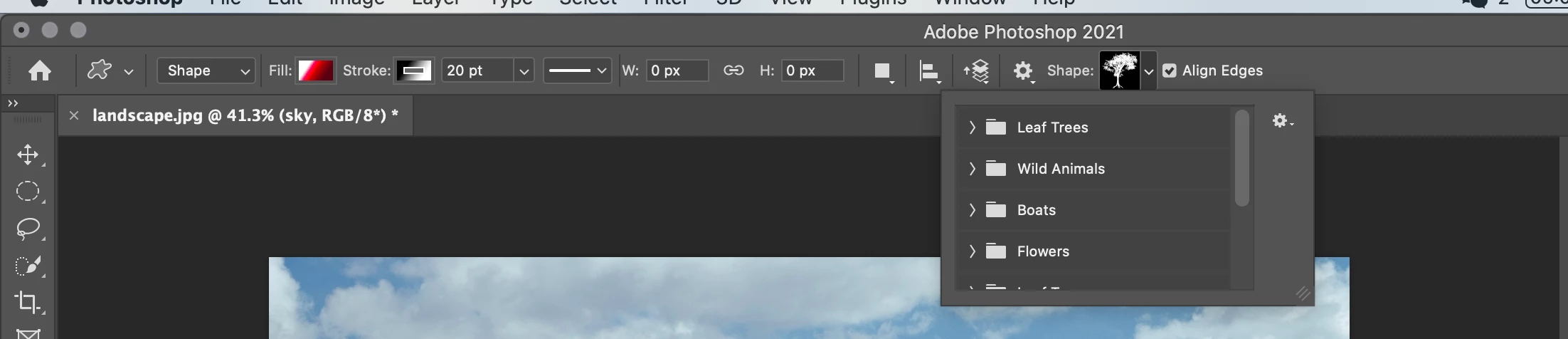
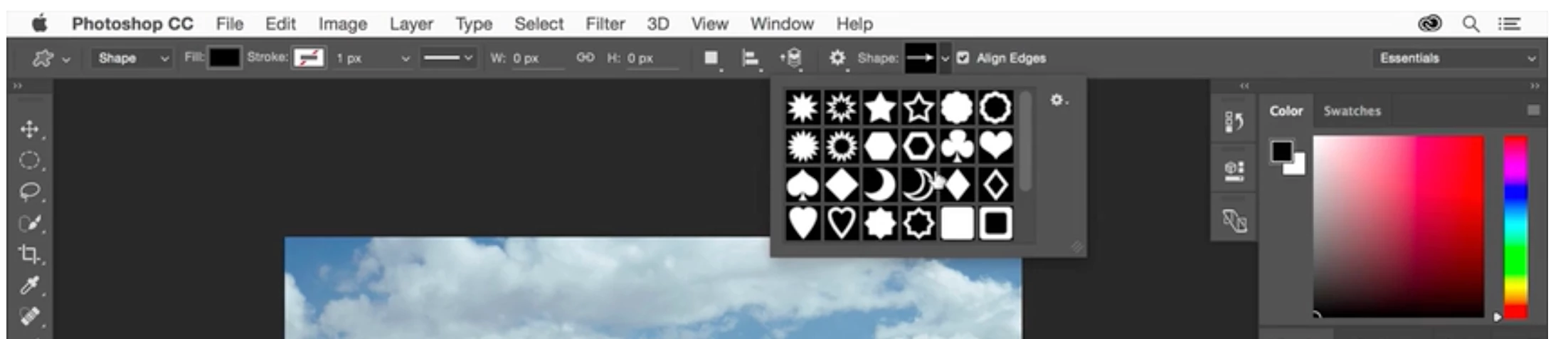
the first one is what show on my ps, the one below is from tutorial. 

This topic has been closed for replies.

1 reply

JJMack
Community Expert
Community Expert
February 17, 2021

Some Adobe updates will changes Photoshop features, UI and panels and how things are organized.  Adobe added a Shapes Palette, and shape groups for organizing  shapes and changes  the shapes that are installed in the panel by default.  Old default shapes are still available but you need to use the Shapes Palette fly-out menu to load the legacy shapes  and then fine the shape you want in the legacy or search for the shape bye name. There may be more than one shapes with that name in  different groups. Menu Window>Shapes will open the Shapes palette.


You can also create Stars shape layer with the Polygon shape tool.

JJMack