
Participant
February 6, 2018
Answered

Creating a clipping mask on another clipping mask?

  • February 6, 2018
  • 2 replies
  • 830 views

Can I create a clipping mask on a clipping mask or something like that?

Here, I already made a clipping mask for layer 2 so that it doesn't cross layer 1's boundaries.
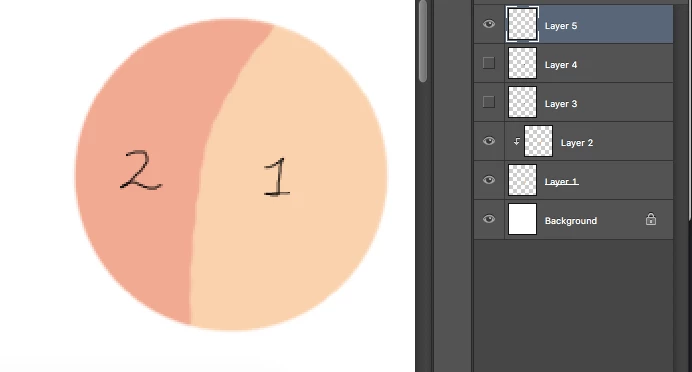
Then here, I added layer 3 and 4. I want layer 3 to not overlap layer 1 and 2's boundaries. Then, same thing, I don't want layer 4 to overlap 1,2 and 3's boundaries.
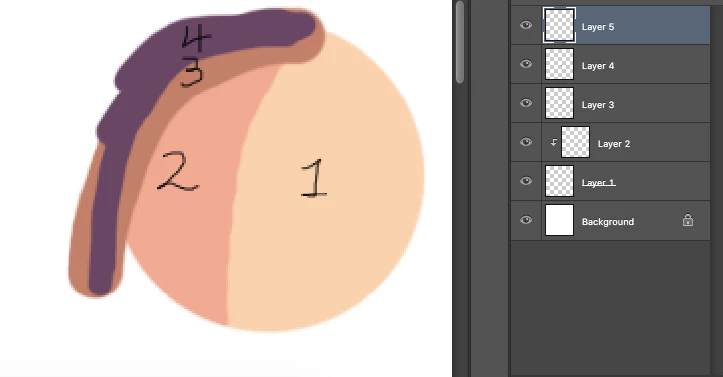
Basically, something like this. (I used the eraser and select tool here.)
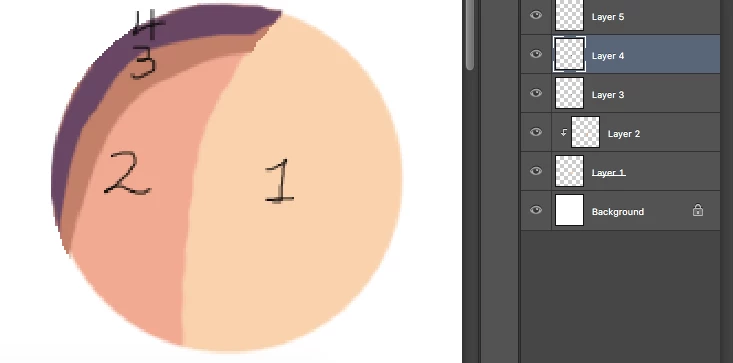
Is there a way to so that I don't have to use the eraser or the select tool because it won't be clean if I happen use a soft/air brush for the base.
This topic has been closed for replies.
Correct answer c.pfaffenbichler

Ah, sorry, I missed the segments of 3 and 4 on the top right – I would recommend employing a Layer Mask approach, using Knockout Layers or Smart Objects.

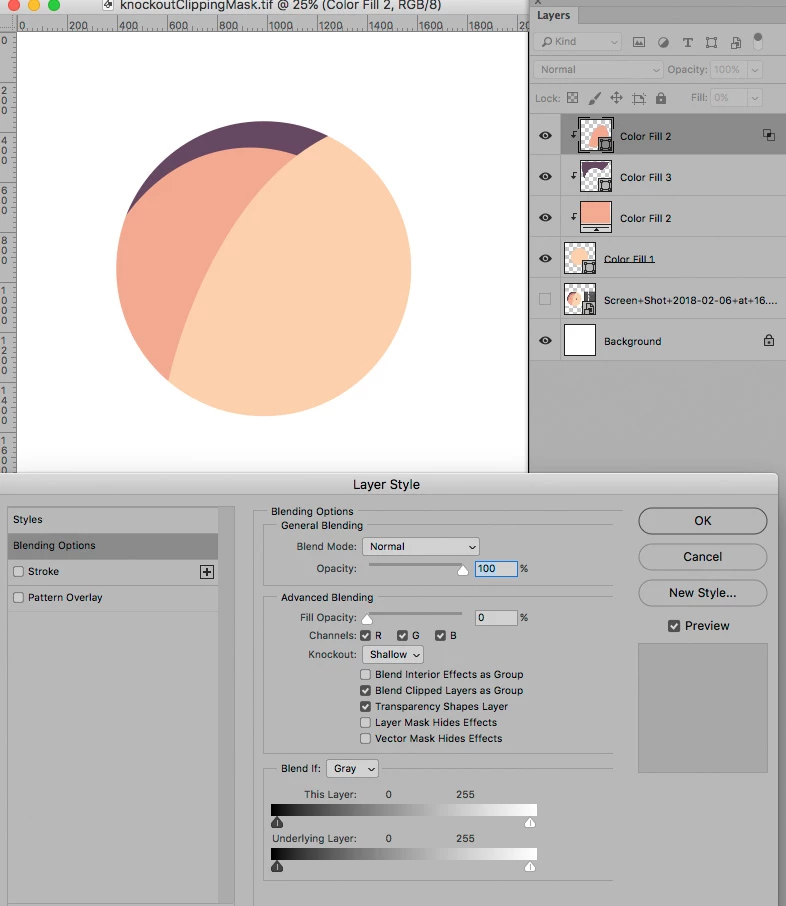
Edit: Here an example using a Knockout Layer:

But I think a Layer Mask on a Group might be easiest, with the bottom Layer in the Group being an unmasked Solid Colour Layer.

2 replies

c.pfaffenbichler
Community Expert
c.pfaffenbichlerCommunity ExpertCorrect answer
Community Expert
February 6, 2018

Ah, sorry, I missed the segments of 3 and 4 on the top right – I would recommend employing a Layer Mask approach, using Knockout Layers or Smart Objects.

Edit: Here an example using a Knockout Layer:

But I think a Layer Mask on a Group might be easiest, with the bottom Layer in the Group being an unmasked Solid Colour Layer.

NanamiCAuthor
Participant
February 6, 2018

Thanks for the help!

c.pfaffenbichler
Community Expert
Community Expert
February 6, 2018

One can clipping mask more than one Layer to a base Layer.

NanamiCAuthor
Participant
February 6, 2018

Sorry, I probably didn't explain better. I don't want to make turn layer 3 to layer 1's clipping mask. Even though layer 2 is already a clipping mask of layer 1, I want to make layer 3 layer 2's clipping mask as well so that layer 3 won't cross layer 2's boundary to 1. Sorry if it's still confusing...

c.pfaffenbichler
Community Expert
Community Expert
February 6, 2018