
Participant
January 21, 2018
Answered

Creating a clipping mask over a low-opacity layer

  • January 21, 2018
  • 1 reply
  • 4769 views

I have a layer set at 50%, and a layer above it that I have set as a clipping mask for it -- unfortunately I can't figure out how to keep the clipping mask layer from being affected by the low opacity layer. Here are a couple picture of what I'm talking about.
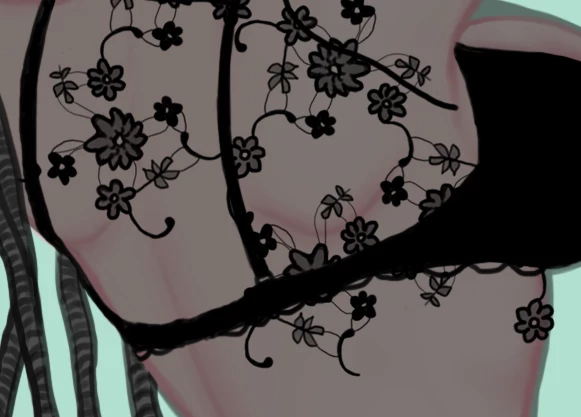
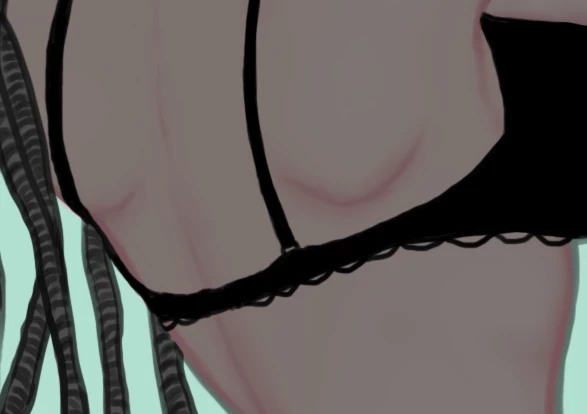
I just want to keep the pattern of the transparent shirt attached to it, so that when I am drawing the pattern it doesn't go outside of the shirt, if that makes sense. I have tried layer masks, blending options, linking the layers, adjustment layers... but maybe I'm not doing something right. I mainly only use Photoshop for painting so I'm not too adept with all the tools.

So is there a way to keep the pattern locked into the base color of the shirt and not have it be affected by the opacity?

Thank in advance!
This topic has been closed for replies.
Correct answer JJMack

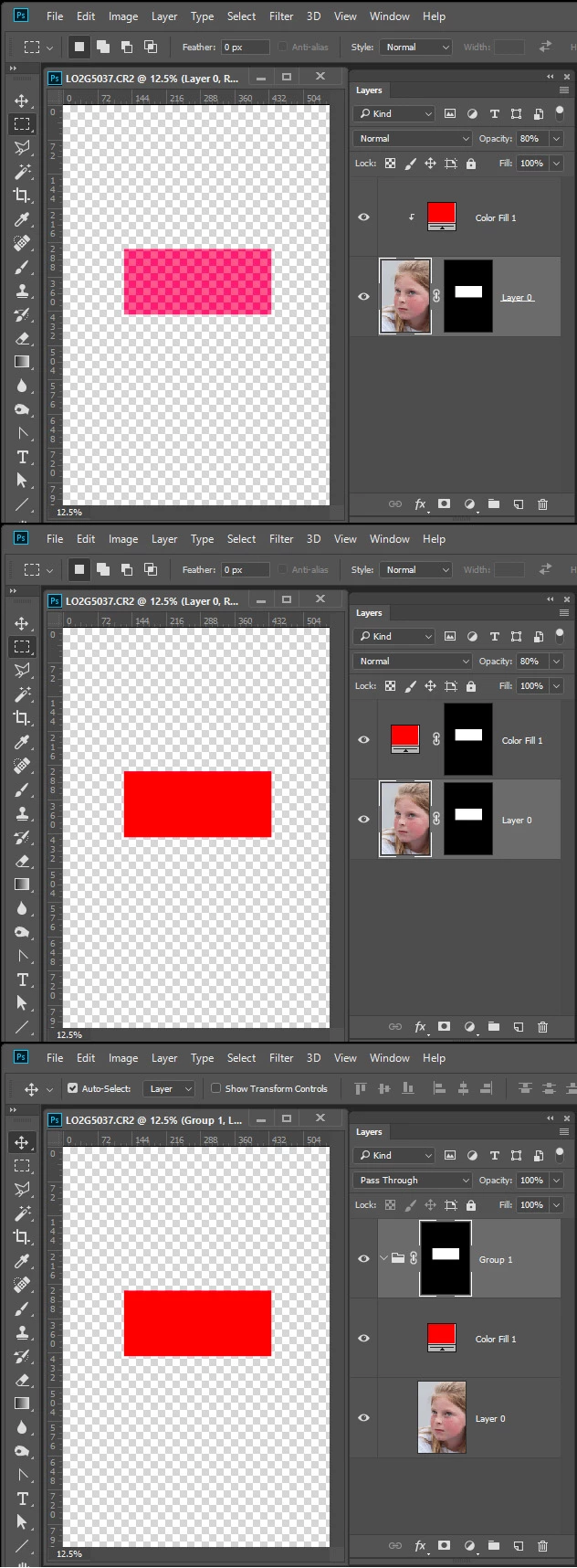
When you clip a layer to a layer the layer is clipy to the layers transparency. That is its Opacity and layer Mask.  You could instead  not clip the layers and use the same layer mask on both layers by either duping the layer mask or  or grouping the layers and masking the group.

Seperate Seleced Pixel  Layers area and Opacity. Pixel area is layer mask and can also contain partial slelection(opacity) gray areas. A selection can contain be feathered and have other gray areas.

1 reply

JJMack
Community Expert
JJMackCommunity ExpertCorrect answer
Community Expert
January 21, 2018

When you clip a layer to a layer the layer is clipy to the layers transparency. That is its Opacity and layer Mask.  You could instead  not clip the layers and use the same layer mask on both layers by either duping the layer mask or  or grouping the layers and masking the group.

Seperate Seleced Pixel  Layers area and Opacity. Pixel area is layer mask and can also contain partial slelection(opacity) gray areas. A selection can contain be feathered and have other gray areas.

JJMack