MahaB82A
November 3, 2023
Answered

Creating a new tab & transferring the Layers

  • November 3, 2023
  • 1 reply
  • 629 views

Edited

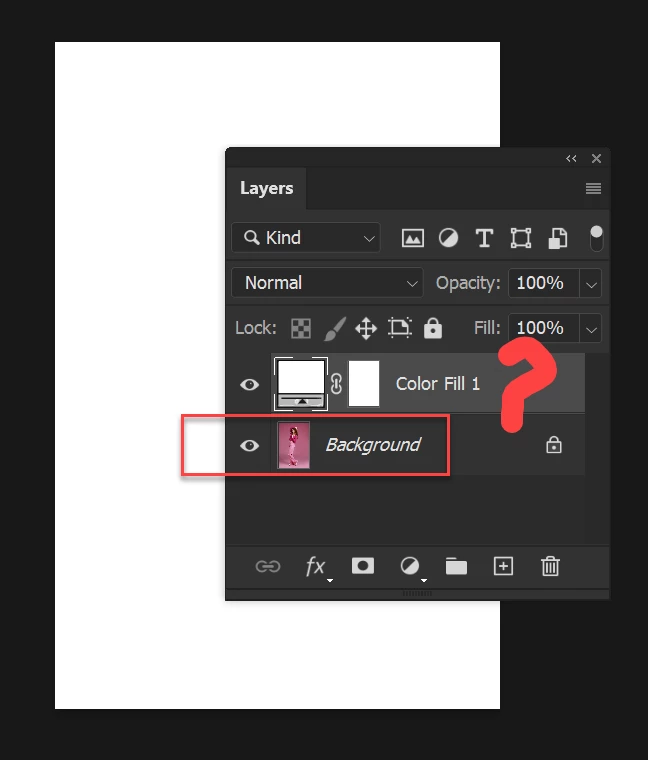
I want a new layer in a separate tab which is similar to size of the this background layer. For that I created a new layer above this layer. Is it possible to transfer this layer while creating a new tab? That mean dual action has to take place trasnsfering the layer & creating a new tab.  Is there any way to do this?


This can be done by creating a new layer in a different tab with background size I want. But I want to know whether there is any other way to do this. 


This topic has been closed for replies.
Correct answer Jeff Arola

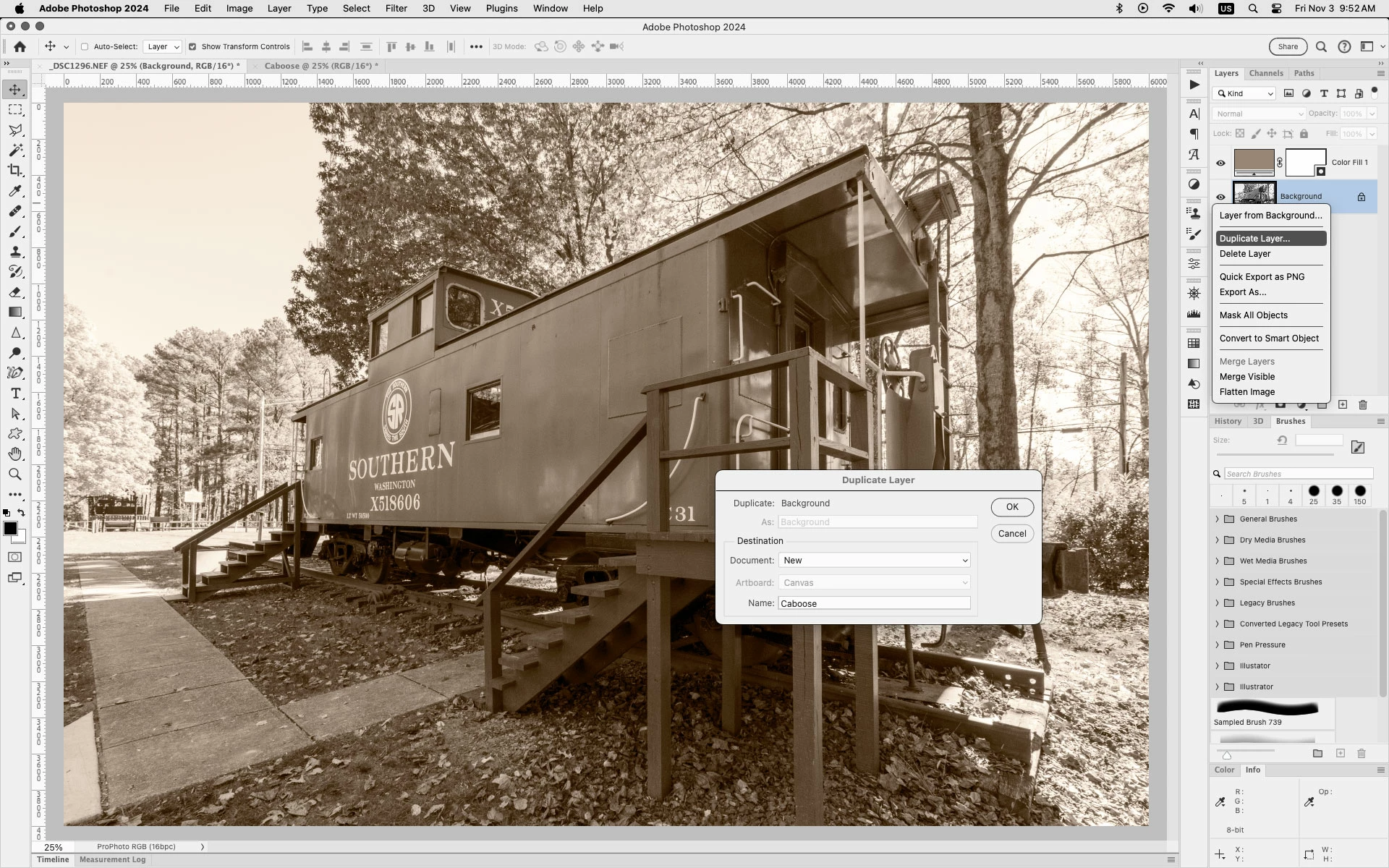
Right click in the Layers panel to the right of the Layer thumbnail, click Duplicate Layer and in the dialog select Document>New.


1 reply

Jeff Arola
Community Expert
Jeff ArolaCommunity ExpertCorrect answer
Community Expert
November 3, 2023

Right click in the Layers panel to the right of the Layer thumbnail, click Duplicate Layer and in the dialog select Document>New.


MahaB82A
MahaB82AAuthor
November 3, 2023

Thanks for the help