

gtsolid
Known Participant
October 23, 2017
Question

Creating bleed

  • October 23, 2017
  • 3 replies
  • 788 views

Hi,

i would to create a 3mm bleed on a circular image of ~100mm diameter. the resolution is 300 px/in.

using edit>stroke i see that the we speak about px, not mm. if i calculate the proportion, i obtain ~35px, but i create a full white edge.

how can i create something like this?
    This topic has been closed for replies.

    3 replies

    Martin_Bns
    Inspiring
    October 23, 2017

    Hi, you can set a selection based on cm or mm if you wish.
    In this way you can create you bleed selection setting the amount of cm or mm you like.

    Once you have the selection in place, go to the Layers panel and at the bottom, press the FX button, then press the STROKE option.
    Leave the setting as they are. You will se nothing on the work area. It's normal.

    Now fill the selection with a solid color and you will see the fill color and the STROKE you applied before.
    Now, still in the Layers panel, drag down the FILL % to 0%.

    Done. You can do this in so many ways.

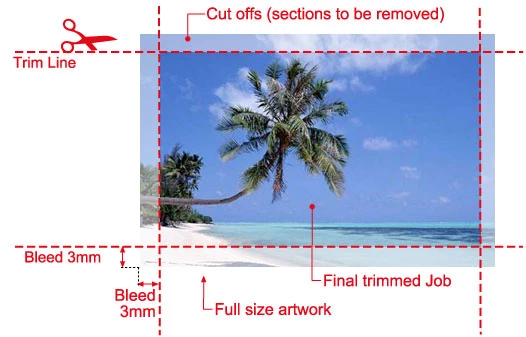
    Keep in mind, when you have a circular image, usually the bleeding area is never circular but always square. In fact the rounded shapes are cut in different way. So usually you will end up with something like this:

    If the cut is made by a laser, the laser shoud follow a path usually.

    Hope it helps,

    Martin

    gtsolid
    gtsolidAuthor
    Known Participant
    October 24, 2017

    Hi,

    using this method i obtain something like this:

    is this enough for cutting purposes? i think the final goal is to have a range in which all way of cutting are acceptable.

    so i expect a range, not a single one-dimensional line

    sishamIAGD
    Community Expert
    Community Expert
    October 23, 2017

    I would start with a template that is 106mm squared and then set a guide layer at the top (turn off on output) for your print area, so you know what will be printed. I would also have a layer that showed bleed area and even one for crop line. Something like this...

    Guide Layer...

    Bleed Area...

    Crop Line...

    Semaphoric
    Community Expert
    Community Expert
    October 23, 2017

    Assuming your image is in a doc 100x100 mm at 300 ppi (1181 pixels square), you could use Image Size to set the dimensions to 106 mm square, adding 3mm to each side), with the Resample box UNchecked. This would reduce your resolution to 283 ppi, which is not that big a difference, and would leave all your pixels unaltered.