
bartonlew
Legend
December 14, 2022
Answered

creating transitions between different textures

  • December 14, 2022
  • 1 reply
  • 518 views

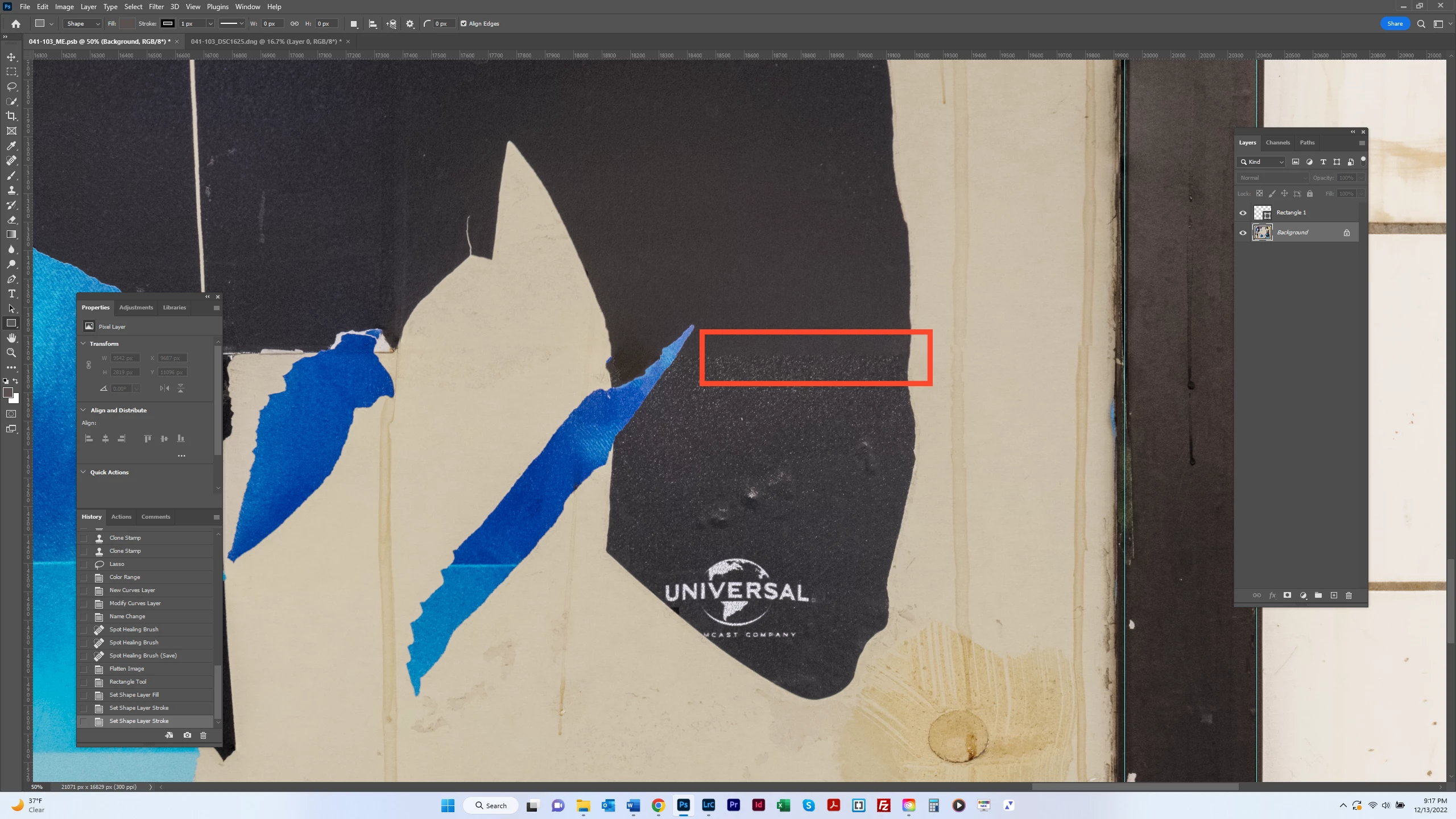
I have a composite where I need to make a smooth transition between two joined images.  The red rectangle in the screenshot shows where the break is.  I think one way I could achieve this is using frequency separation but it's been a long time since I've done it and there are a lot of steps.  Does anyone know of a better or easier way?  Thanks.  


This topic has been closed for replies.
Correct answer Myra Ferguson

One way you could make the transition would be to use the Healing Brush. Sample the area where the grainier texture is with Sample set to Current & Below in the Options bar. Draw with the brush on a new layer. Then you could apply a gradient to a new layer mask on the layer where you used the Healing Brush and/or drop the Opacity in the Layers panel down to about 50%.

1 reply

Myra Ferguson
Community Expert
Myra FergusonCommunity ExpertCorrect answer
Community Expert
December 14, 2022

One way you could make the transition would be to use the Healing Brush. Sample the area where the grainier texture is with Sample set to Current & Below in the Options bar. Draw with the brush on a new layer. Then you could apply a gradient to a new layer mask on the layer where you used the Healing Brush and/or drop the Opacity in the Layers panel down to about 50%.

bartonlew
bartonlewAuthor
Legend
December 19, 2022

Thank you.  I have not previosuly used the Healing Brush - only Spot Healing Brush - but your suggestion worked well (I used the first one, applying the gradient to the new layer).  It's not perfect perhaps but certainly improved.  Good to be familialized with this tool.