
Jamlove
Participant
February 15, 2017
Answered

creative cloud and photoshop linking smart object problem

  • February 15, 2017
  • 1 reply
  • 305 views

Good day guys,

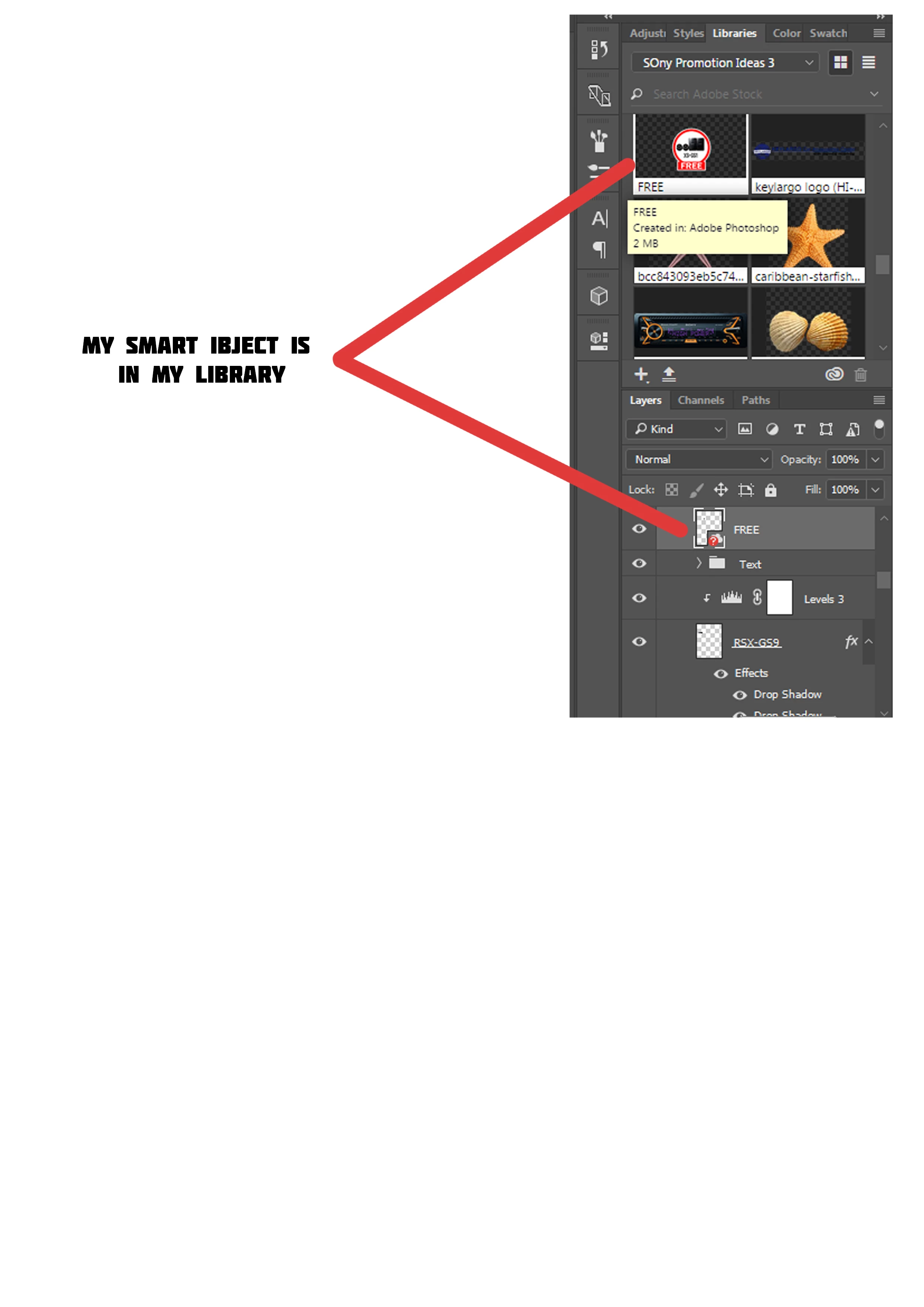
     Im experiensing this problem a while ago, i clicked the pop up that promt to add new library when opening a psd file. And then yesterday i open my file and it says cant link my object, i tried to relink it from that windows but it doest work, i really need your help here guys.

thanks
    

This topic has been closed for replies.
Correct answer Sahil.Chawla

Hi Jamlove,

Try downloading your file from the cloud and then try linking it to your object.

Regards,

Sahil

1 reply

Jamlove
JamloveAuthor
Participant
February 15, 2017

i also find out guys, that the file from cloud are not editable, it is possible that all my smart object has been gone?

Sahil.Chawla
Adobe Employee
Sahil.ChawlaCorrect answer
Adobe Employee
February 22, 2017

Hi Jamlove,

Try downloading your file from the cloud and then try linking it to your object.

Regards,

Sahil

Participant
March 4, 2018

I loathe Creative Cloud. If one of our other operators accidentally has an embedded creative cloud object in their photoshop file, it causes nothing but problems. How to find a file, which should be on the system but has been seconded into the creative cloud. Especially if that operator is sick or on leave.