Participant
June 9, 2024
Answered

Crop in Photoshop

  • June 9, 2024
  • 4 replies
  • 639 views

I am a portrait photographer and need a square crop... Is there a way to crop in photoshop and leave headroom with an exact number of pixels? eg. 170 pixels of headroom

This topic has been closed for replies.
Correct answer didiermazier

Try this :

Crop to 1024 (or whatever your wanted width)/1024(or whatever your wanted width)-170 = 1024(or whatever your wanted width)/854 without erasing cropped pixels
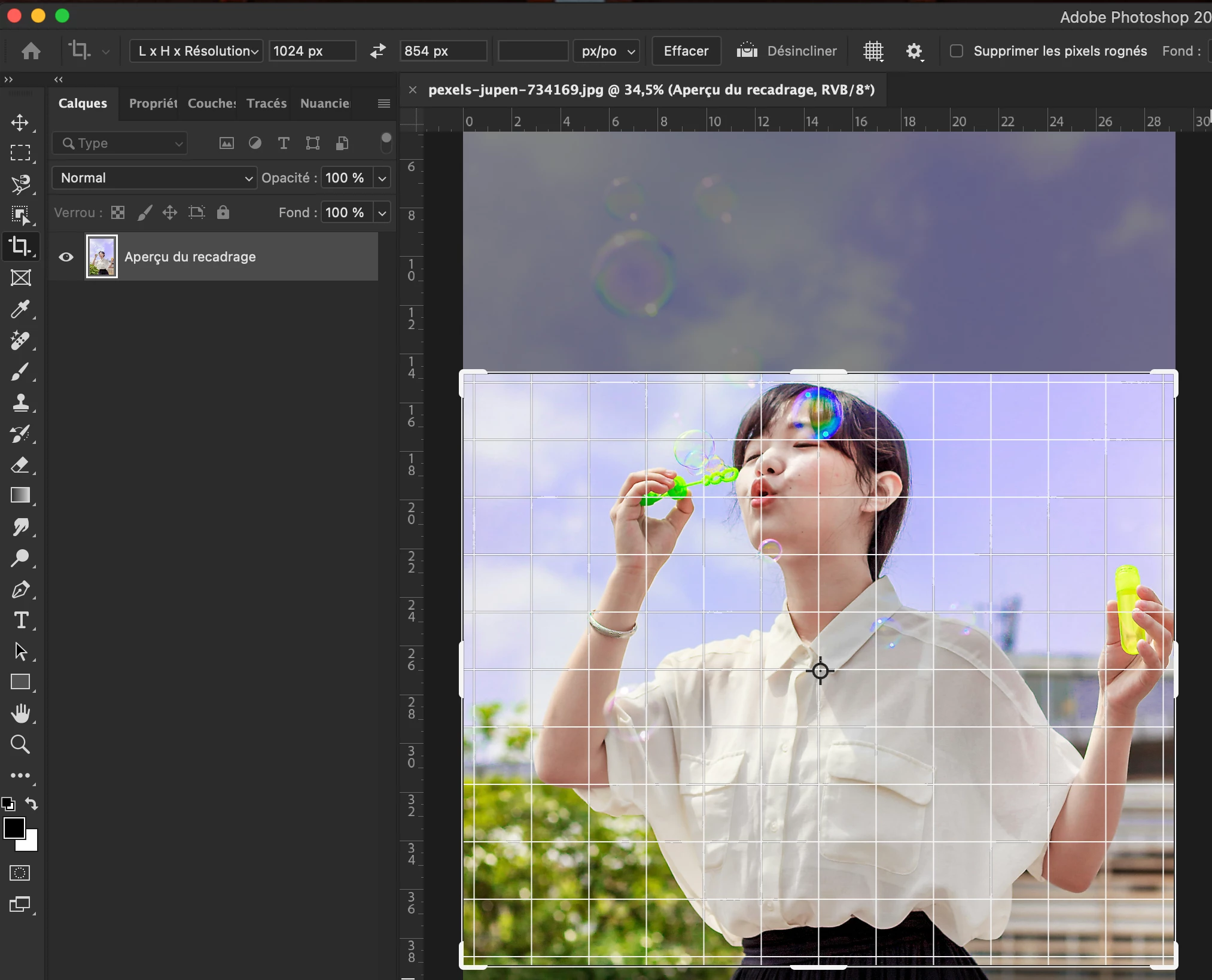


Go to canvas size and add 170 px to the top
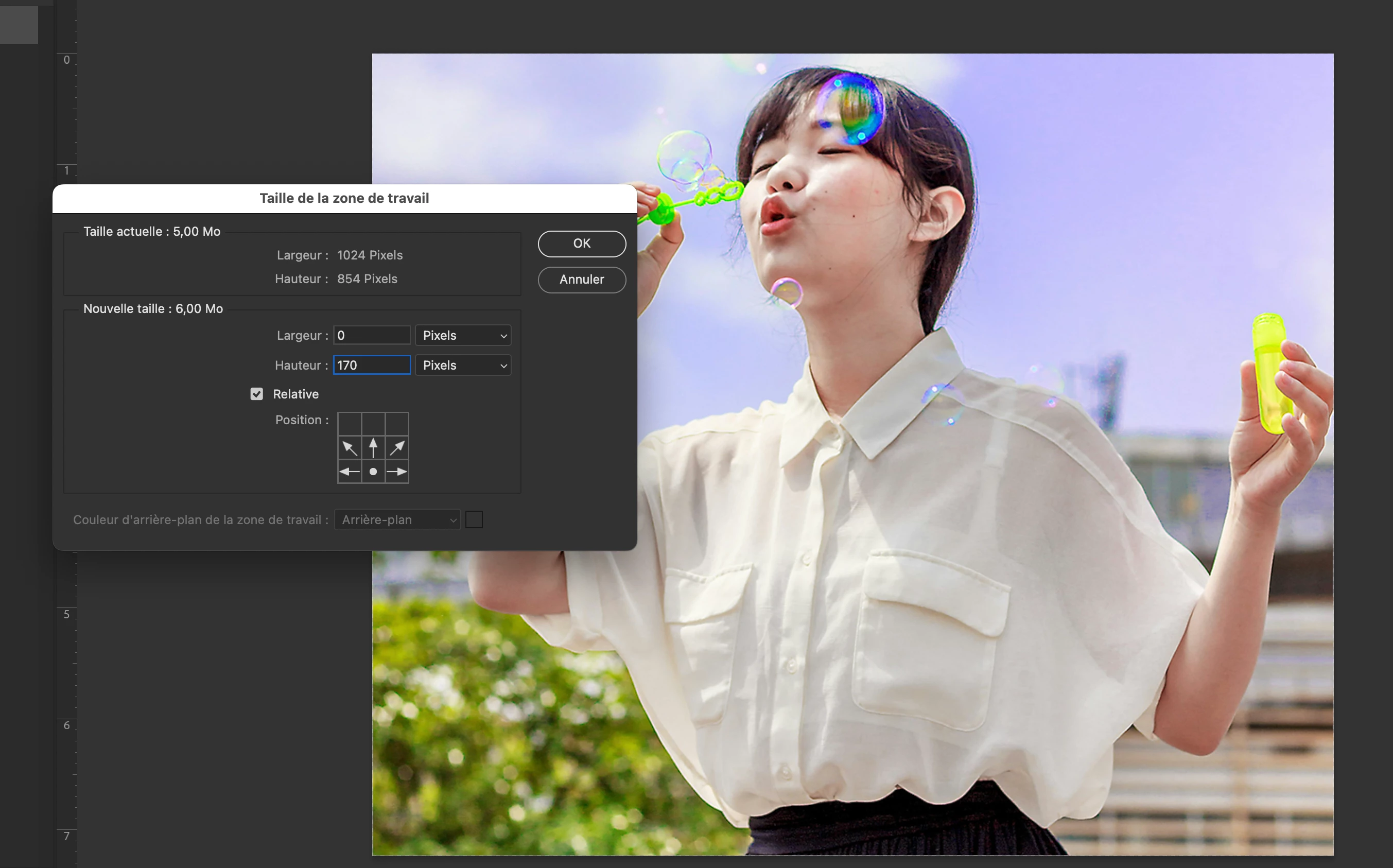
 And you get a 1024/1024 with 170 on top

4 replies

c.pfaffenbichler
Community Expert
Community Expert
June 10, 2024

Could you please post screenshots with the pertinent Panels (Toolbar, Layers, Options Bar, …) visible for the image and its intended end-result? 

What are the final pixel dimensions supposed to be? 


didiermazier
Community Expert
didiermazierCommunity ExpertCorrect answer
Community Expert
June 10, 2024

Try this :

Crop to 1024 (or whatever your wanted width)/1024(or whatever your wanted width)-170 = 1024(or whatever your wanted width)/854 without erasing cropped pixels


Go to canvas size and add 170 px to the top

 And you get a 1024/1024 with 170 on top

Participant
June 17, 2024

Canvas Size: PERFECT! Thank you

didiermazier
Community Expert
Community Expert
June 17, 2024

your are welcome

Trevor.Dennis
Community Expert
Community Expert
June 10, 2024

Turn on rulers.

Right click inside a ruler and set it to pixels.

Drag grid origin to the top of the subjects head.

Make a new guide at -170px

Snap top of crop bounding box to that guide.

Stephen Marsh
Community Expert
Community Expert
June 9, 2024

@jrossphoto 


Yes, creating the headroom at a fixed px value shouldn't be the issue, but how will you crop to square? Using a constrained rectangular selection marquee tool or using the crop tool with a 1:1 ratio?


Please attach before/after example images, you can redact the face area to retain client privacy.

Participant
June 9, 2024
Yes. Crop square

Jeffrey Rosenberg
Stephen Marsh
Community Expert
Community Expert
June 10, 2024
quote
Yes. Crop square
By @jrossphoto


Please attach before/after example images, you can redact the face area to retain client privacy.


If the Select > Select Subject command can consistently identify the top of the head correctly, then this can be semi-automated using an interactive action.