
Participant
November 8, 2024
Answered

Crop marks not going away

  • November 8, 2024
  • 1 reply
  • 438 views

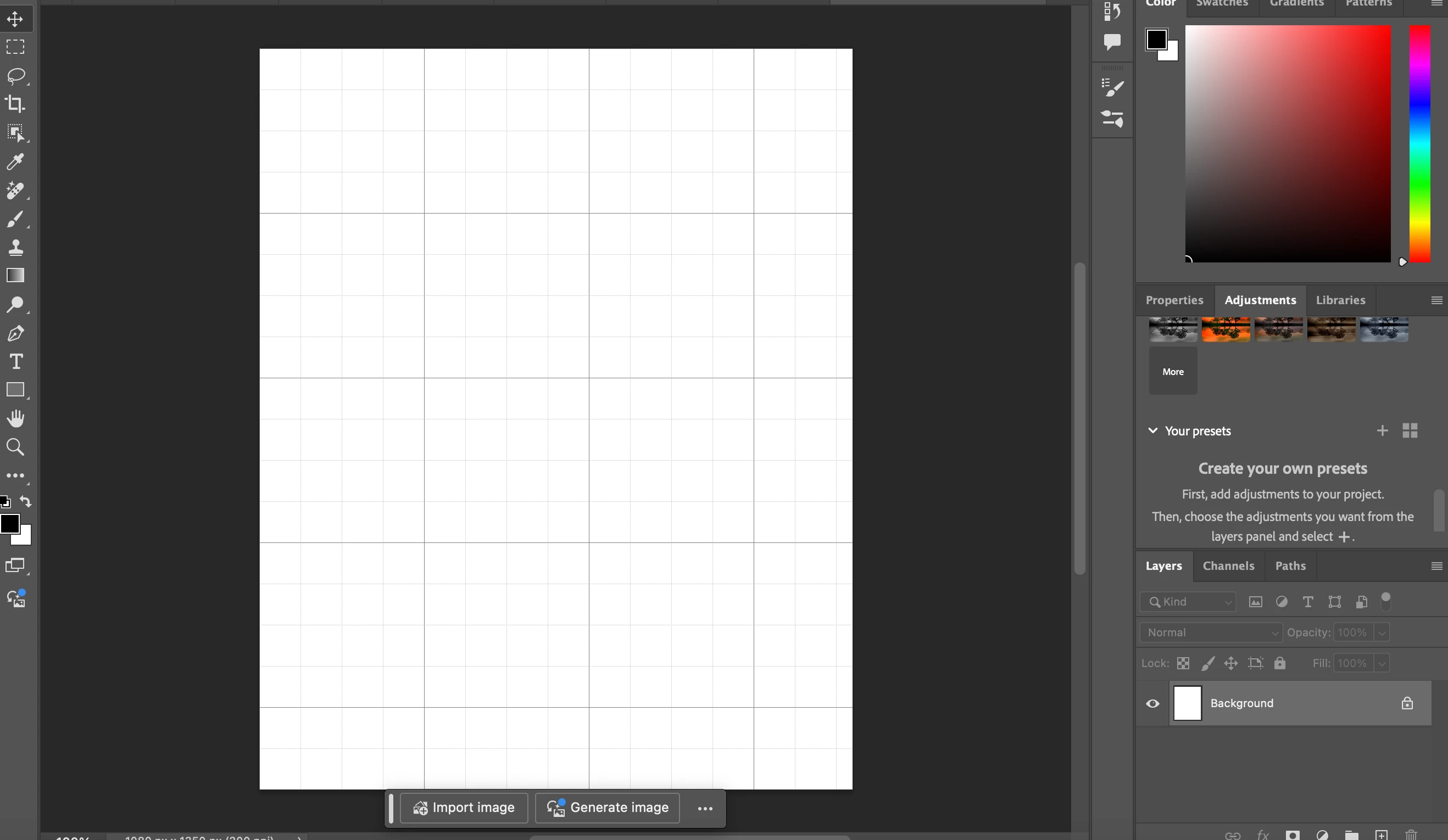
I accidentally clicked a button and now these lines won't go away. The photo I have attached is a new file, I thought maybe that the issue was only on one design but now it's on all.  I did click the crop tool to see if it would go away and instead it made lines new lines on top of what was already here. When I deselected crop after that the original lines were still here . 
This topic has been closed for replies.
Correct answer Semaphoric

That is the Grid, useful for aligning vertical and horizontal objects. Command+'  (apostrophe) toggles its visibility. You can set it up in  Edit > Preferences >  Guides, Grid, and Slices.


Note that tis is not the same as the Pixel Grid, which shows if you zoom in far enough.

1 reply

Participant
November 8, 2024

These aren't even guide lines either. Does someone know how to get rid of them?

Semaphoric
Community Expert
SemaphoricCommunity ExpertCorrect answer
Community Expert
November 8, 2024

That is the Grid, useful for aligning vertical and horizontal objects. Command+'  (apostrophe) toggles its visibility. You can set it up in  Edit > Preferences >  Guides, Grid, and Slices.


Note that tis is not the same as the Pixel Grid, which shows if you zoom in far enough.

Participant
November 8, 2024

Wow! Just the simple Command+' worked! Thanks!