Participant
June 10, 2017
Answered

Crop picture to custom shape

  • June 10, 2017
  • 1 reply
  • 26550 views

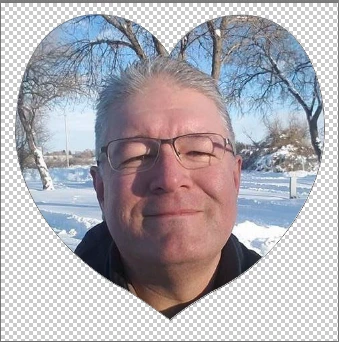
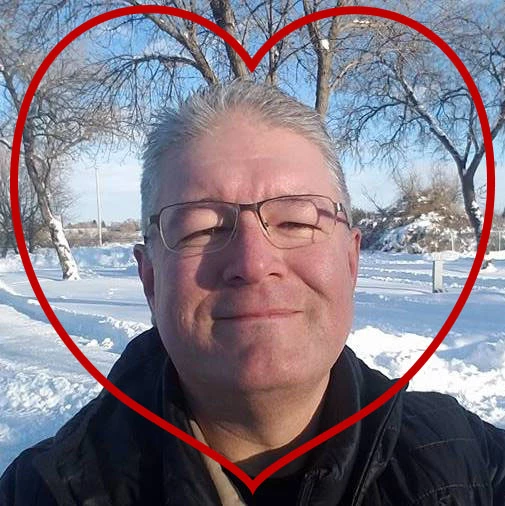
I am completely new to Photoshop and I'm not a techie, so I don't know what masks, layers, etc.. mean. I want to crop a picture into a heart shape. Here is the picture. I have created the custom heart shape I want. How do I crop the picture so that everything outside of the red heart is transparent, not just a white background? Please be specific of steps, because as I said I do not know most of the terms used in Photoshop. I'm trying to get this project done in time for Father's day. Thanks! I sincerely appreciate anyone's help.
    This topic has been closed for replies.
    Correct answer davescm

    Quick way

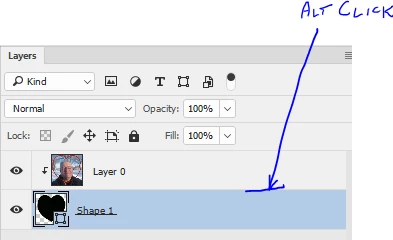
    Put your filled custom shape as the bottom layer

    Put your image above it

    In the layers panel Alt Click on the border between the two layers , so that a small sown arrow appears and the image is clipped to the shape

    You can use Save for Web to export as a PNG with transparency

    Dave

    1 reply

    JJMack
    Community Expert
    Community Expert
    June 10, 2017

    Crops are rectangular you can mask the outside area to transparent and save a png that will display as a heart shaped. the canvas is still a rectangle.

    JJMack
    Yinner68Author
    Participant
    June 12, 2017

    Thank you JJMack! For whatever reason, I couldn't get the way you explained to me to work. It was probably something I was doing wrong, because I have no clue what i am doing. I do sincerely appreciate your reply though.

    JJMack
    Community Expert
    Community Expert
    June 12, 2017

    Dave showed you how to use a shape layer as a clipping mask. That is one way to mask that layer to a hart shape. Masking can be done many ways masking and layers is where Photoshop power is. A mask is a selection. A layer can be masked many ways, layer can have both a vector mask and a raster mash and layer can be as smart object layer that has an smart filter mask. Layer  can have adjustment layers that have layer mask so an adjustment may just adjust the skin or eyes or some other selection. layers can be in a groups the can in turn be masked. You can do a lot of things using masks.

    JJMack