Participant
April 23, 2020
Answered

Cropping is sometimes destructive and sometimes not

  • April 23, 2020
  • 3 replies
  • 3741 views

When using Photoshop 2020 when I use the Crop tool everything works fine until I save it as a PSD file. Some times when I reopen the file I can't recover lost areas in the Crop. Other times I can, so it's rather hit and miss.

I always make sure the Delete Pixels is unchecked

I've look online and can't find any solution to this problem.

Windows 10, latest Update

Thank you.

This topic has been closed for replies.
Correct answer Jeff Arola

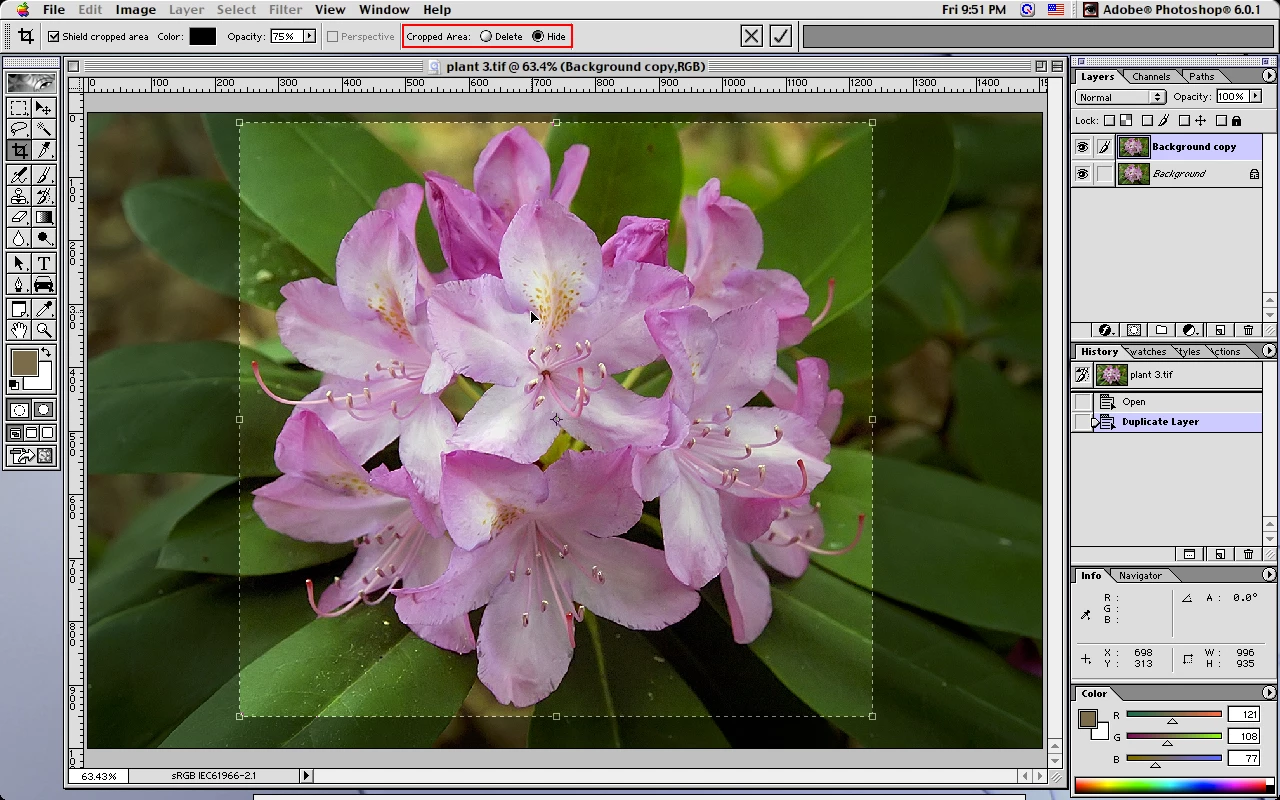
Since photoshop 6 (2001) non destructive cropping has been an option. The wording and the way you can recover the hidden cropped area has changed, but it's basically the same in new versions of photoshop when you have a layered document and save the image as a psd file.


photoshop 6


Hide/Delete options with Crop Tool


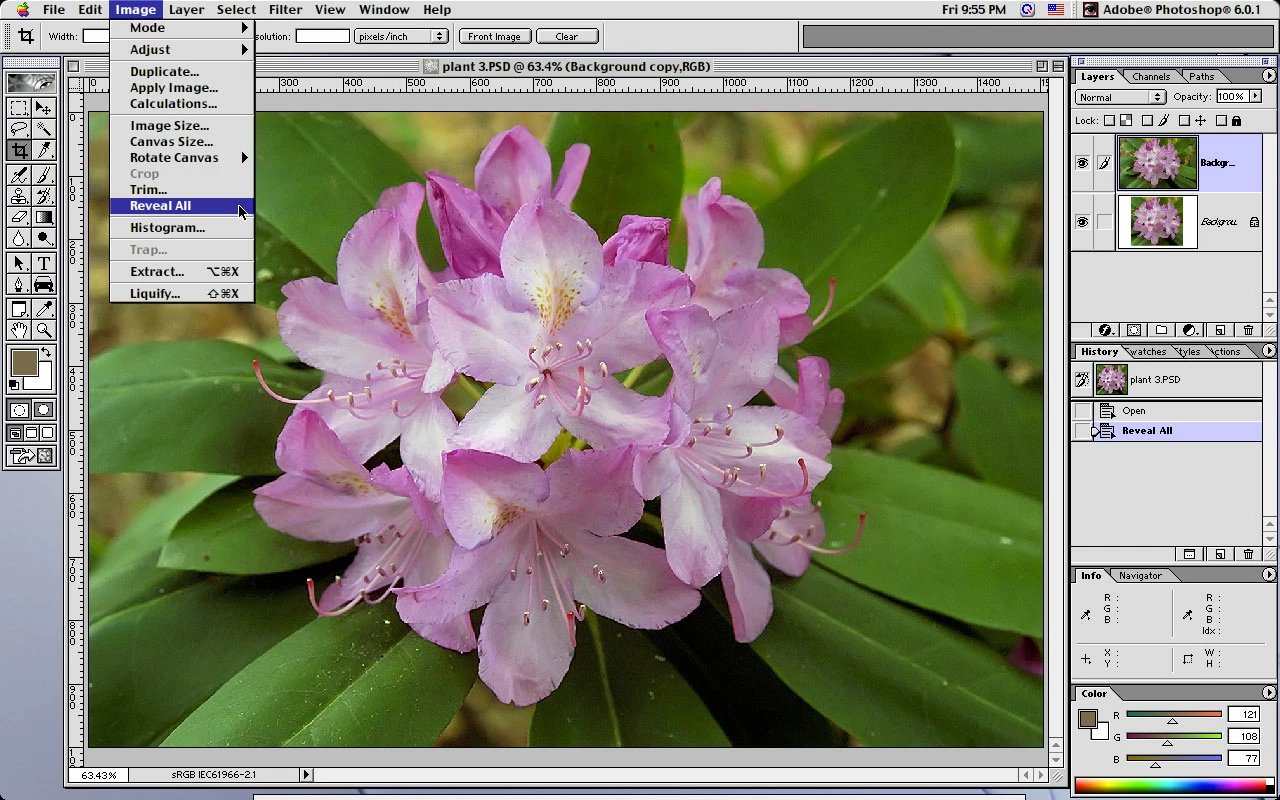
Hidden cropped area recovered from saved psd using Image>Reveal All

The Crop tool can also be used to recover the hidden areas.


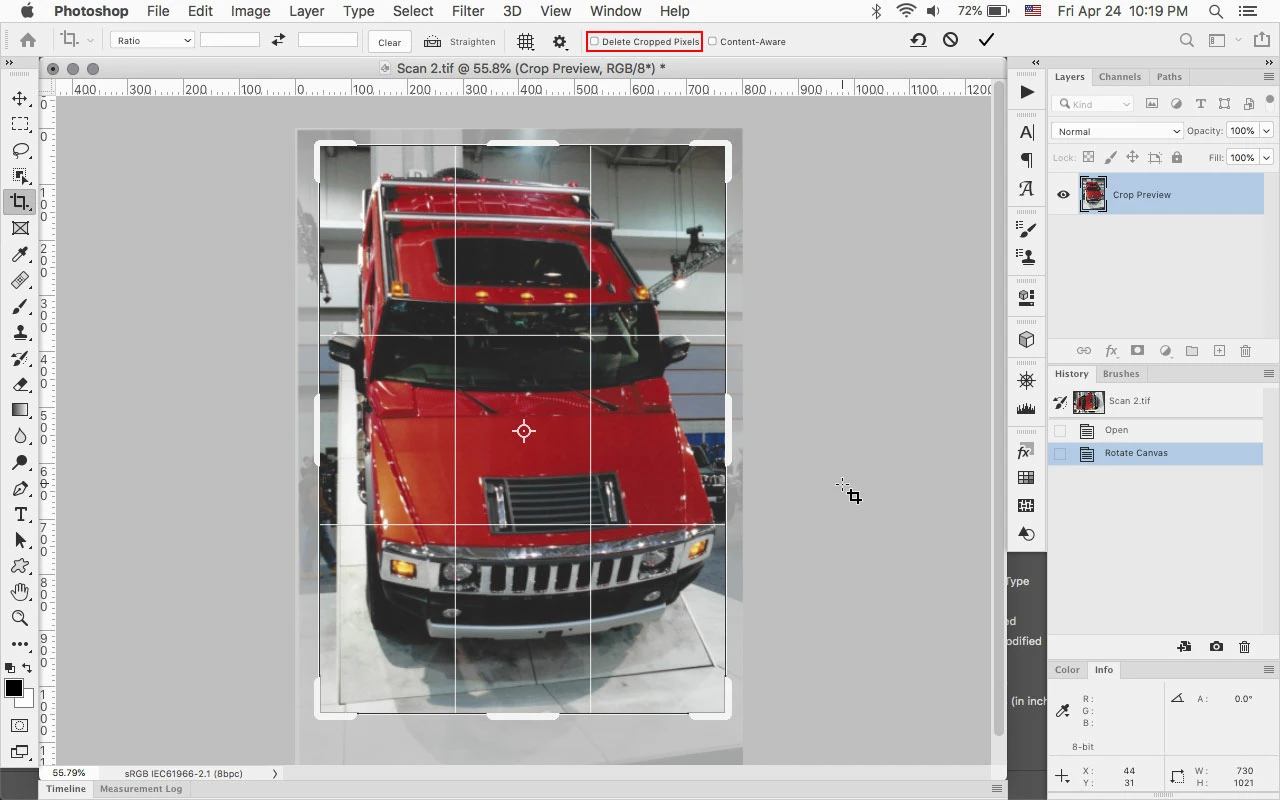
In photoshop 2020 you can just click on the Image with the crop tool to recover the hidden areas.


Cropped with Delete Cropped Pixels unchecked


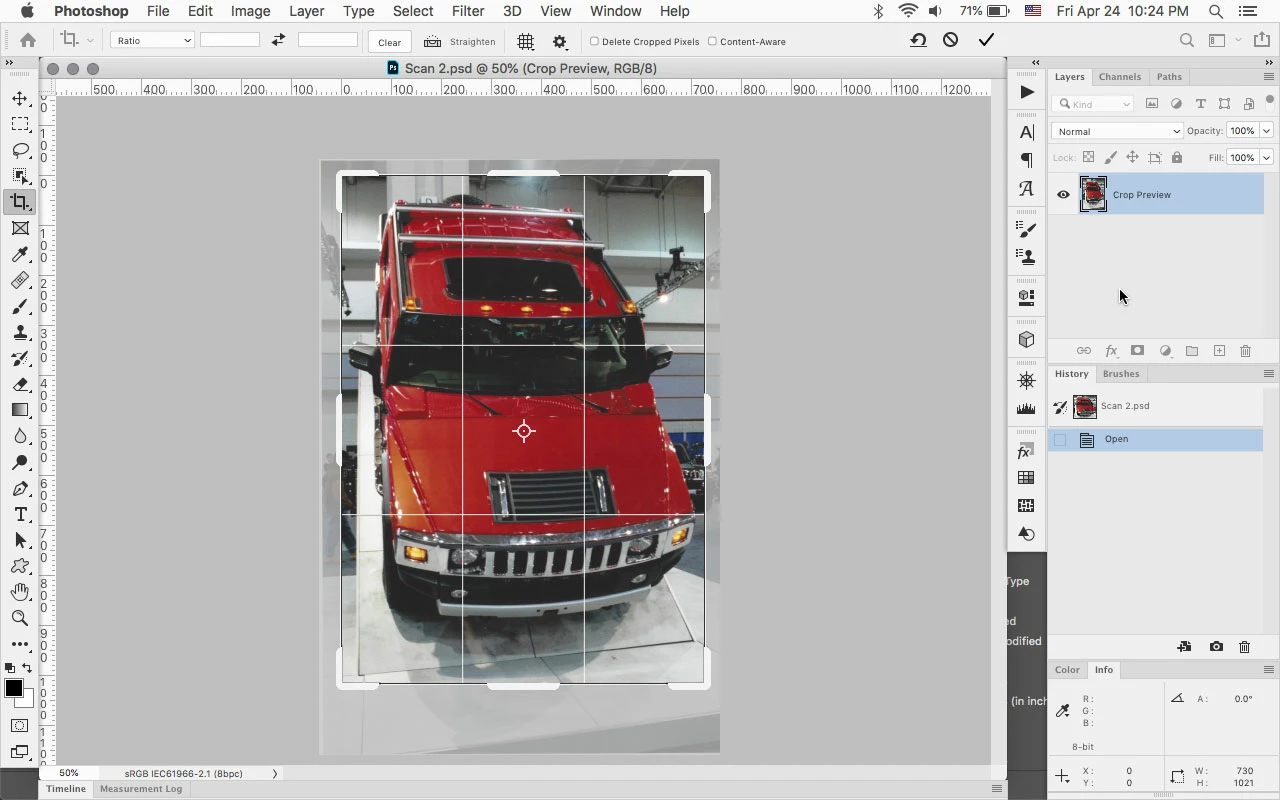
Clicking on saved layered psd with the Crop Tool to show the hidden cropped area.


As far as the difference your seeing in your files, you'll need to compare the files and see if there are any differences in the type of layers, etc.


If you not able to post an example psd file, could you show the Layers panel from a file that your having problems with?



3 replies

Jeff Arola
Community Expert
Jeff ArolaCommunity ExpertCorrect answer
Community Expert
April 25, 2020

Since photoshop 6 (2001) non destructive cropping has been an option. The wording and the way you can recover the hidden cropped area has changed, but it's basically the same in new versions of photoshop when you have a layered document and save the image as a psd file.


photoshop 6


Hide/Delete options with Crop Tool


Hidden cropped area recovered from saved psd using Image>Reveal All

The Crop tool can also be used to recover the hidden areas.


In photoshop 2020 you can just click on the Image with the crop tool to recover the hidden areas.


Cropped with Delete Cropped Pixels unchecked


Clicking on saved layered psd with the Crop Tool to show the hidden cropped area.


As far as the difference your seeing in your files, you'll need to compare the files and see if there are any differences in the type of layers, etc.


If you not able to post an example psd file, could you show the Layers panel from a file that your having problems with?


Participant
April 25, 2020

Please bear with me on this. I'm using Photoshop 2020 so the hide option isn't there. 


Nancy clearly explained that Crop is destructive, so why do some saved PSD files allow me to recover a crop and others don't?


Jeff, I've examined the different files and the layers. More or less identical procedures. They all have Smart Objects and yet can recover Crop in one and not the other. 


Because it is hit and miss, I'll assume they will be Destructive and as Nancy suggest's Crop the JPG


Thank you all

PECourtejoie
Community Expert
Community Expert
April 25, 2020

Andrew, Jeff showed you how the option started, then he showed you how to perform a non-desctructive crop in 2020, do check the entire post!

Jeff Arola
Community Expert
Community Expert
April 24, 2020

If you flatten the image before saving the psd, then you would lose the ability to recover the lost areas.

Participant
April 24, 2020

Hi Jeff. No I don't Flatten the image. All layers are left intact. It's interesting that, as Nancy mentioned earlier Cropping is destructive. So why do some of my PSD files allow me to recover cropped images. Interesting

PECourtejoie
Community Expert
Community Expert
April 25, 2020

Hello, Nancy clarified that it is the case only on JPGs or if you do select the option "Delete Cropped Pixels".

Nancy OShea
Community Expert
Community Expert
April 24, 2020

Unless you work with Smart Objects, crop is always destructive.

Make a copy of your uncropped image first.  Then crop the copy.


Nancy O'Shea— Product User & Community Expert
Chuck Uebele
Community Expert
Community Expert
April 24, 2020

Nancy, I haven't noticed that. If I have delete cropped pixels unchecked, even with a standard pixel layer, I can always go back and either use reveal all or expand the crop to see the original pixels. 

Nancy OShea
Community Expert
Community Expert
April 25, 2020

Like I said, I don't use that crop feature.  


Nancy O'Shea— Product User & Community Expert