March 5, 2019
Question

CS3

  • March 5, 2019
  • 3 replies
  • 4953 views

Hi, I have been in contact with the Adobe chat help online and was refered to the forum hoping some could help me. I have a photoshop cs3 that was trying to install in my computer. At the end of the installation it is asking for an activation, through 4 options:

I have tried the first and no luck, the second option I dont know houw to adjust internet connection settings. I was opting the 3th option would work, but I dont have the authorization code (the phone numbers are not working):
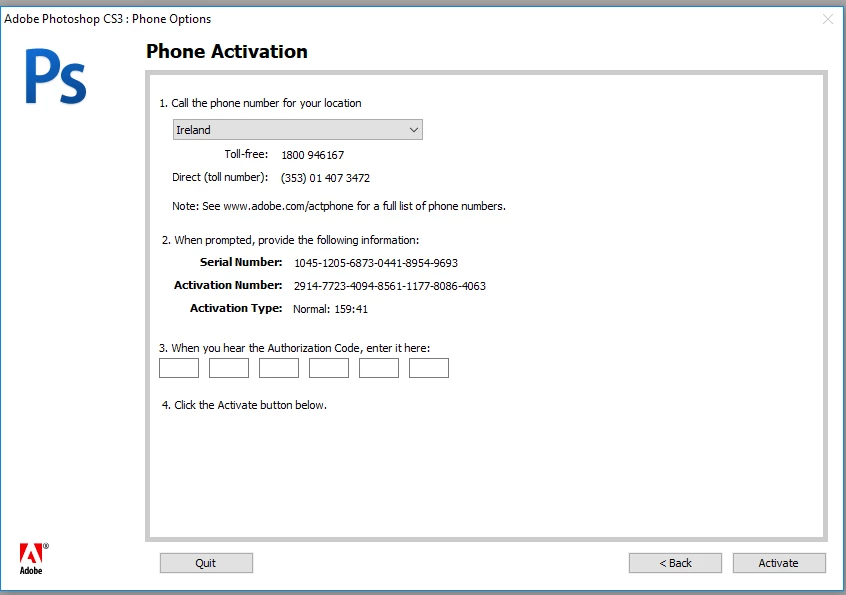
looking forward to your help.

thank you.

[email address removed by moderator]

    This topic has been closed for replies.

    3 replies

    Legend
    March 6, 2019

    No, we are just volunteers here, not Adobe staff. Please follow the link I posted carefully and in full. Uninstalling is not always enough. Do not skip any steps. If you can't follow them let us know.

    March 6, 2019

    ok thank you

    Legend
    March 6, 2019

    You have to download it. Did you do that?

    Did you uninstall the original software? That's not always enough.

    After uninstalling, remove the cache.db file described here Resolve "temporary activation expired" error for CS3 and Acrobat 8

    If you can't find it let us know.

    March 6, 2019

    I had uninstalled the software from the computer, then with the help of a adobe chat assistant I downloaded the revised version, but still had that message about the activation.

    maybe I did not uninstall properly the original version.

    yes I need help

    could we set up a session this Friday?

    thank you

    JJMack
    Community Expert
    Community Expert
    March 5, 2019

    The CS3 Activation server were taken down. Did you download the CS3 installer that does not require activation and get a serial to use with the new installed version. When you start CS3 it will ask for it and you need to enter it and see it accepted with a green check.  After that activation will fail because there are no activation server running. That is OK CS3 will work.

    Activation or connection error when starting CS3 or Acrobat 8

    I just reinstall CS3 not long  ago.

    Re: Photoshop and InDesign activation issues

    JJMack
    March 6, 2019

    thank you JJMack, however it is looking to be activated and I have only 30 days to do so. at the endo of the 30 days what will happen?

    see screen grab below:

    should I keep selecting activate later? will it work at the end of the 30 days?

    thank you so much

    Legend
    March 6, 2019

    If you see this message do NOT ignore it and choose “later”.  It means what it says and will stop working forever after 30 days. You MUST use the replacement software. Sometimes you also have to do other messing around If you did install the original software first.

    If the replacement software is working, you WILL NOT see this message at all.