
Dalski K
Known Participant
June 22, 2019
Answered

CS6 - Path Selection Tool Will Not Select!

  • June 22, 2019
  • 2 replies
  • 3302 views

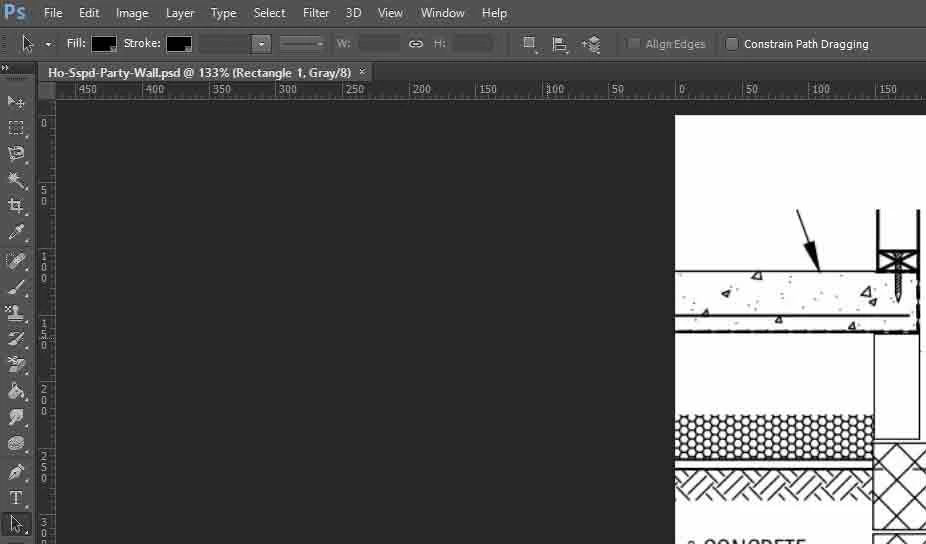
I cannot get the Path Selection Tool (A), or the Direct Selection Tool (A) to select anything. When I have the tools selected I'm not seeing anything displaying in the tool options bar to set "select all layers". I have reset the tool options also. Can anyone advise what I'm doing wrong?
    This topic has been closed for replies.
    Correct answer

    Hi

    Did you rasterize the shape layer by any chance

    2 replies

    Dalski K
    Dalski KAuthor
    Known Participant
    June 22, 2019

    Thanks jane, apologies. I created a rectangle in PS shown selected via the Move Tool which is placed on the Rectangle 1 layer.

    Correct answer
    June 22, 2019

    Hi

    Did you rasterize the shape layer by any chance

    Dalski K
    Dalski KAuthor
    Known Participant
    June 22, 2019

    Thanks Ged, I think you're right. Created a new one and I can select with no issues. Many thanks.

    jane-e
    Community Expert
    Community Expert
    June 22, 2019

    Hi

    You are not showing your layers panel, but this looks like an image? Maybe a scan?

    The Path selection tool will select paths and the Direct Selection tool will select Anchor points.

    Show both your Layers and Path panels so we can see what you are working with. Pull one away from the other.

    What is it that you are trying to do?

    ~ Jane