
Participant
January 27, 2021
Question

ctrl+enter for selecting path is not working anymore

  • January 27, 2021
  • 2 replies
  • 2389 views


When I draw a pat with the pen tool, I can select it when I do CTRL + ENTER ( the larger one) on the keyboard to quickly select it.
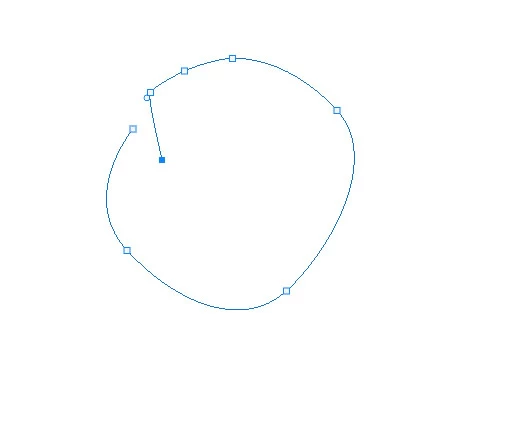


But today it suddenly stops working. nothing happens and it makes my works like turtle run.
i tried to update photoshop, reset the interface and nothing happens.

---


as you can see, i try to set a new shortcut for selectin the path but photoshope wont let  me select ctrl +enter.  but why?
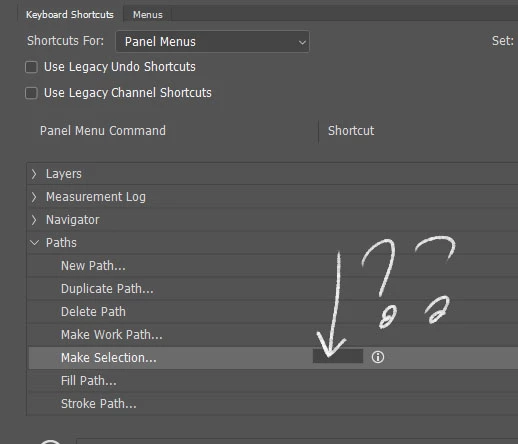


has anyone experienced this issue? please let me know what is the solution..


thank you.


This topic has been closed for replies.

2 replies

Bojan Živković11378569
Community Expert
Community Expert
January 27, 2021

Just to confirm, everything works fine on Win 10 using latest 22.1.1 Photoshop. Try with suggestion above to reset preferences.

Participant
January 27, 2021

well everything was fine yesterday, it just bugged yesterday.

22.1.1 has same issue

older has same as well..


January 27, 2021

Hi

The shortcut works fine for me with Photoshop version 22.1.1, try resetting the Tools

If that doesn't help try a preference reset

Participant
January 27, 2021

thank you so much but still not working