
Answered
Ctrl+Z Undo not working. [Was: Help]
I have no control z and i have no undo. I do something, the only way to get rid of it is closing the program and reopening the file.

I have no control z and i have no undo. I do something, the only way to get rid of it is closing the program and reopening the file.
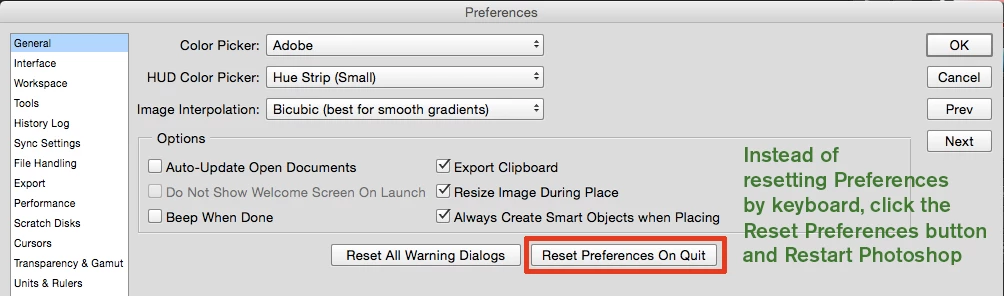
Reset your preferences.
If you need a quick and dirty way to restore your preferences, here's a way you can do it using a keyboard shortcut on launch:
Windows - double-click the PS icon to start Photoshop
Immediately Hold down CTRL-SHIFT-ALT
You will see a delete preferences dialog. Click “yes".
Macintosh - Hold down CMD-SHIFT-OPTION instead.
or with CC
Already have an account? Login
Enter your E-mail address. We'll send you an e-mail with instructions to reset your password.
 AdChoices