Participating Frequently
January 16, 2023
Answered

Curved Text Assistance

  • January 16, 2023
  • 2 replies
  • 1978 views

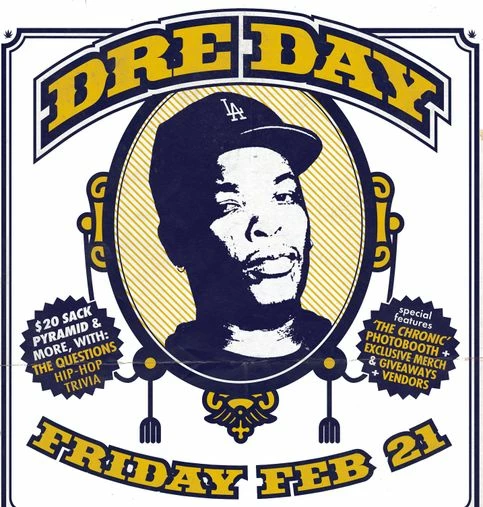
How do I recreate the curved text and outline banner below (Dre Day)? I like the overall layout and outline, but am unsure how to create it myself.



This topic has been closed for replies.
Correct answer Kevin Stohlmeyer

Sorry, new to posting here. No, I did not get a solution that worked for my project.


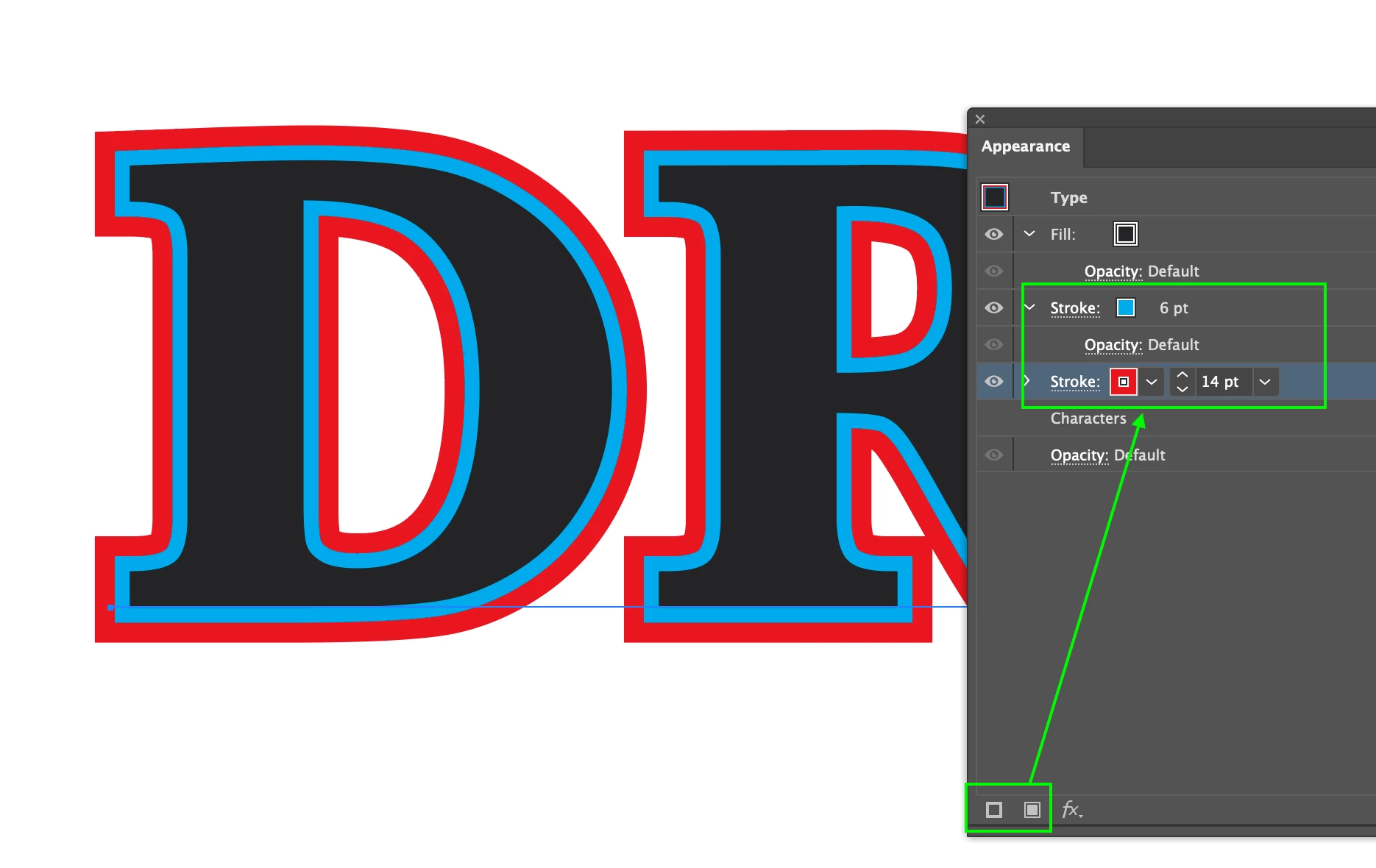
To create the text effect with the outlines you need to make additional appearances such as adding multiple instances of strokes to create the outline. 

This will add additional strokes and fills above your text that you can rearrange (fill on top) to create as many varying stroke widths behind it.
 

2 replies

Participating Frequently
January 19, 2023

Does anyone know how I can recreate the "Dre Day" text below to make it say "Andre Day" instead? Thanks!

Kevin Stohlmeyer
Community Expert
Community Expert
January 19, 2023

@Jason27967406rnkf This is the second such post youve made about recreating this specific text on a path - did you not get resolutions on the previous post you should be replying there and not creating a new post each time for the same question.

https://community.adobe.com/t5/photoshop-ecosystem-discussions/curved-text-assistance/m-p/13495293


Kevin Stohlmeyer
Community Expert
Kevin StohlmeyerCommunity ExpertCorrect answer
Community Expert
January 19, 2023

Sorry, new to posting here. No, I did not get a solution that worked for my project.


To create the text effect with the outlines you need to make additional appearances such as adding multiple instances of strokes to create the outline. 

This will add additional strokes and fills above your text that you can rearrange (fill on top) to create as many varying stroke widths behind it.


Kevin Stohlmeyer
Community Expert
Community Expert
January 16, 2023

This page gives step by step details on how to create Text on a Path in Photoshop:

https://www.adobe.com/products/photoshop/curve-text.html