Answered
Custom Circle Shape
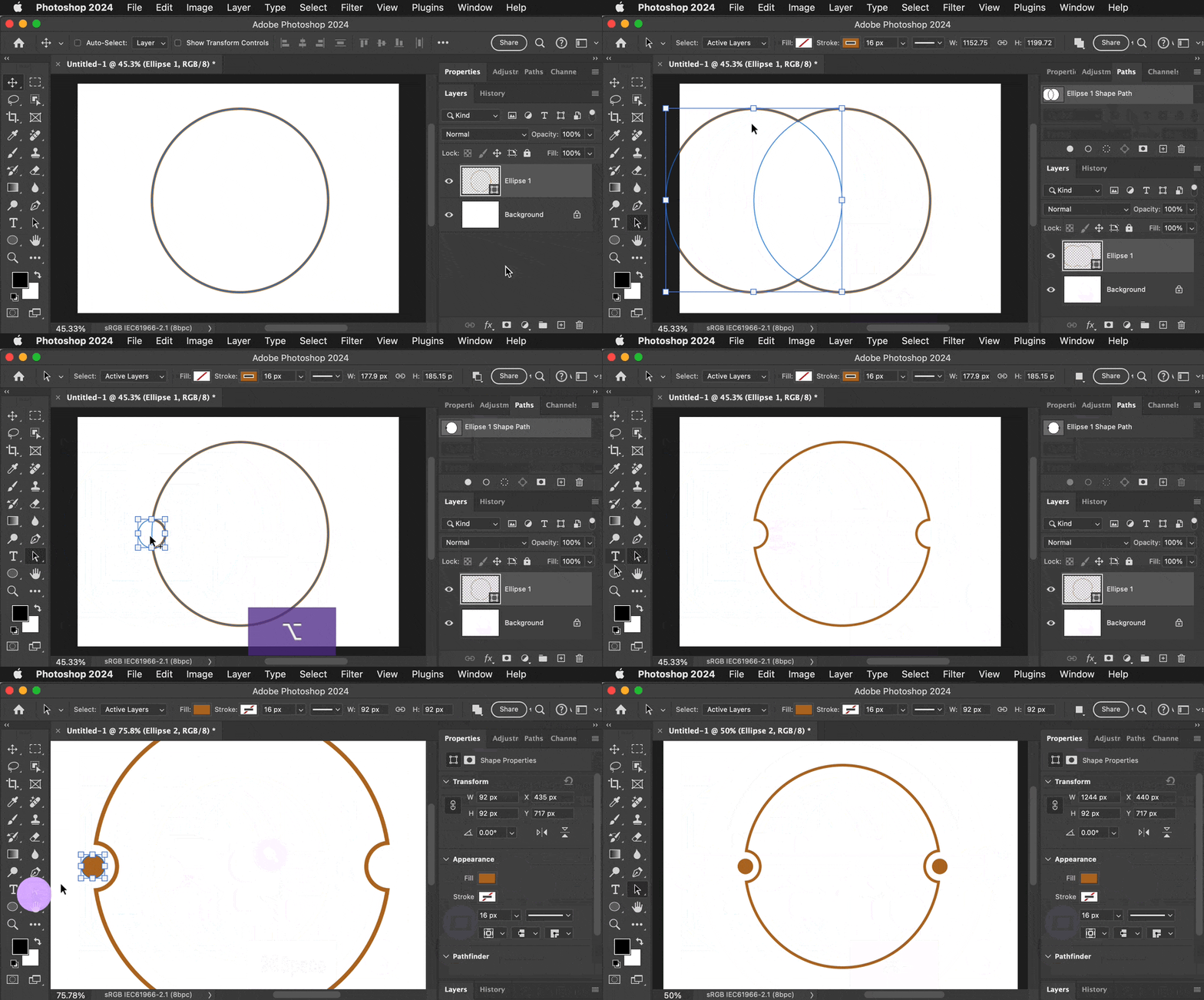
How do I make a cirlce like this, with the indents and dots in the side?


How do I make a cirlce like this, with the indents and dots in the side?
Study using the Ellipse tool, Direction Selection tool, and Path Selection tool to draw, edit, and duplicate shape layers with precision. An example is shown in the demo below. The indents are created by duplicating the circle to create a smaller circle path on the same shape layer, subtracting it from the large circle using Subtract Front Shape from the Path Operations options, and then duplicating it for the indent on the other side. Smart Guides are used for quick alignment.
Already have an account? Login
Enter your E-mail address. We'll send you an e-mail with instructions to reset your password.
 AdChoices