
madeleinew
Participant
January 6, 2021
Answered

Custom Shapes missing in 2021

  • January 6, 2021
  • 3 replies
  • 5866 views

I recently upgraded to PS 2021 and deleted previous versions from my computer - very stupid I know as I cannot go back.

I have two questions:

1.The attached image shows what I expect to find in terms of custom shapes and what I am actually getting.. How can I restore the missing custom shapes?

2.I accidentally duplicated the custom shapes that I have which consist of Leaf Trees, Wild Animals, Boats and flowers and cannot delete the duplicates as the Delete Shape is grayed out.


This topic has been closed for replies.
Correct answer

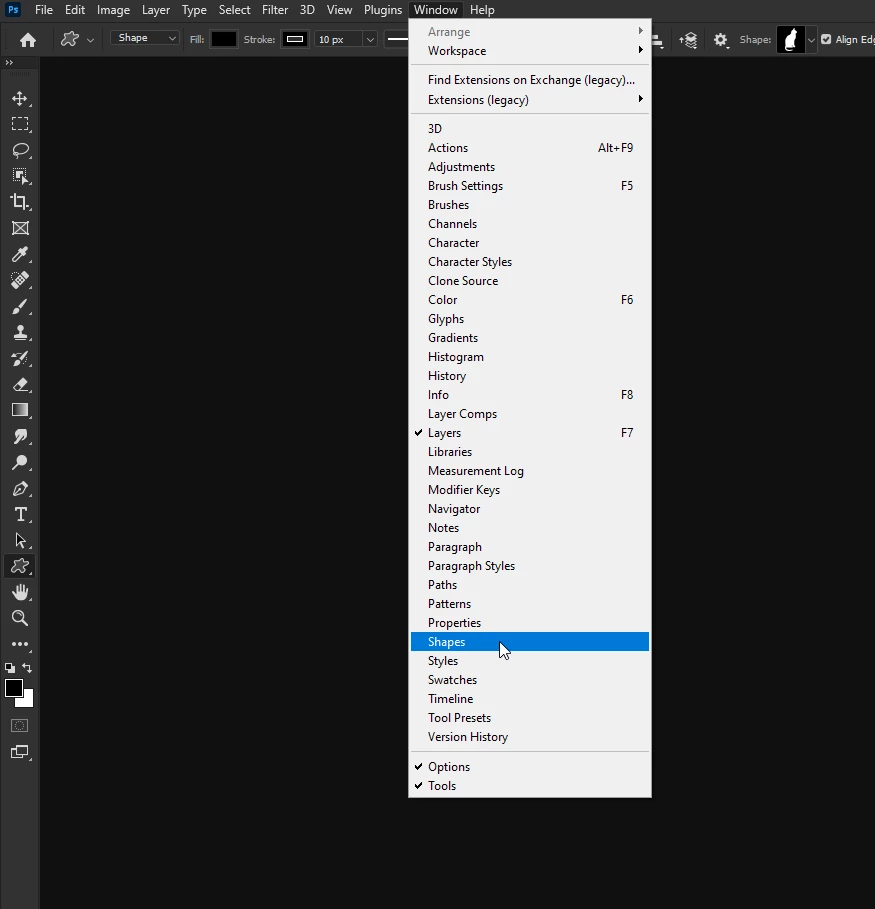
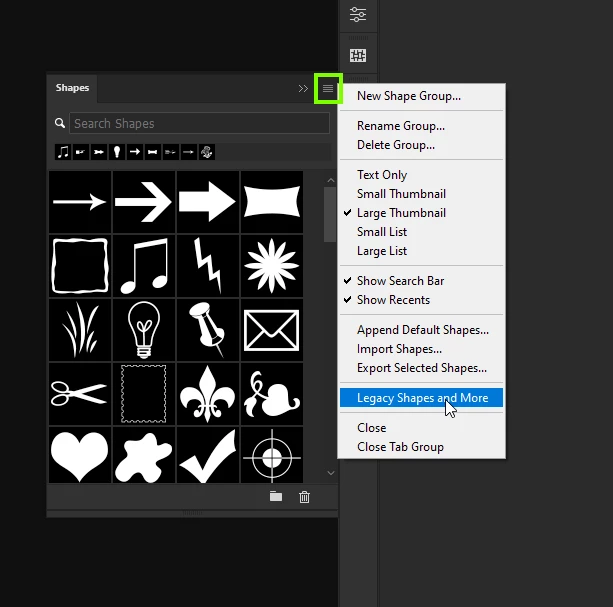
Go to Window > Shapes and from the flyout menu choose Legacy Shapes and More

You can also drag duplicate folders and shapes to the bin from there

3 replies

Kristinart_Lor
Participant
April 6, 2023

Glad you asked this! Thank you to all that had the answer. 

PECourtejoie
Community Expert
Community Expert
October 5, 2021

There are so many threads about this issue, I really do not understand why it is not deemed useful to add legacy shapes/gradients/etc. in the option bar local menu, when it was done for the brushes...

c.pfaffenbichler
Community Expert
Community Expert
January 6, 2021

Please post a screenshot of the complete Shapes Panel. 

madeleinew
Participant
January 6, 2021

forgot to mention before working on a PC - Dell Precision 3630

Correct answer
January 6, 2021

Go to Window > Shapes and from the flyout menu choose Legacy Shapes and More

You can also drag duplicate folders and shapes to the bin from there