
Inspiring
April 23, 2021
Answered

Custom shortcuts returning to default

  • April 23, 2021
  • 1 reply
  • 568 views

Windows 10/64 / Core i7 3.5 / 16G Ram / Photoshop 22.3.1
Being a believer in the efficiency of keyboard shortcuts, I created my own set of shortcuts which work OK — for a while. Then out of the clear blue sky my custom shortcut set reverts to default. This behavior is not unique to this version of PS.

Is there any way to fix this? If so, I will dance at your next wedding.

Thanks to those who know more than me,

Joe
This topic has been closed for replies.
Correct answer gener7

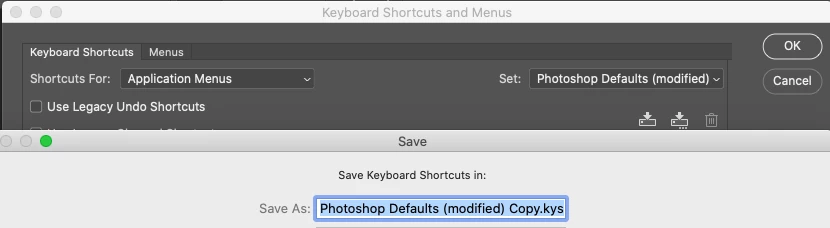
First off I hope you have saved your custom set as a .kys file. That way you don't lose them, they are in the Set: list.


As for why they are always reverting, try a Preferences Reset. The settings file "remembers" your setup in Ps. A corrupt settings file may be the reason you are losing your custom settings.

https://helpx.adobe.com/photoshop/using/preferences.html

1 reply

gener7
Community Expert
gener7Community ExpertCorrect answer
Community Expert
April 23, 2021

First off I hope you have saved your custom set as a .kys file. That way you don't lose them, they are in the Set: list.


As for why they are always reverting, try a Preferences Reset. The settings file "remembers" your setup in Ps. A corrupt settings file may be the reason you are losing your custom settings.

https://helpx.adobe.com/photoshop/using/preferences.html

Inspiring
April 23, 2021

Thanks for your response. I do save the new set, so the preferences is probably the ticket. Over the years I have come go look at resetting preferences as Adobe first aid.

TNX,

Joe