Participating Frequently
November 15, 2017
Answered

Customize right click context menu

  • November 15, 2017
  • 2 replies
  • 10657 views

Hello

Is it possible to edit the right click context menu in photoshop cc to include COPY, PASTE, CUT? If so how should I go about doing so?

Thanks!

    This topic has been closed for replies.
    Correct answer JJMack

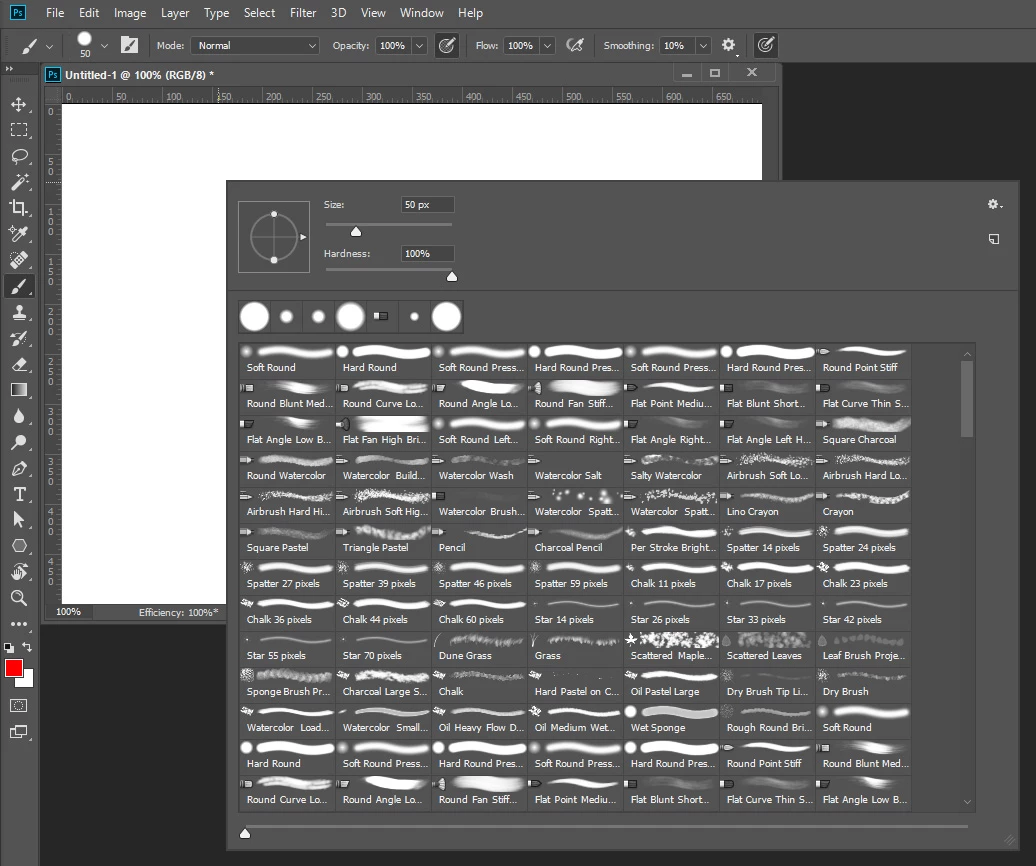
    I believe there are many right click context menu? All controlled by Adobe. For example righr click brush tool contex nemu.
    2 replies

    rodrigounda
    Known Participant
    September 29, 2021

    that wouyld be sweet.

    since 2008, I've thinking that going to the top of the screen to chande brush mode, opacity and so on, would de very useful to have those options close to where  the cursor is.
    Also, something alike with the tools pane.

    it tires me so, to have to do those changes so hard to do.

    JJMack
    Community Expert
    JJMackCommunity ExpertCorrect answer
    Community Expert
    November 15, 2017

    I believe there are many right click context menu? All controlled by Adobe. For example righr click brush tool contex nemu.

    JJMack
    Participating Frequently
    November 15, 2017

    What about the basic right click context menu that comes up if you right click on the canvas? Is there a way to customize this?

    Inspiring
    November 15, 2017

    It can be done with AutoHotKey, infact it is a common request. You wouldn't believe the power AHK gives to Photoshop. And no I am not associated with it in any way, I've just come to realise over the years that it can indeed supercharge Photoshop with everything it does.

    For starters you might want to watch a video on it:

    https://www.youtube.com/watch?v=Z28FVew_Jr4