
Participant
July 11, 2017
Answered

Cut cylinder in half - Photoshop 3D

  • July 11, 2017
  • 1 reply
  • 2255 views

Hi all!

I want to use a cube to cut part of my cylinder mesh in half. Kind of a 3D pathfinder. Is this possible? Here is my scene :
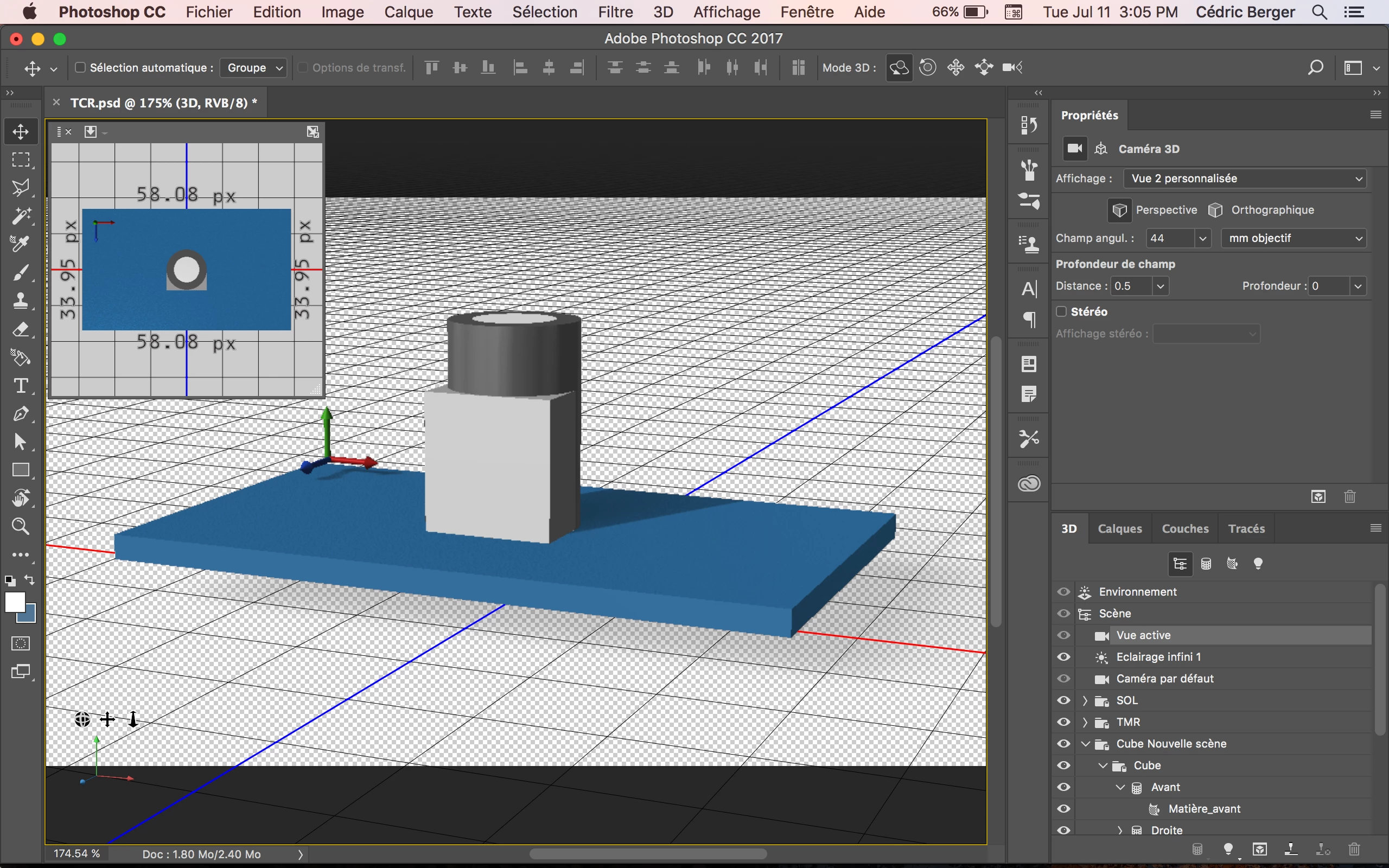
How can I delete the part of my cylinder in which my cube is? Or any other ways to so so??

Thank you

This topic has been closed for replies.
Correct answer davescm

No

The Boolean functions for mesh manipulation that you find in a full 3D program are not built into Photoshop.

You should use a full 3D program such as  Blender (free) to build the mesh

Alternatively if the cube cuts the cylinder exactly by 50% then you could try and create it in two parts. A half cylinder from a path extrusion, along with a full cylinder extrusion. Then merge them onto a single 3D layer, position them one on top of the other and group the objects.

Dave

1 reply

davescm
Community Expert
davescmCommunity ExpertCorrect answer
Community Expert
July 11, 2017

No

The Boolean functions for mesh manipulation that you find in a full 3D program are not built into Photoshop.

You should use a full 3D program such as  Blender (free) to build the mesh

Alternatively if the cube cuts the cylinder exactly by 50% then you could try and create it in two parts. A half cylinder from a path extrusion, along with a full cylinder extrusion. Then merge them onto a single 3D layer, position them one on top of the other and group the objects.

Dave

cedbergerAuthor
Participant
July 11, 2017

Thanks a lot! I think I will go with the Blender solution.

davescm
Community Expert
Community Expert
July 11, 2017

When you do go to Blender - select your cylinder model - add a modifier and set the operation to "difference" with the cube as the object.

Dave