bebez71
Known Participant
August 2, 2021
Question

Cut the same image multiple times with batch

  • August 2, 2021
  • 1 reply
  • 3676 views

Hi, I have a problem with a batch in Photoshop, I have been looking around for a while, but I have not found a real solution.


I have to cut images into several parts. From a single image I have to get two or four by cutting them in half or cross.

I made an action and if I manually activate it, it works fine (I set a stop at each save and manually put a different name each time to the file I save, 01, 02 etc ..).

However, if I automate the action with the batch by giving a source folder, a destination folder and activating "Ignore Save As commands", setting the saving with only two-digit serial number and extension, in the end I only get 4 files instead of 8 (choosing the action that cuts the image in half).
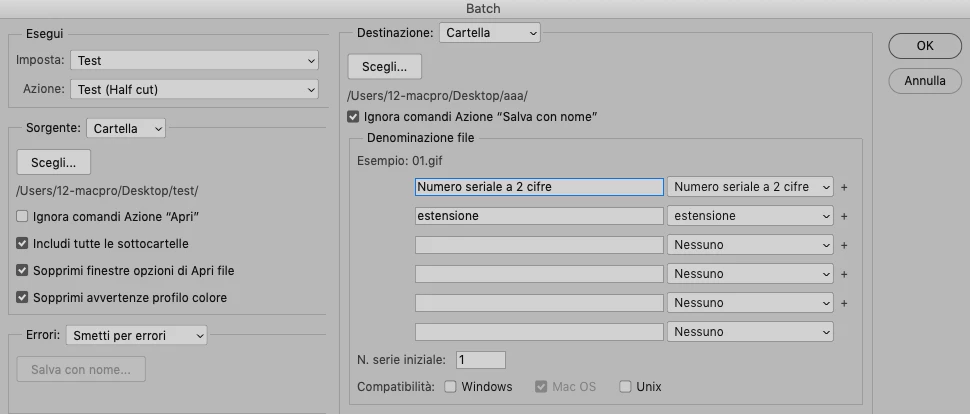
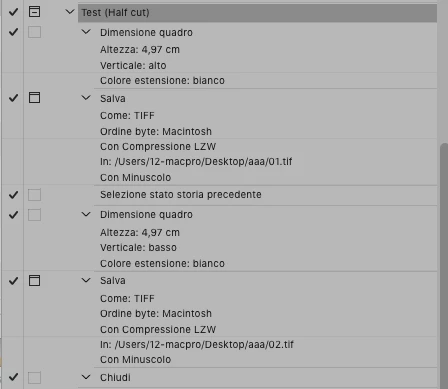


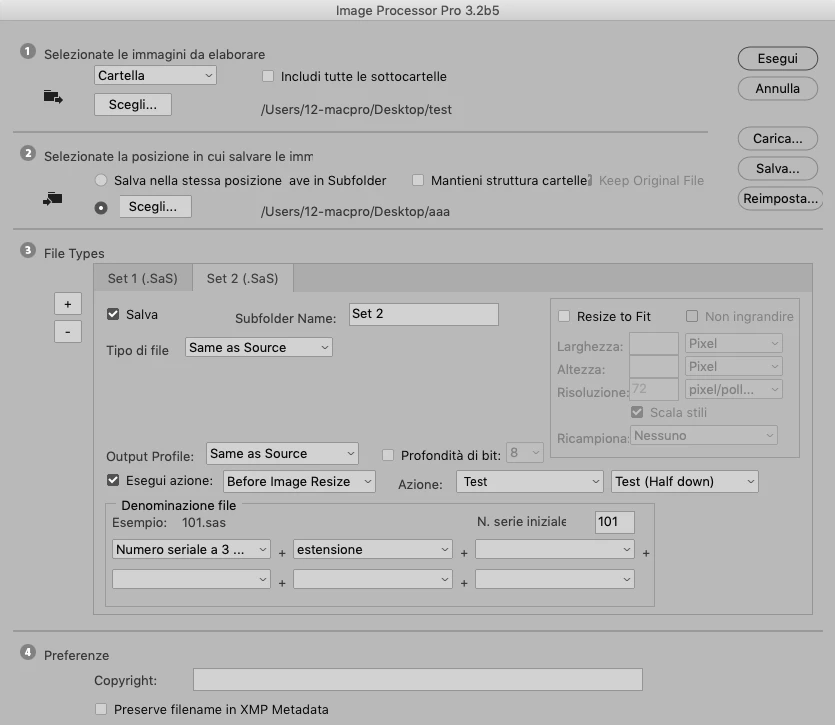
I also tried to create two distinct actions (one for the upper half and one for the lower half) and to use Image Processo Pro, but also in this case I get 4 files instead of 8.
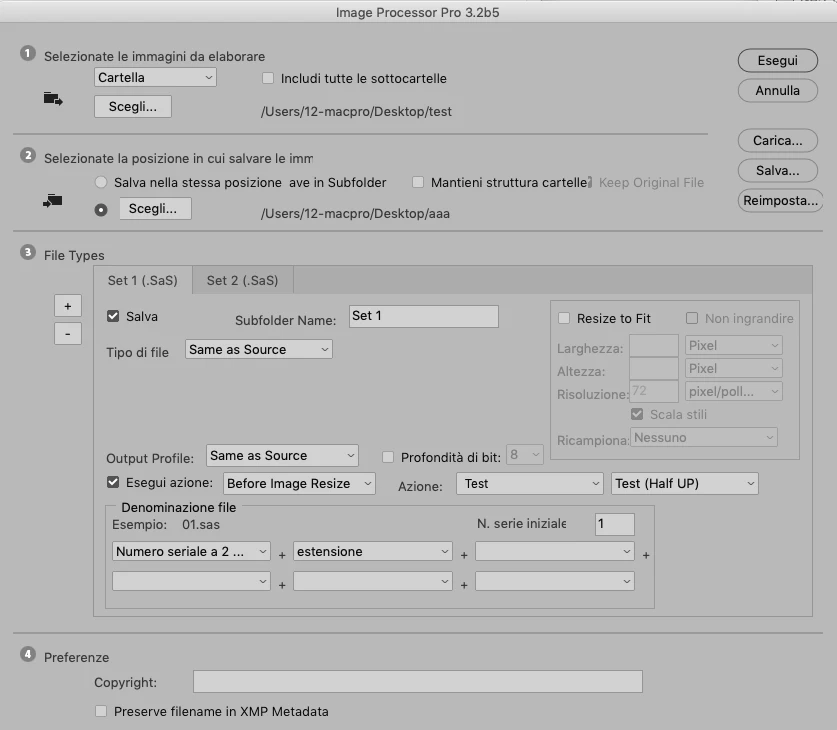
   

What I would like to obtain is an automated action / batch that in one shot (possibly without closing and reopening the original image, because each file I have to cut is about 1GB) creates and saves two or four portions from a single image.


At the following link a zip with the actions and 4 small images to be cut in half (as an example)

Archivio-test.zip

This topic has been closed for replies.

1 reply

bebez71
bebez71Author
Known Participant
August 2, 2021

Maybe I understand where I'm wrong.
In the action I have to put only the cutting of the image, without the action of saving and closing it, then Image processor Pro will take care of saving inside the various sets folder and closing the image.
Right?

JJMack
Community Expert
Community Expert
August 2, 2021

First of all if you want to batch an action the action  should not have any interactive steps. Batch should be a fully automated process.


Second if you want to have multiple image files saved out. You need to realize that Actions have limited saving capabilities. They can only save the current document. If the want to batch the action no file name should be recorded in the Save As step. So Photoshop will use the current document File Name its default operation.  Therefor you need to save each output image file into a different folder for they will have the same file names.


Third in you action set I saw no actions that cut images into parts and save each part as an image file.


So I create a CutUpImage action set and recorded a batch action the  doe the Top Button cutup. Output image file will be save o sub folders "Top" and "Bottom" in a folder name "ImageSave" which is on your desktop.  You need to create thees folders before you use the action.


CutUpImage.atn  I use Photoshop's 22.4.3 "Enable legacy "Save As"" preference for Photoshop 22.4.2  "Save As" brakes too many actions.


JJMack
Kukurykus
Legend
August 2, 2021

Off-topic: I noticed you don't have enabled Private Messages. Is that intentional?