Participant
December 22, 2022
Question

Dark colors are not blending properly when using a soft brush

  • December 22, 2022
  • 1 reply
  • 351 views

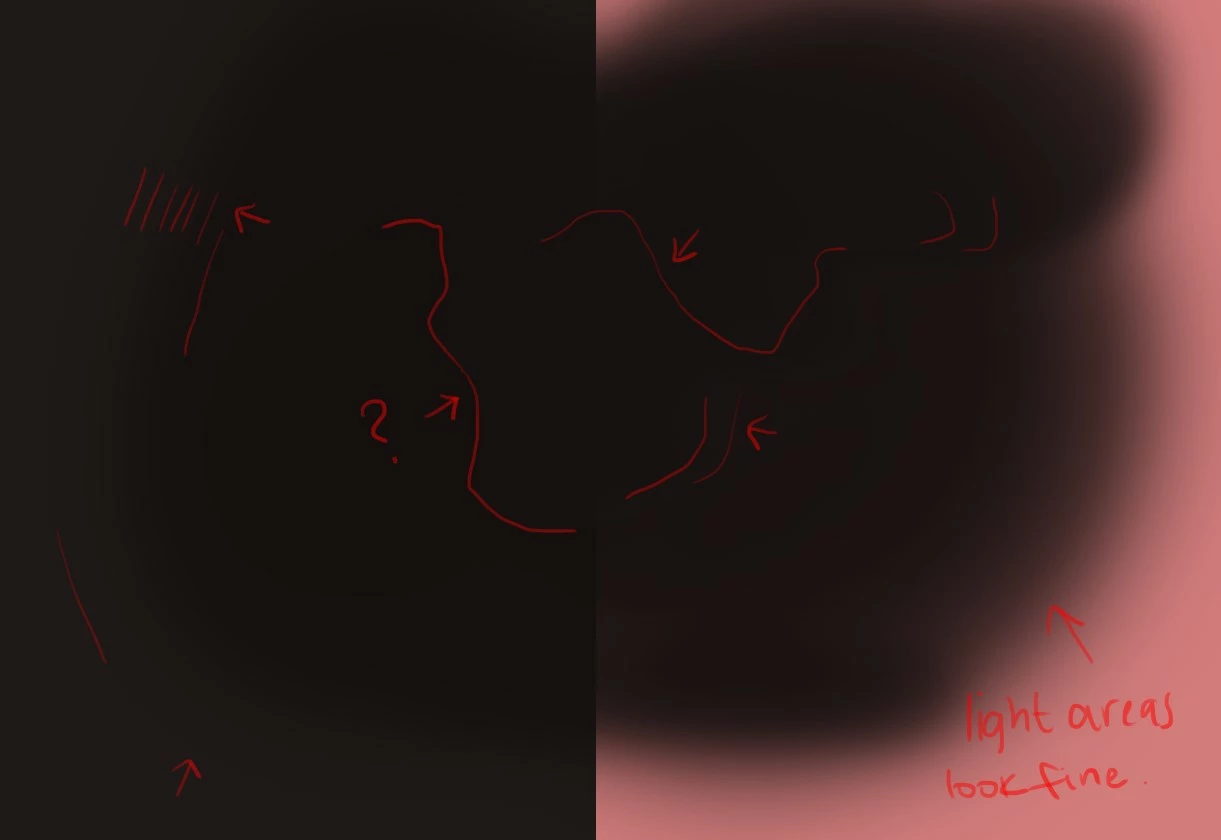
 Dark colors don't blend smoothly with a soft brush. When painted on a lighter BG, you'll see smooth borders around the strokes rather than blobs of color around them when painted on a darker BG (image attached). How can I fix this? I'm not sure why this is happening. Are there any settings I need to adjust? Could it be my monitor screen? 
 

This topic has been closed for replies.

1 reply

Mylenium
Legend
December 22, 2022

It's called banding and a normal artifact. There are not enough steps to create a smooth transition and thus rows of pixels are duplicated, causing this stairstepping. To minimize it, check the dithering options for the brushes or apply a Blur filter with dithering enabled. Also consider working in 16bit or 32bit. This may have repercussions, though, when you need to convert it back e.g. for output to a web format and the issue may come back.


Mylenium