georgen58745525
Participant
November 9, 2017
Answered

Darken blending mode not working

  • November 9, 2017
  • 1 reply
  • 2412 views

Hi guys, I wonder if someone could help. I have the updated version of Photoshop CC 2018 and I noticed that the darken blending mode doesn't work. I am trying to do a "window pull" for real estate photography. I followed the steps in this Youtube video but I just can't get it work. Window Pull for Real Estate Photography using Darken Mode - YouTube

Did anyone experienced the same problem or maybe  I am missing something?

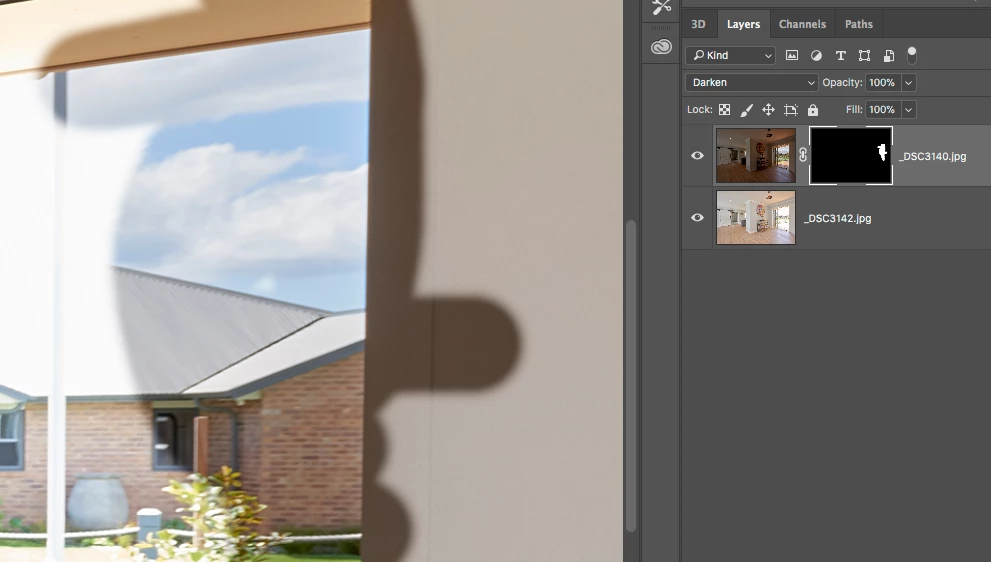
This is my screenshot:
This topic has been closed for replies.
Correct answer davescm

You are missing something

Darken mode will replace pixels on the underlying layer , only where the upper layer is darker.

The reason his worked was that his exterior was darker than the underlying layer, but his interior (i.e. the window frame) was lighter. He used flash to overexpose the interior. Being lighter, the interior sections were ignored by the darken blending mode.

In your images - both the exterior and interior are darker in the upper layer

Dave

1 reply

davescm
Community Expert
davescmCommunity ExpertCorrect answer
Community Expert
November 9, 2017

You are missing something

Darken mode will replace pixels on the underlying layer , only where the upper layer is darker.

The reason his worked was that his exterior was darker than the underlying layer, but his interior (i.e. the window frame) was lighter. He used flash to overexpose the interior. Being lighter, the interior sections were ignored by the darken blending mode.

In your images - both the exterior and interior are darker in the upper layer

Dave

Participating Frequently
May 26, 2018

So confused.  Her top layer is darker than the lower layer.

Participating Frequently
May 26, 2018

My darken mode also stopped working.  Help!