
Danegirl5150
Participant
January 8, 2019
Question

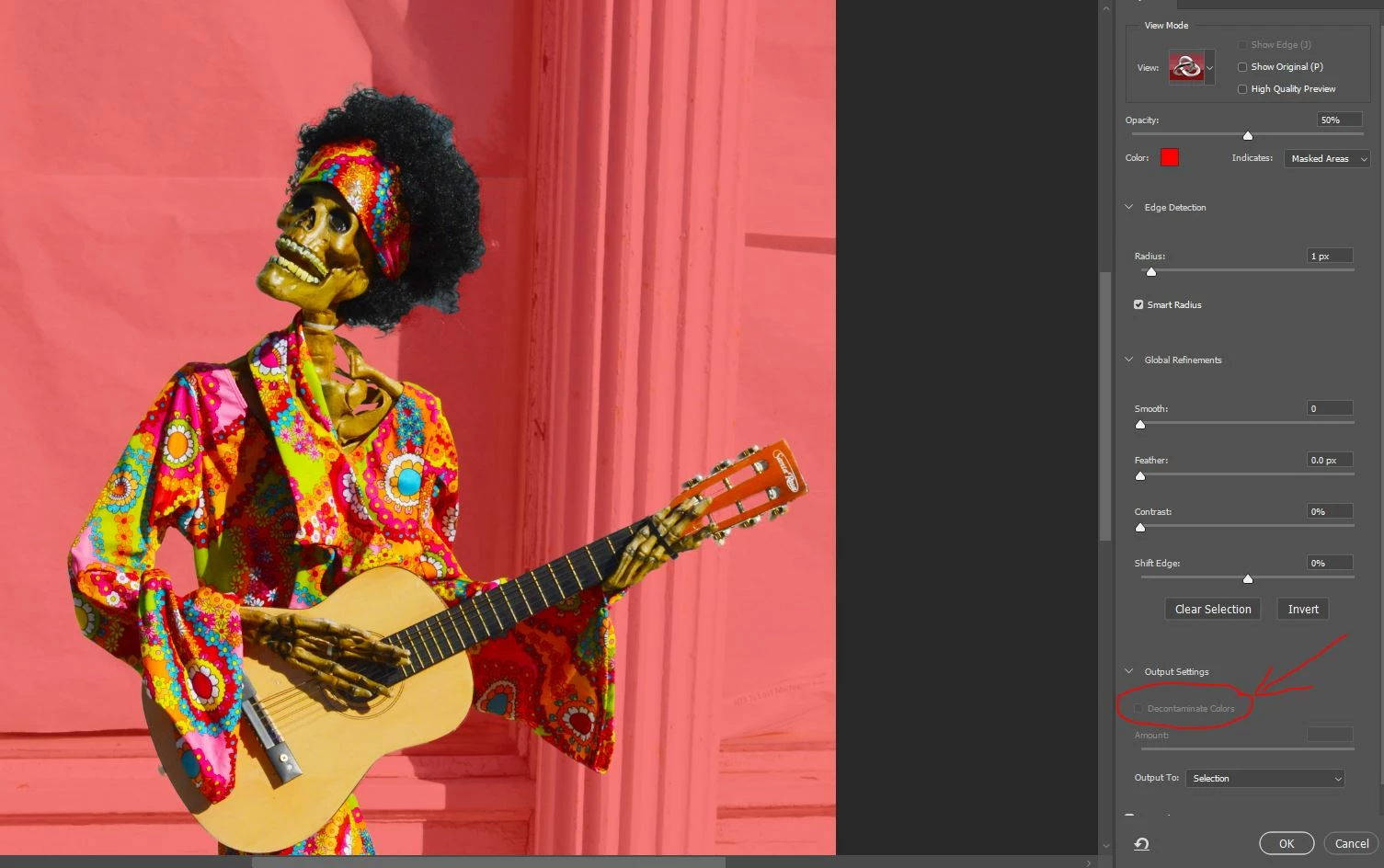
Decontaminate Color greyed out

  • January 8, 2019
  • 2 replies
  • 2812 views

I did a select and mask on a project I am working and when I went to hit the decontaminate color box as I usually do in order to get the object I have selected, it was greyed out.  I just upgraded to Photoshop 2019 and have never had this problem previously.

Is there another way to save my selected work on a transparent background?  The decontaminate color box is how I was taught to get this result.
    This topic has been closed for replies.

    2 replies

    Chuck Uebele
    Community Expert
    Community Expert
    January 11, 2019

    Sorry about not getting back. There should be an option to output to a layer.

    Chuck Uebele
    Community Expert
    Community Expert
    January 8, 2019

    You have output to selection selected. choose to layer.

    Danegirl5150
    Participant
    January 8, 2019

    The only option I can use is layer mask.  Is that correct?