crystals40787935
Participant
October 3, 2018
Question

Deleted Brushes-Adobe Photoshop CC 2018-October 2, 2018

  • October 3, 2018
  • 3 replies
  • 576 views

Hello,

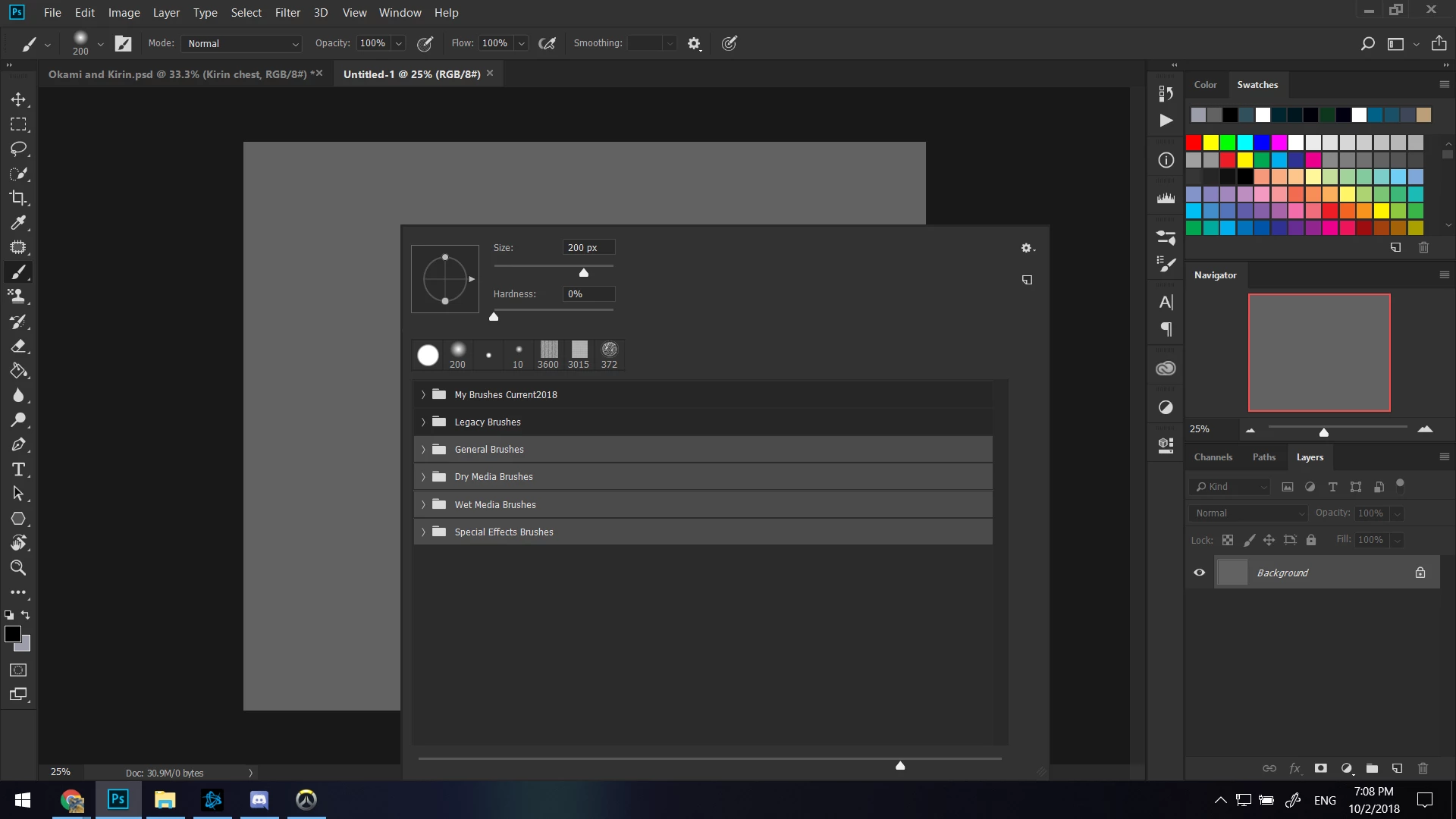
I use Adobe Photoshop CC 2018.  Yesterday I had all my brushes. Today I do not. They were gone and replaced with the four folders you see highlighted in this screen shot (the top folder is the thing I was smart enough to save. I'd imported it a few times and all of the new ones have been there before.)
Anyway, Ive tried finding old .abr files to no avail. Anyone else have any ideas?
    This topic has been closed for replies.

    3 replies

    Trevor.Dennis
    Community Expert
    Community Expert
    October 3, 2018

    crystals40787935  wrote

    Anyway, Ive tried finding old .abr files to no avail. Anyone else have any ideas?

    What operating system are you using? And Is CC2018 the only version of Photoshop  that has been installed on your current system?

    This is where the .abr files live with Windows, but if you have built up a collection of brush sets, and update Photoshop, you need to copy them across from the previous version.

    Note: With Windows you need to make Hidden Files and Folders visible to view this folder hierarchy.

    C:\Users\Your-User-Name\AppData\Roaming\Adobe\Adobe Photoshop CC 2018\Presets\Brushes.

    This link shows your the OSX brush file location, as well as Windows and OSX locations for other Photoshop files

    Photoshop CS6 preference file functions, names, locations

    crystals40787935
    Participant
    October 3, 2018

    I use Windows 10.  Even with hidden files on, there's nothing in these folders. Thanks for trying.

    Muqqarib Hassan
    Inspiring
    October 3, 2018

    Hi, As JJMack told Select the recent brush. It shows in your brush tool panel.

    JJMack
    Community Expert
    Community Expert
    October 3, 2018

    Looking are your screen capture it looks like your brushes may have been grouped into a group name My Brushes Current 2018 anf the someone use the brush Panel fly-out menu iten  "Converted Legacy Tool Presets" Which added the other groups you see in the panel.

    JJMack
    crystals40787935
    Participant
    October 3, 2018

    That folder is the thing I saved to my laptop awhile ago. I'm still missing 15-30 brushes.