
jhonlatorre
Participant
June 22, 2018
Answered

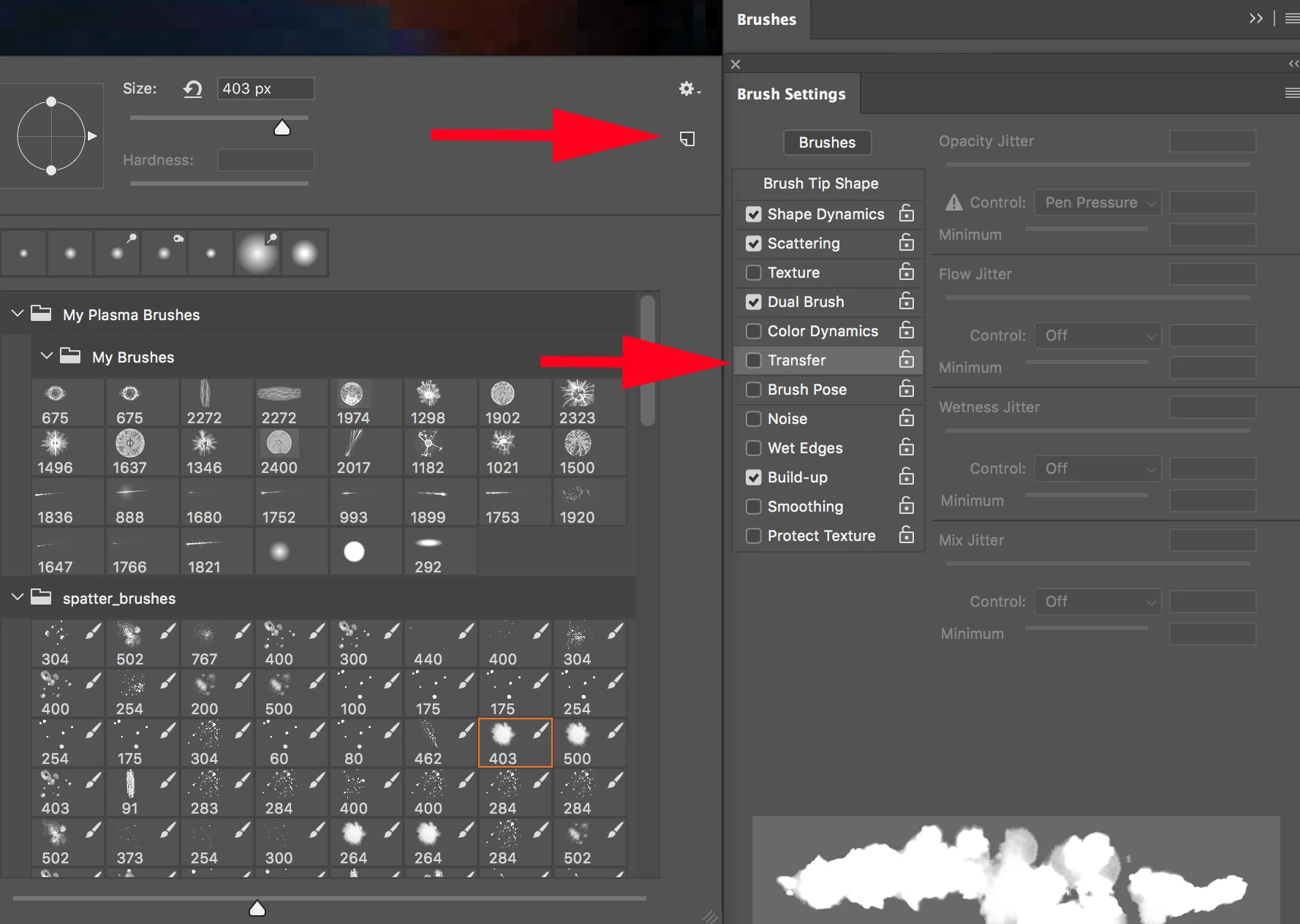
desactivar Transferencia del pincel (disable Automatic transfer brush) HELP!

  • June 22, 2018
  • 1 reply
  • 2376 views

Uso photoshop con la tableta digital, y en F5, el panel de pinceles me aparece activada la opción transferencia y la desactivo, pero cuando uso el pincel se me activa automáticamente transferencia, y no quiero usar el pincel así, desactivo nuevamente, y nuevamente se me activa automáticamente, no he podido con eso!

I use photoshop with the digital tablet, and in F5, the panel of brushes appears activated the transfer option and I deactivate it, but when I use the brush it activates me automatically transfer, and I do not want to use the brush so, I deactivate again, and again it activates me automatically, I have not been able to do that!
This topic has been closed for replies.
Correct answer SteveWeinrebe

Hi - I suspect the brush you are choosing has the Transfer function saved into the brush. Try turning off Transfer, then saving that brush as a new brush by clicking the New icon in the Brush panel. The new brush should have all the same functionality but no Transfer function.

Steve

1 reply

SteveWeinrebeCorrect answer
Inspiring
June 24, 2018

Hi - I suspect the brush you are choosing has the Transfer function saved into the brush. Try turning off Transfer, then saving that brush as a new brush by clicking the New icon in the Brush panel. The new brush should have all the same functionality but no Transfer function.

Steve

Participant
June 15, 2021

this is not a solution....problem with this way is that u can t change options of a brush except if u save another brush with the new functuonalities. In other versions of photoshop u can change different functionalitys of any brush, activate or desactivate any functuonality. Now if i change only transference and dinamic form (not the other functuonalities) it activates automatic. Save each brush with each functionality combinations is crazy...

Participant
June 15, 2021

La solucion a este problema es desactivar 2 funciones que hay en la barra superior del pincel. Son 2 iconos ambos con un pincel o lapiz con un circulo debajo (uno a la derecha de la opacidad y el otro a la izquierda de la mariposa que sirve para las opciones de simetria). Uno sirve para tener siempre activo la transferencia y el otro para tener siempre activa la dinamica de forma. Si desactivas ambos podras activar o desactivar la funion de transferencia y dinamica de formas desde el panel de pinceles, y asi customizar cada pincel sin tener que guardar un nuevo pincel como aconsejan en el post de arriba.