
Different colors viewing files in PS versus viewing in "Picasa"
Hello everyone,
There is a problem that I have encountered in a past week or so. Colors differ when viewing files in PS versus when I view them in "Picasa". I have never touched the color profile preferences of "Photoshop" until this error occured and have restored them to the default now and I have never encounted such issue while I was using Photoshop for about 10 years. This happens both when I open the PNG or PSD files that the "Photoshop" does not display the true colors of the image (which always matched with the ones displayed in "Picasa"). The colors become more saturated when I export them to PNG, however, old PSD and PNG appear more dull than they truly are when I open them with PS (reference examples below). Colors only match when I choose View->Proof Setup->Monitor RGB & Proof Color. Could it be some kind of problem with Color Embeded profiles of my monitor or could it be to some kind of monitor errors (as my PC monitor is quite old)?
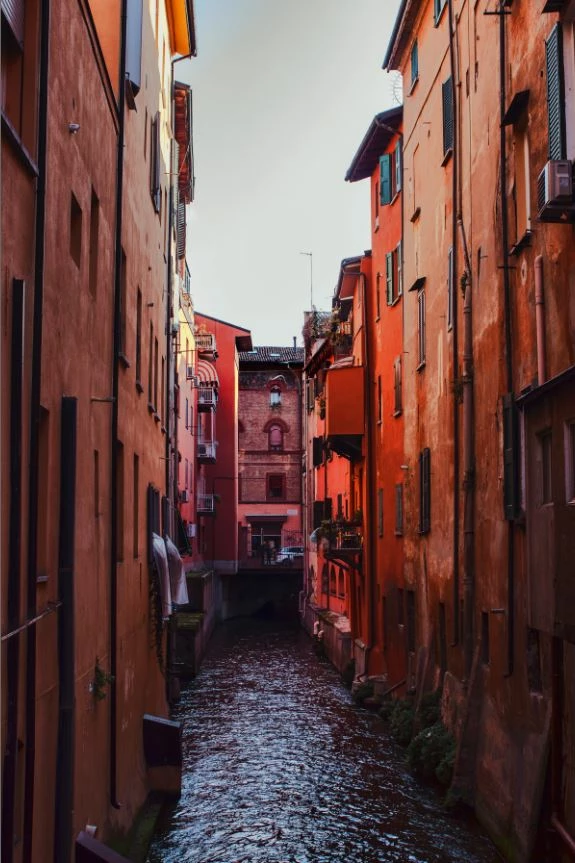
Original photo (above), edited more than a year ago
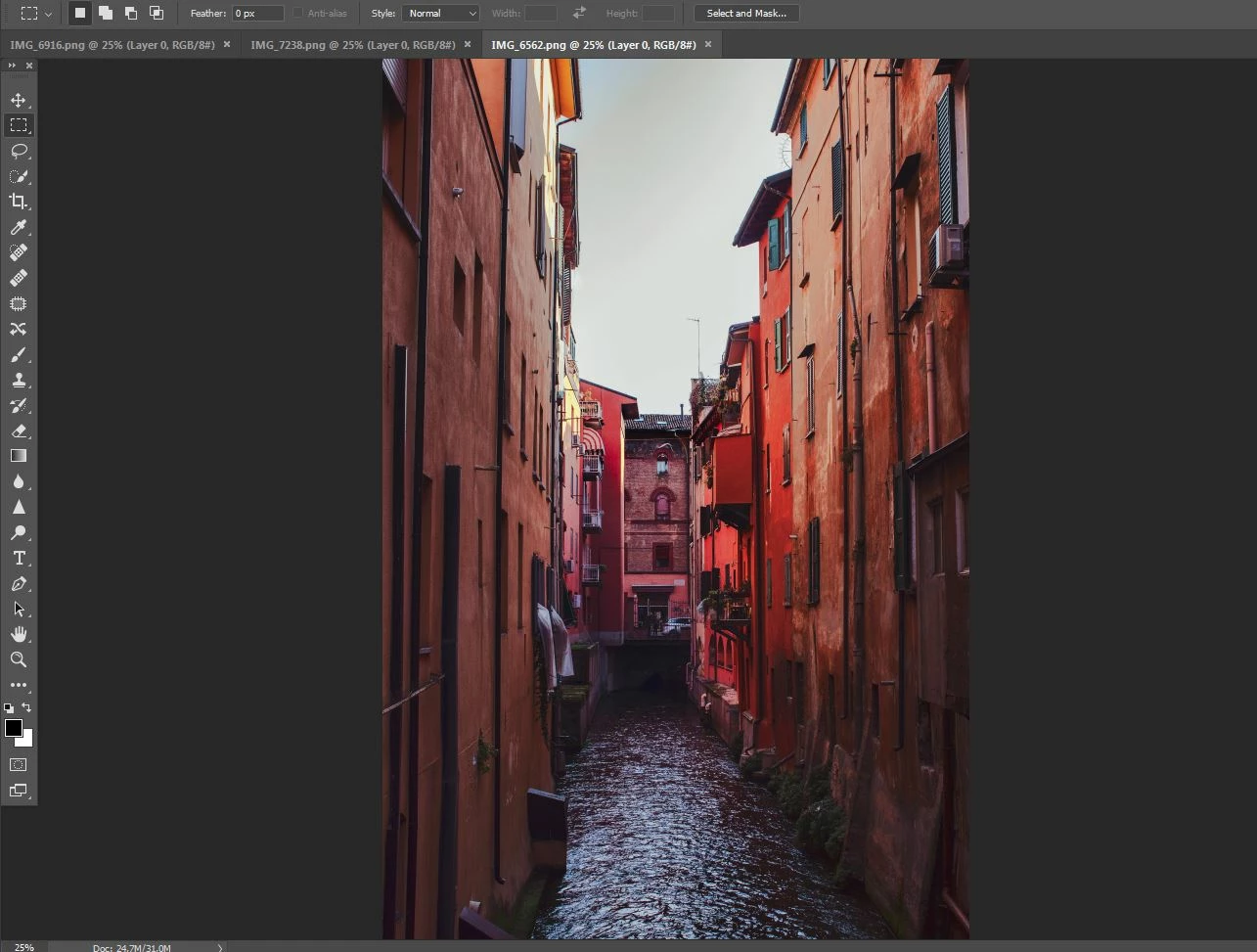
How PS displays the original photo's PNG with default Color Profiles settings (above)
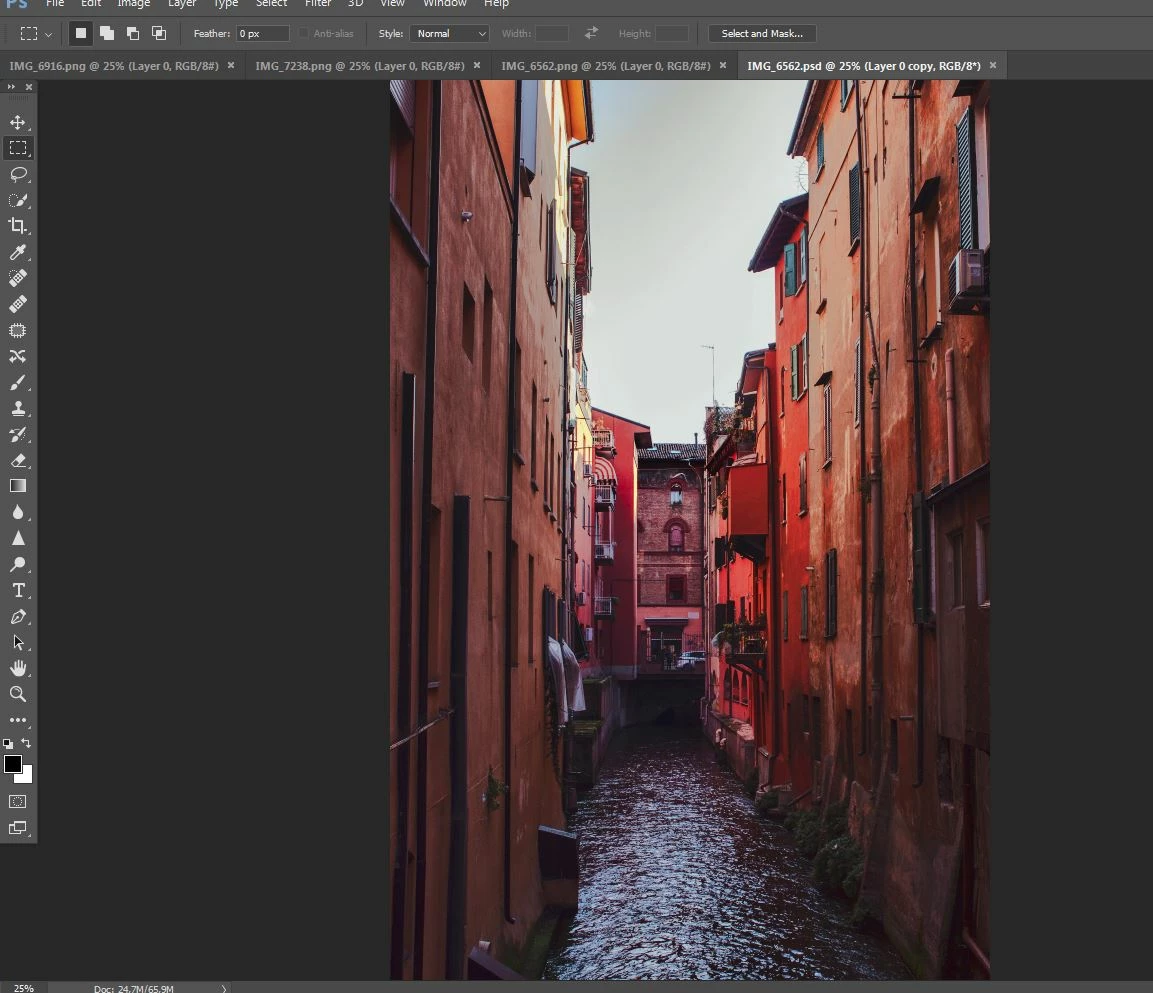
How PS displays the original photo's PSD with default Color Profiles settings (above)
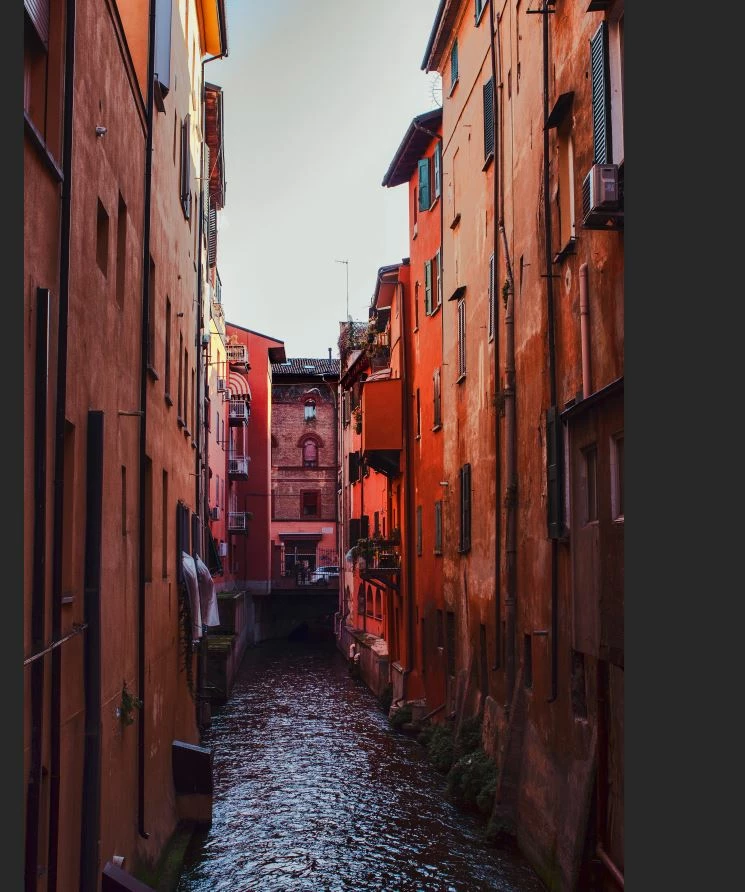 How PS displays the original photo's PSD with Proof Coloring of the monitor (above)
Would be very grateful for your help!
 AdChoices