
Question
Different dimensions are appearing for the size of my shape
Hi community.
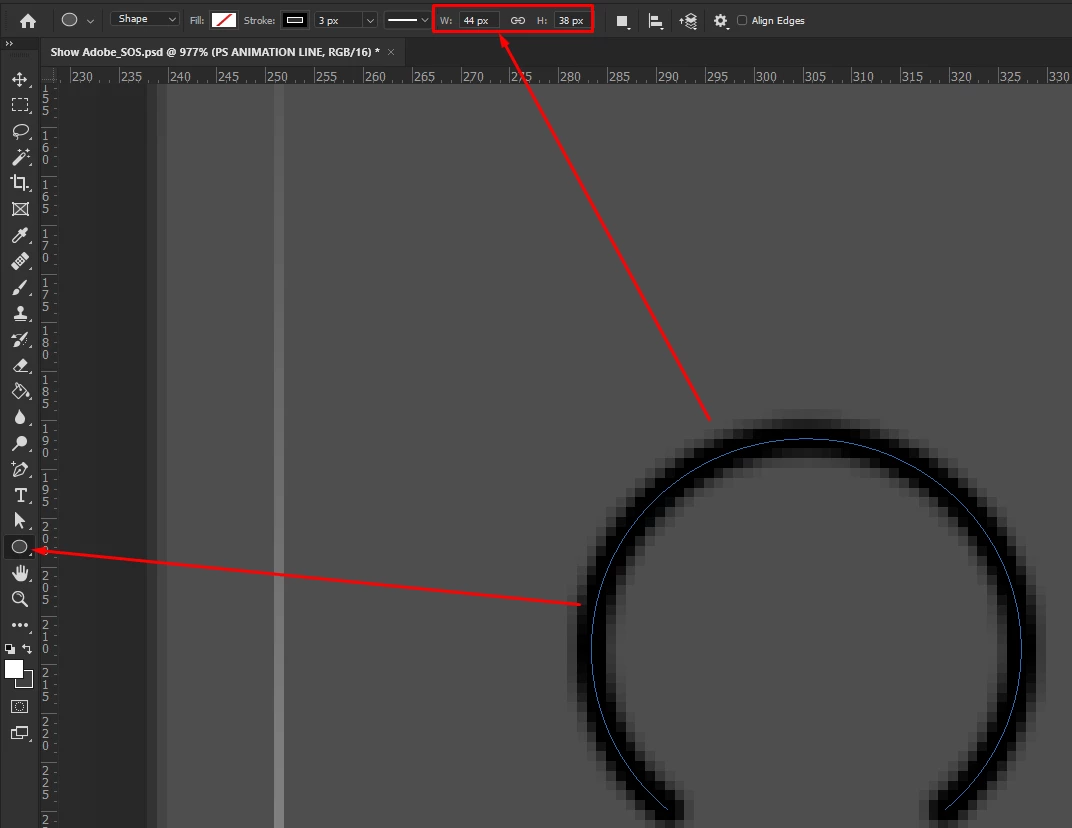
Why does PS show different dimensions for my shape, depending on what command I use. The info box is different from the shape tab for my raindow shape circle.
This is from the shape tab, showing 44 / 38 pix
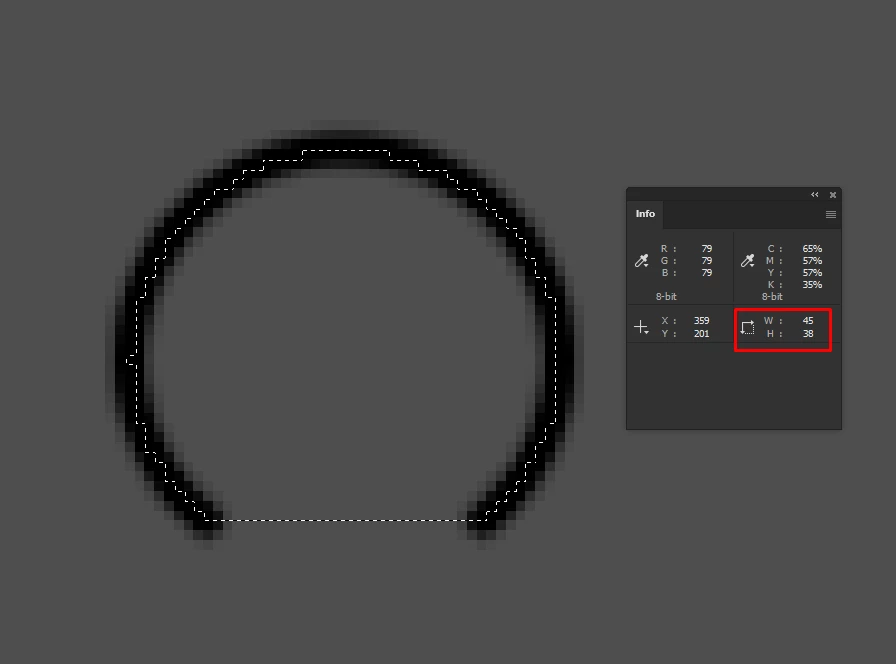
And when I select my shape, and control click the layer, its 45 / 38, one pixel larger in width.
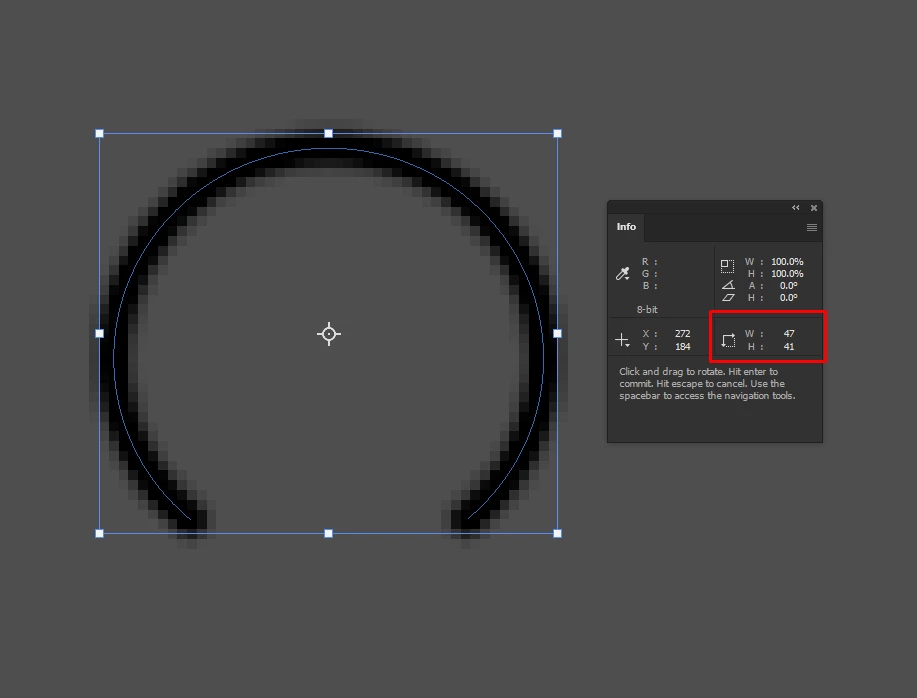
And if I just do a cntrl + T, its even larger:
Im super confused what the actual dimensions are of this object.
Kind regards.
 AdChoices