
Answered
Different Percentage
I am following a tutorial. When I creat a new file there is a different in percentage. My file shows 66.7% whereas tutorial shows 100%. What is the reason for that?
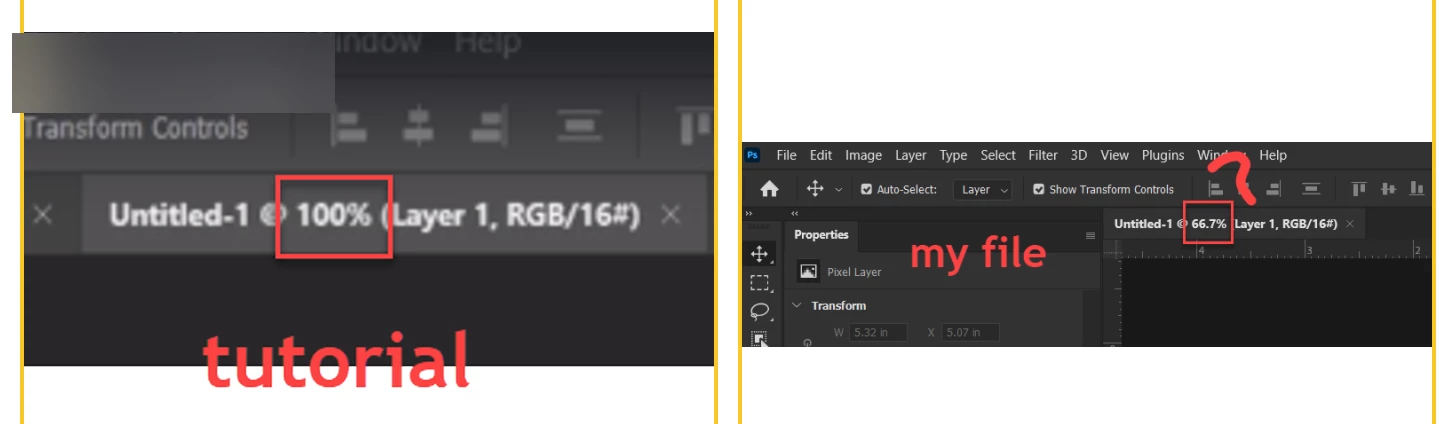

I am following a tutorial. When I creat a new file there is a different in percentage. My file shows 66.7% whereas tutorial shows 100%. What is the reason for that?
Press ctrl+1 to get 100%.
If the file is too big to fit on screen at 100%, it goes down to the next zoom percentage - 66.7, 50, 33.3, 25 etc. Downsampled images at these zoom ratios are kept in a cache for quick access. This is known as the "image pyramid".
It should be emphasized here that 100% has nothing to do with physical size. It's all about pixels. 100% means that one image pixel is represented by one physical screen pixel (1:1).
In other words, this will depend on your screen resolution. What fits at 100% on a large high resolution screen may not if you have a lower resolution screen.
Already have an account? Login
Enter your E-mail address. We'll send you an e-mail with instructions to reset your password.
 AdChoices