
Question
Direction of the rotation when using the fade option of Angle Jitter from Brush settings
To my understanding... with the fade option enabled for the angle jitter, the brush is rotating 360° according to the count I set.
But is there a option to define in which direction it should rotate? (clockwise / counterclockwise)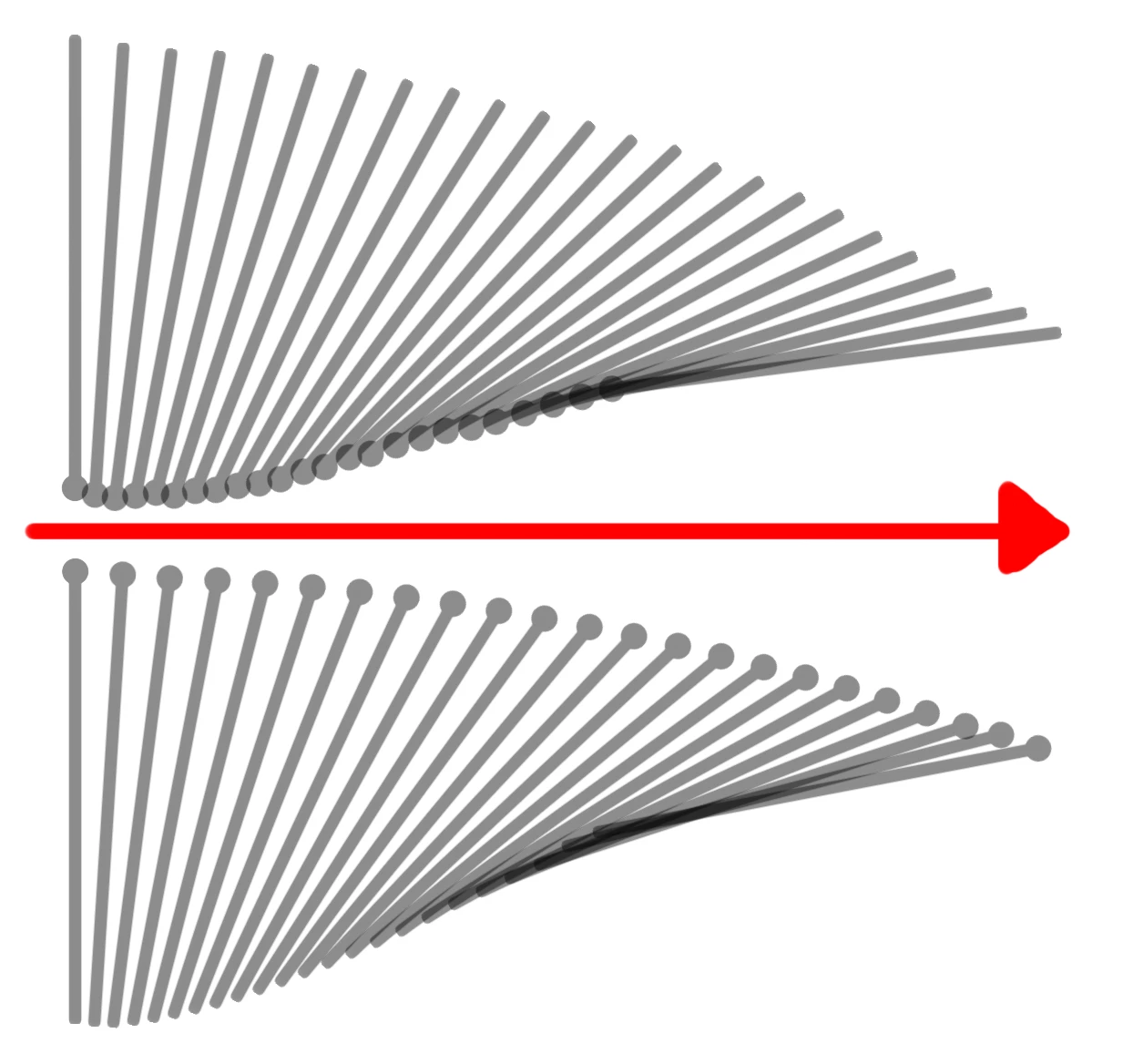
In the Picture obove:
Red Arrow is the direction I dragged the mouse.
Top --> Brush Angle 0° (you can see that the rotation is clockwise)
Bottom --> Brush Angle 180° (here also clockwise)
What I want is, the bottom should be rotated counterclockwise. It should then look like the top part is mirrord on the red line.
 AdChoices